
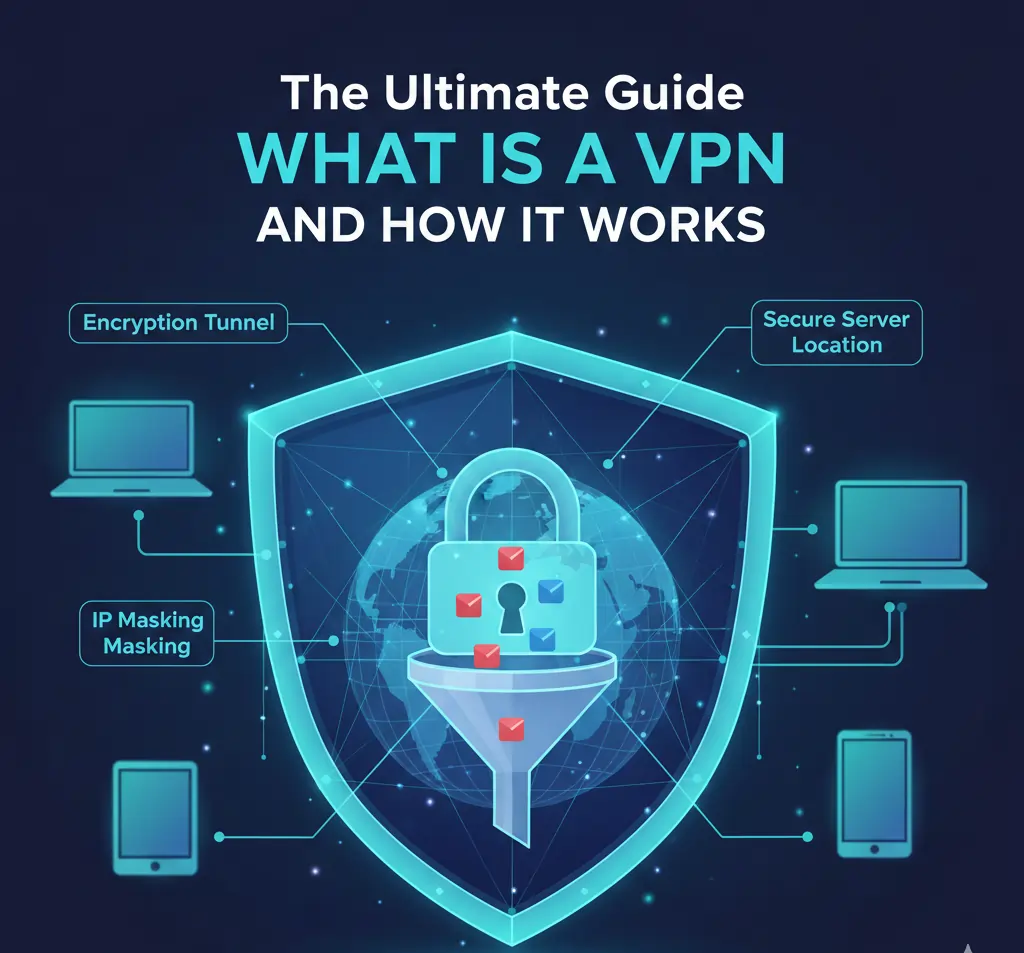
Overall, a VPN is a tool designed to protect your privacy, secure your internet connection, and give you greater control over how your data moves online. While the term “VPN” is often mentioned in discussions about privacy or streaming, many people still do not fully understand what a VPN actually does.
In simple terms, a VPN creates a secure, encrypted connection between your device and the internet. This connection helps prevent third parties, such as internet service providers, network administrators, or attackers on public Wi-Fi, from seeing or interfering with your online activity.
This guide explains what a VPN is, how it works, when you should use one, and when you may not need one. It also covers common myths, legal considerations, and the different types of VPNs available today.
By the end, you will have a clear, practical understanding of VPN technology and be able to decide whether using a VPN makes sense for your specific needs.
What Does a VPN Do?
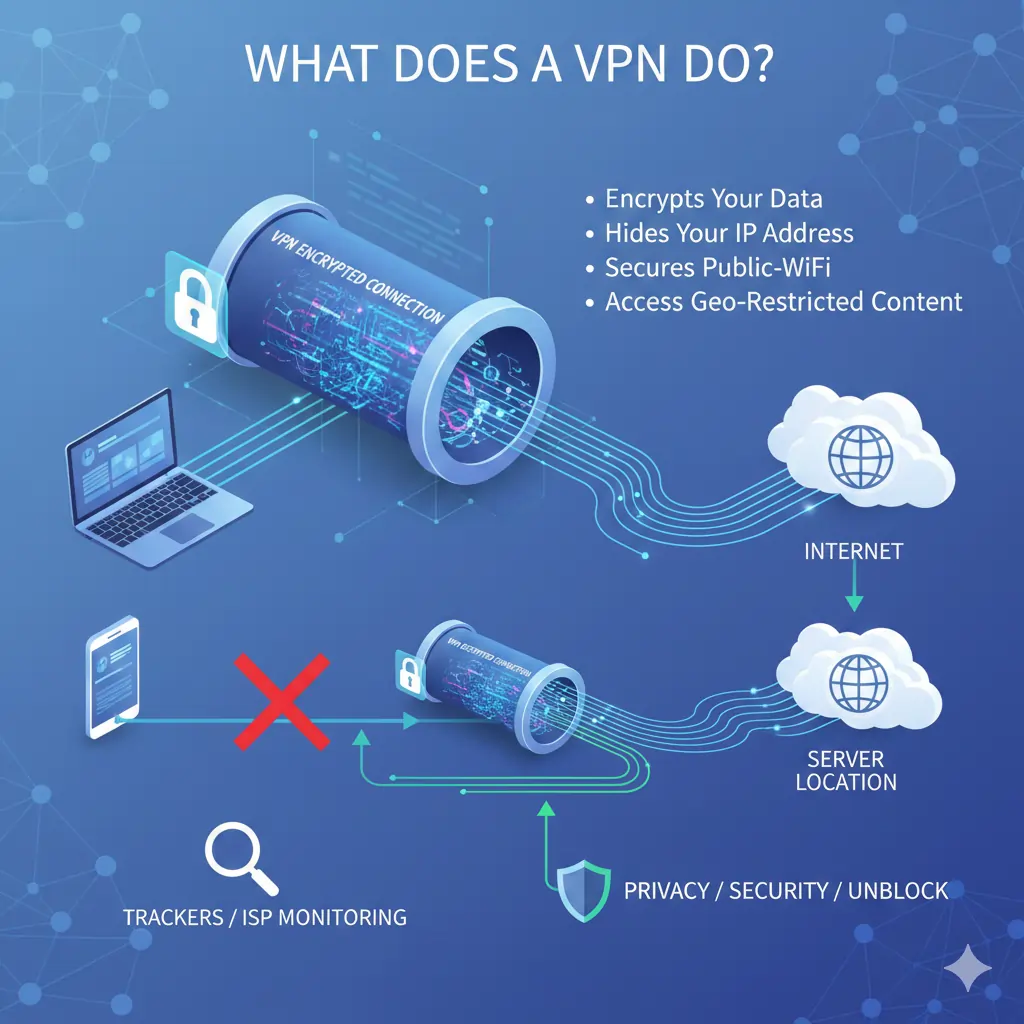
At its core, a VPN changes how your internet connection works. Instead of your data travelling openly from your device to a website or service, a VPN routes that data through a secure server before it reaches its destination.
As a result, your online activity becomes harder to observe, track, or interfere with. This applies whether you are browsing at home, using public Wi-Fi, or accessing online services while travelling.
A VPN encrypts your internet traffic
First, a VPN encrypts the data leaving your device. Encryption turns readable information into scrambled data that cannot be understood without the correct decryption key.
Because of this, third parties such as internet service providers, network administrators, or malicious actors cannot easily see what you are doing online.
A VPN hides your IP address
Second, a VPN masks your IP address. Your IP address normally reveals your approximate location and identifies your connection on the internet.
When using a VPN, websites and online services see the VPN server’s IP address instead of your real one. This helps reduce tracking and adds a layer of anonymity to your browsing.
A VPN secures your connection on public networks
Importantly, VPNs are especially useful on public or shared networks such as cafés, airports, hotels, or co-working spaces.
On these networks, attackers can sometimes intercept unprotected data. A VPN significantly reduces this risk by encrypting your connection end-to-end.
Key takeaway: A VPN encrypts your data, hides your IP address, and creates a more private and secure internet connection.

How Does a VPN Work?
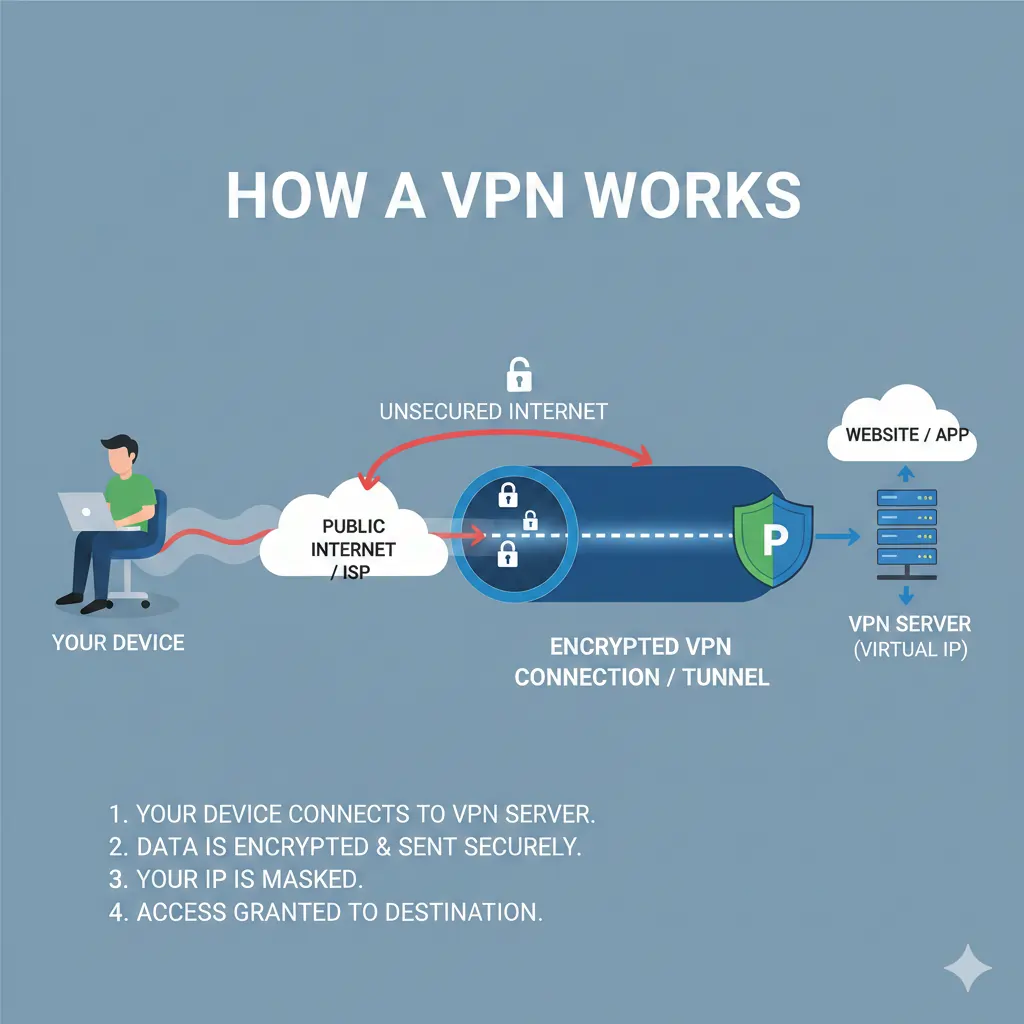
To understand how a VPN works, it helps to think about how your internet connection normally behaves. When you visit a website without a VPN, your device connects directly to that site through your internet service provider.
During this process, your IP address is visible, and your traffic can often be observed or logged along the way. While much of today’s web traffic is encrypted, the connection itself still reveals useful information about you.
A VPN creates a secure tunnel
When you turn on a VPN, your device first connects to a VPN server instead of connecting directly to the website or service you want to use.
This connection is protected by encryption and travels through what is commonly referred to as a secure tunnel. Anything passing through this tunnel is shielded from outside observers.
As a result, your internet traffic exits the tunnel at the VPN server and then continues to its final destination. To the outside world, it appears as though the traffic is coming from the VPN server, not from you.
What changes when a VPN is active
Several things happen at once when a VPN is running:
- Your real IP address is hidden
- Your traffic is encrypted before it leaves your device
- Your internet service provider sees less detail about your activity
Together, these changes improve privacy and security without requiring you to change how you browse or use online services.
Why VPN servers matter
The location of the VPN server determines how your connection appears online. For example, connecting to a server in another country can change how websites interpret your location.
At the same time, server quality affects speed and reliability. Well-managed VPNs operate large networks of servers to balance performance and availability.
Key takeaway: A VPN works by encrypting your connection and routing your traffic through a secure server, which changes how your activity appears on the internet.
What a VPN Does Not Do
Although VPNs are powerful tools, they are often misunderstood. Many people assume a VPN provides total anonymity or complete protection online, which is not accurate.
Understanding the limitations of a VPN is just as important as understanding its benefits. This clarity helps users make better decisions and avoids unrealistic expectations.
A VPN does not make you completely anonymous
While a VPN hides your IP address, it does not erase your digital identity entirely. Websites can still identify you through accounts, cookies, browser fingerprints, or logged-in services.
For example, if you log into a personal account while using a VPN, that service still knows who you are. The VPN only changes how your connection appears, not who you choose to identify yourself as online.
A VPN does not protect you from unsafe behaviour
Importantly, a VPN cannot prevent phishing attacks, scams, or malware if you willingly interact with harmful content.
Security still depends on safe browsing habits, strong passwords, and awareness of online threats. A VPN is one layer of protection, not a complete security solution.
A VPN does not make illegal activity legal
Using a VPN does not change the laws that apply to you. If an activity is illegal without a VPN, it remains illegal with one.
For this reason, VPNs should be used responsibly for privacy, security, and legitimate access needs.
A VPN is not always necessary
In some situations, such as browsing on a secure home network with trusted websites, a VPN may not be essential.
However, many users still choose to keep a VPN enabled for consistency and peace of mind.
Key takeaway: A VPN improves privacy and security, but it is not a magic shield. Understanding what it does not do helps you use it more effectively.

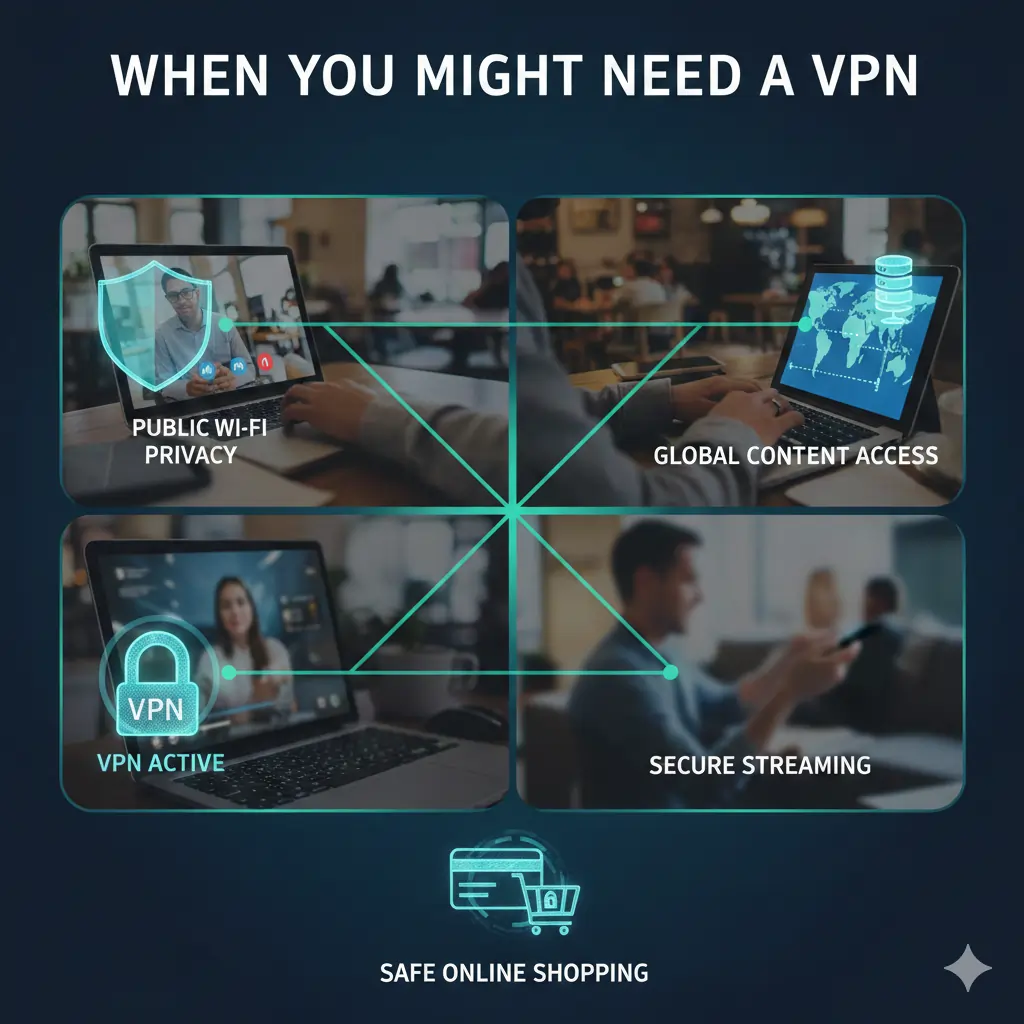
When Should You Use a VPN?
In practice, a VPN is most useful in specific situations rather than as a tool that must be enabled at all times. Knowing when a VPN adds real value helps you use it effectively and avoid unnecessary complexity.
The scenarios below reflect the most common and practical reasons people rely on VPNs today.
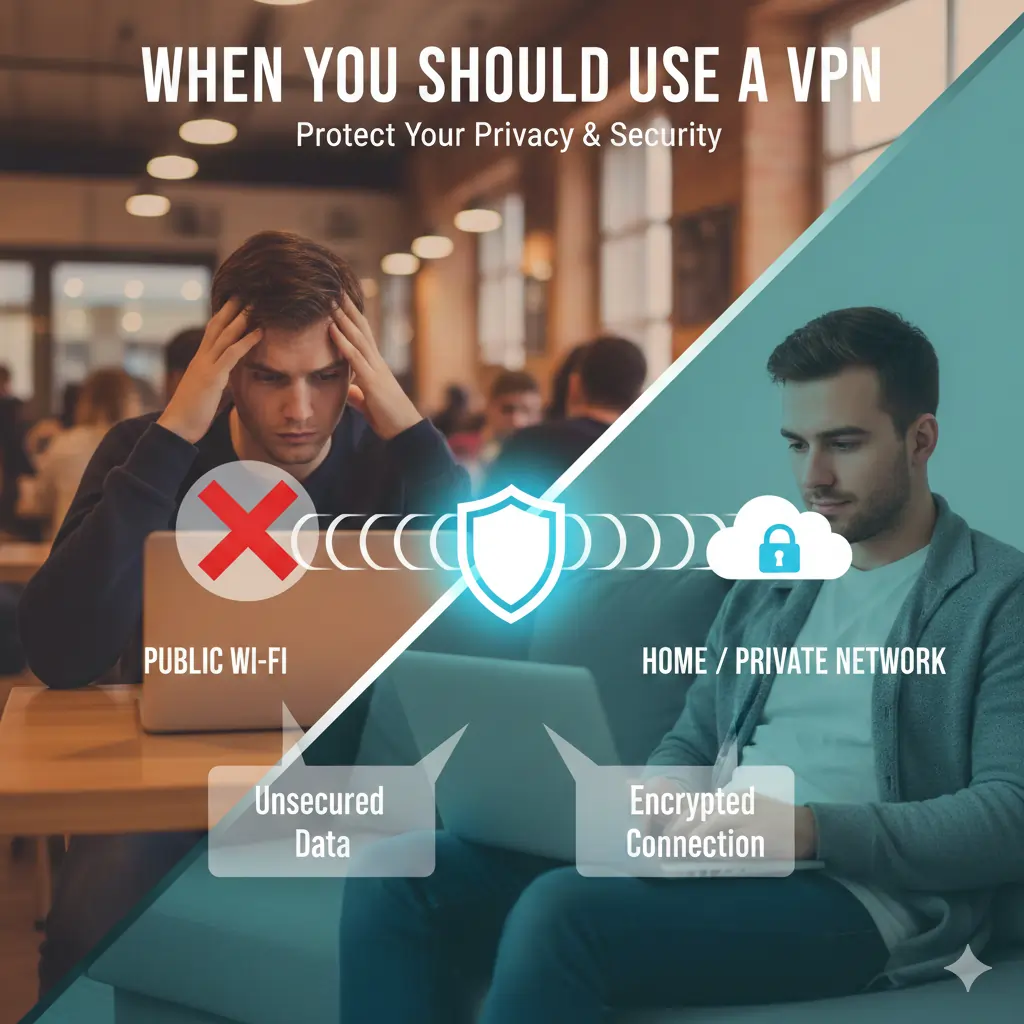
Using public Wi-Fi networks
Public Wi-Fi networks in cafés, airports, hotels, and shopping centres are convenient, but they are also shared environments.
On these networks, attackers may attempt to monitor traffic or intercept unprotected data. A VPN encrypts your connection, which significantly reduces this risk.
For a detailed breakdown of this use case, see Best VPN for Public Wi-Fi.
Travelling or living abroad
When travelling, you often rely on unfamiliar networks and infrastructure that you do not control.
A VPN helps maintain a secure and consistent connection when accessing email, work tools, financial accounts, or personal services from overseas.
This scenario is covered in more depth in Best VPNs for Travellers and Best VPNs for Expats.
Improving online privacy
In many countries, internet service providers can log browsing activity and connection metadata.
While a VPN does not provide complete anonymity, it limits how much of your browsing behaviour is visible to your ISP, which is why privacy-focused users often keep a VPN enabled.
Privacy considerations are explored further in Best Privacy VPNs and Best No-Log VPNs.
Streaming while outside your home country
Many people use VPNs to access streaming services while travelling, especially when content availability differs by region.
However, results vary depending on the VPN provider and the streaming platform involved.
For streaming-specific guidance, see Best VPN for Streaming and Best VPN for Netflix.
Gaming and performance-sensitive activity
In some cases, gamers use VPNs to improve routing stability, protect against DDoS attacks, or secure connections on shared networks.
That said, performance depends heavily on the VPN provider and server location.
Latency and performance considerations are discussed in Best VPN for Gaming and Fastest VPNs.
Working on restricted or filtered networks
Some workplaces, schools, and regions impose network-level restrictions that limit access to certain services.
A VPN can sometimes help maintain access and connection stability on these networks, depending on local policies and enforcement.
More information is available in Best VPNs for Restricted Networks and Best VPNs for Restricted Countries.
Key takeaway: A VPN is most valuable when using public networks, travelling, improving privacy, accessing streaming services abroad, gaming on shared networks, or dealing with restricted connections.
When You Might Not Need a VPN
Although VPNs are valuable tools, they are not always necessary in every situation. Understanding when a VPN may offer limited benefit helps you use the technology more deliberately and avoid unrealistic expectations.
This balance is important for making informed decisions rather than relying on a VPN out of habit.
Browsing trusted websites on a secure home network
If you are at home using a secure, password-protected network and visiting reputable websites that use HTTPS, a VPN may not provide a significant security advantage.
In this case, your connection is already encrypted at the browser level, and the risk of interception is relatively low.
When speed is a higher priority than privacy
Because a VPN routes traffic through an additional server, it can sometimes introduce a small reduction in speed.
For activities where maximum speed and minimal latency are critical, such as large local downloads or latency-sensitive applications, some users choose to disable their VPN temporarily.
Performance considerations are discussed in more detail in Fastest VPNs.
If you expect a VPN to replace good security habits
A VPN is not a substitute for strong passwords, software updates, or basic online awareness.
If unsafe behaviour continues, such as clicking suspicious links or downloading unknown files, a VPN alone will not prevent problems.
Relying on free VPNs without understanding the trade-offs
Some users turn to free VPN services when they do not want to commit to a paid option.
However, free VPNs often come with limitations related to speed, data caps, logging policies, or advertising.
These trade-offs are explained clearly in Free VPN vs Paid VPN and Free VPNs That Aren’t Scams.
When a VPN is blocked or unnecessary on a specific network
Some networks, such as corporate or institutional systems, may block VPN connections or restrict their use.
In these situations, using a VPN may not be practical or permitted, and alternative security measures may be required.
Key takeaway: A VPN is a powerful tool, but it is not always required. Knowing when to use it—and when not to—helps you get the most benefit without unnecessary complexity.
VPNs and Privacy: What They Actually Protect
Privacy is one of the main reasons people consider using a VPN, yet it is also one of the most misunderstood aspects of VPN technology.
A VPN improves privacy, but it does not eliminate every form of tracking or data collection. Understanding what a VPN does and does not protect helps set realistic expectations.
How a VPN improves privacy
When a VPN is active, your internet traffic is encrypted before it leaves your device. This makes it far more difficult for third parties on the network to inspect your activity.
In addition, your real IP address is hidden from the websites you visit. Instead, they see the IP address of the VPN server, which reduces location-based tracking.
Together, these two factors limit how much information can be collected about your browsing behaviour at the network level.
What a VPN does not hide
Although VPNs add privacy, they do not make you invisible online.
Websites can still identify you through logged-in accounts, cookies, browser fingerprinting, or information you voluntarily provide.
For example, if you sign into an email or social media account, that service knows who you are regardless of whether you are using a VPN.
The importance of logging policies
Because a VPN sits between you and the internet, the provider itself plays an important role in privacy.
This is why logging policies matter. A VPN that keeps detailed logs of user activity can undermine the privacy benefits of the service.
For users who prioritise privacy, guides such as Best Privacy VPNs and Best No-Log VPNs explain how providers differ in their data practices.
Privacy versus anonymity
It is important to distinguish between privacy and anonymity.
A VPN improves privacy by reducing exposure to tracking and surveillance, but it does not provide full anonymity. Achieving anonymity requires additional tools, careful behaviour, and an understanding of how online identity works.
Key takeaway: A VPN significantly improves privacy by encrypting traffic and masking your IP address, but it does not erase your digital identity. Understanding this distinction leads to smarter and safer use.
VPNs and Security: How They Protect Your Connection
While privacy focuses on who can see your activity, security focuses on protecting your data from being intercepted, altered, or stolen.
A VPN strengthens security by adding encryption and shielding your connection, especially on networks you do not control.
Why unsecured networks are risky
Public and shared networks are widely used in cafés, airports, hotels, offices, and co-working spaces.
Because these networks are shared, attackers can sometimes exploit weaknesses to monitor traffic or attempt to intercept unencrypted data.
Even when websites use HTTPS, some metadata about your connection can still be exposed on unsecured networks.
How a VPN improves network security
When you connect to a VPN, all data leaving your device is encrypted before it reaches the local network.
This means anyone attempting to observe or interfere with your connection sees encrypted traffic rather than readable information.
As a result, VPNs reduce the risk of common network-based attacks, including session hijacking and traffic manipulation.
Using a VPN on public Wi-Fi
Public Wi-Fi remains one of the most practical and widely recommended reasons to use a VPN.
Whether you are checking email, accessing cloud services, or logging into accounts, a VPN adds an important layer of protection.
For a focused explanation of this scenario, see Best VPN for Public Wi-Fi.
Security limitations to be aware of
Although VPNs improve security, they do not protect against every type of threat.
Malware, phishing attacks, and unsafe downloads still require good security practices, updated software, and caution.
A VPN should be viewed as one component of a broader security approach rather than a complete solution.
Key takeaway: VPNs significantly improve connection security by encrypting data and protecting traffic on untrusted networks, but they work best when combined with sensible online behaviour.
VPNs and Streaming: What Works, What Doesn’t, and Why
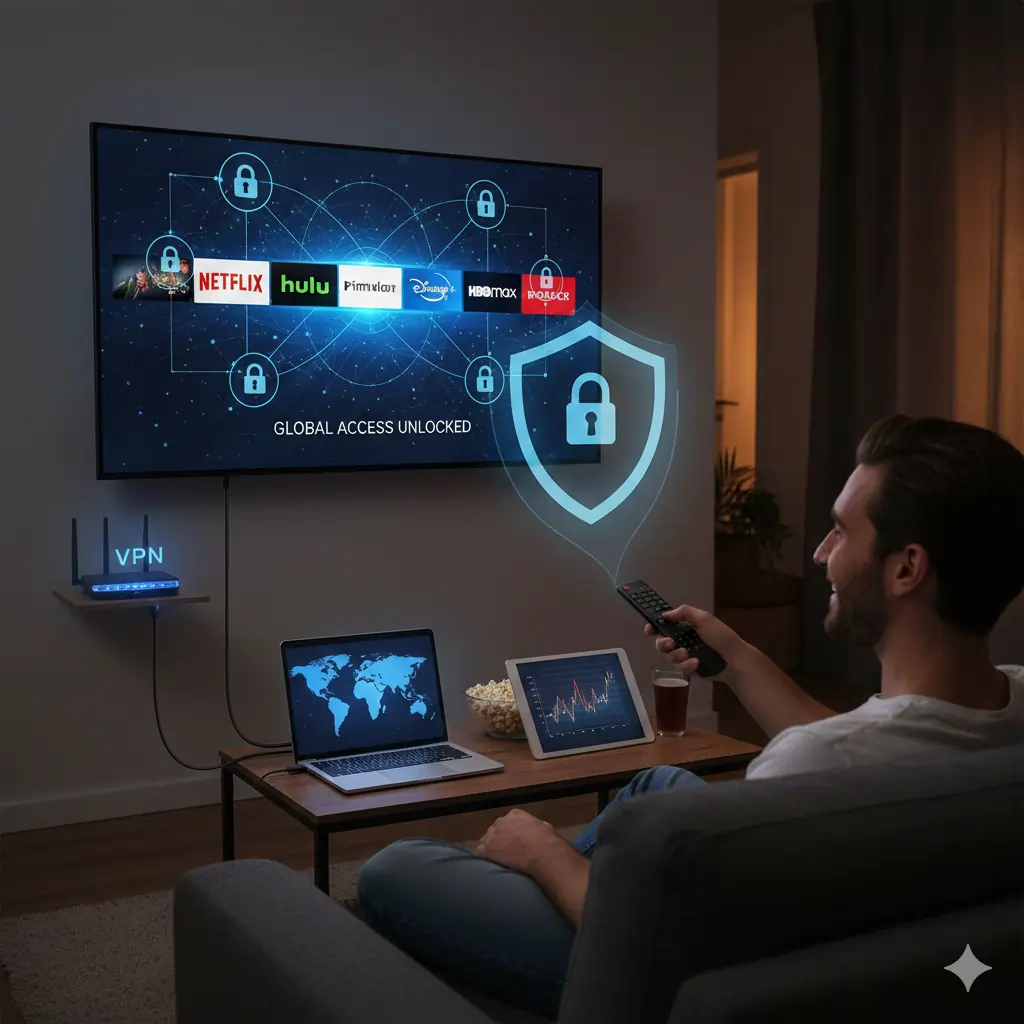
Streaming is one of the most talked-about reasons people consider using a VPN. However, it is also one of the areas where expectations and reality often differ.
Understanding how VPNs interact with streaming services helps explain why some setups work reliably while others do not.
Why streaming services block VPNs
Most streaming platforms license content by region. To enforce these agreements, they actively monitor and restrict access based on IP addresses.
Because VPNs route traffic through shared servers, streaming services may identify and block known VPN IP ranges.
This is why not every VPN works equally well for streaming, and results can change over time.
When VPNs work well for streaming
A VPN can be useful for streaming when you are travelling and want to access services from your home country.
In these cases, connecting to a VPN server in your home region may allow access, provided the VPN maintains reliable and regularly refreshed IP addresses.
For a broader overview of this topic, see Best VPN for Streaming.
Using VPNs with Netflix
Netflix is particularly well known for its VPN detection efforts.
Some VPN providers invest more heavily in maintaining access to Netflix libraries, while others focus on privacy or performance instead.
Netflix-specific considerations are covered in Best VPN for Netflix.
Limitations and realistic expectations
Even with a capable VPN, access to streaming services is not guaranteed at all times.
Blocks can change, servers may need switching, and performance may vary depending on location and network conditions.
For this reason, streaming should be viewed as a possible benefit rather than a guaranteed feature of VPN use.
Key takeaway: VPNs can be helpful for streaming, especially while travelling, but success depends on the provider, server choice, and the streaming platform’s detection methods.
Are VPNs Legal?
One of the most common questions people ask before using a VPN is whether VPNs are legal. The short answer is that VPN legality depends on where you live and how the VPN is used.
In most countries, using a VPN for privacy, security, or legitimate access purposes is legal. However, there are important regional differences and restrictions to be aware of.
VPN legality in most regions
In many parts of the world, VPNs are widely used by businesses, remote workers, and everyday internet users.
Companies rely on VPNs to protect internal systems, while individuals use them to secure connections on public networks or protect personal data.
In these regions, VPN use itself is legal, provided it is not used to engage in illegal activity.
Countries with restrictions or controls
Some countries impose restrictions on VPN use, require government approval, or actively block certain VPN services.
In these environments, VPNs may still be used, but enforcement levels and regulations vary significantly.
Regional considerations are covered in more detail in Best VPNs for Restricted Countries and Best VPNs for Restricted Networks.
Using a VPN does not change local laws
It is important to understand that using a VPN does not make illegal activities legal.
If an action is prohibited without a VPN, it remains prohibited when a VPN is used.
For this reason, VPNs should be used responsibly and in compliance with local regulations.
Travelling and VPN use
When travelling, VPN legality depends on the laws of the country you are visiting, not your home country.
This is especially relevant for travellers and expats moving between regions with different regulatory approaches.
Practical considerations for international travel are discussed in Best VPNs for Travellers.
Key takeaway: VPNs are legal in most countries, but restrictions exist in some regions. Always understand local laws and use a VPN responsibly.
Types of VPNs Explained
Not all VPNs are the same. The term “VPN” covers several different types of services, each designed for a specific purpose.
Understanding these differences helps you choose the right kind of VPN for your needs rather than relying on marketing claims.
Consumer VPNs
Consumer VPNs are the most common type and are designed for everyday users.
These services focus on privacy, security, ease of use, and compatibility with multiple devices such as phones, laptops, tablets, and streaming devices.
Most people who use a VPN for public Wi-Fi protection, travel, streaming, or general privacy fall into this category.
A broad overview of consumer-focused services can be found in Best VPN Services.
Business and enterprise VPNs
Business VPNs are designed for organisations rather than individuals.
These VPNs allow employees to securely access internal systems, databases, and tools while working remotely.
Unlike consumer VPNs, enterprise solutions are usually managed centrally and are not intended for personal browsing or streaming use.
Free VPNs
Free VPNs appeal to users who want basic protection without a subscription.
However, free services often come with trade-offs such as limited speeds, restricted data usage, fewer server locations, or weaker privacy guarantees.
These limitations are explained in Free VPN vs Paid VPN and Free VPNs That Aren’t Scams.
Premium VPNs
Premium VPNs are paid services that prioritise performance, security features, and long-term reliability.
They typically offer faster servers, stronger encryption options, better customer support, and clearer privacy policies.
Examples of what distinguishes higher-end services are outlined in Best Premium VPNs.
Choosing the right type of VPN
The right VPN depends on how you plan to use it.
For most individuals, a reputable consumer or premium VPN provides the best balance of privacy, security, and ease of use.
Key takeaway: VPNs come in different forms, and choosing the right type depends on whether your priority is personal privacy, organisational security, cost, or performance.
Free VPNs vs Paid VPNs: What You Should Know
One of the most common decisions people face when learning about VPNs is whether to use a free service or pay for a subscription.
While both options exist, they serve very different purposes and come with important trade-offs.
What free VPNs offer
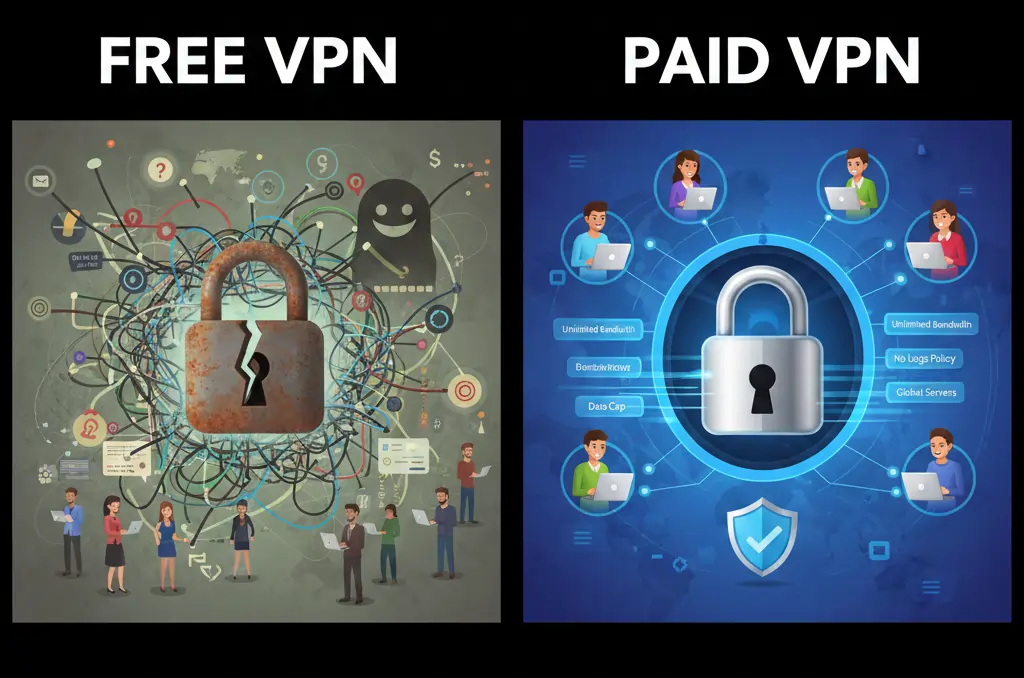
Free VPNs typically provide basic encryption and limited access to VPN servers.
They can be useful for short-term or low-risk activities, such as occasional browsing on public Wi-Fi.
However, most free VPNs impose restrictions on speed, data usage, or available locations.
Common limitations of free VPNs
Because free VPNs must cover operating costs, many rely on advertising, data collection, or aggressive usage limits.
In some cases, free services may log user activity or sell aggregated data to third parties.
This is why not all free VPNs offer meaningful privacy protection.
These risks and limitations are explained in more detail in Free VPN vs Paid VPN and Free VPNs That Aren’t Scams.
What paid VPNs provide
Paid VPNs operate on a subscription model, which allows them to invest in infrastructure, security, and support.
As a result, paid services generally offer faster speeds, more server locations, and clearer privacy policies.
They also tend to provide better compatibility with streaming platforms, gaming, and long-term use.
Who should choose a paid VPN
Users who rely on a VPN regularly, travel frequently, work remotely, or care deeply about privacy are usually better served by a paid service.
In these cases, the added reliability and transparency justify the cost.
Key takeaway: Free VPNs can be useful for limited scenarios, but paid VPNs are generally the better choice for consistent performance, stronger privacy, and long-term use.
Common VPN Myths and Misconceptions
VPNs are often surrounded by misconceptions that can lead to unrealistic expectations or unnecessary concerns.
Clarifying these myths helps users understand what VPNs are actually designed to do and how to use them effectively.
Myth: A VPN makes you completely anonymous
One of the most common beliefs is that a VPN makes you invisible online.
In reality, a VPN hides your IP address and encrypts your traffic, but it does not prevent identification through accounts, cookies, or browser fingerprinting.
Myth: VPNs are only for illegal activities
VPNs are widely used by businesses, remote workers, travellers, and everyday users.
Their primary purpose is to protect privacy and secure internet connections, not to facilitate illegal behaviour.
Myth: All VPNs provide the same level of privacy
VPN providers differ significantly in how they handle user data.
Logging policies, jurisdiction, and transparency practices all affect how private a VPN truly is.
For users focused on privacy standards, see Best No-Log VPNs.
Myth: Free VPNs are just as good as paid VPNs
While some free VPNs are legitimate, many impose strict limitations or rely on data collection.
Paid VPNs generally offer better performance, stronger privacy protections, and clearer policies.
These differences are outlined in Free VPN vs Paid VPN.
Myth: Using a VPN always slows down your internet
A VPN can affect speed, but the impact varies depending on server quality, distance, and network conditions.
In some cases, a VPN may even improve routing stability.
Performance considerations are covered in Fastest VPNs.
Key takeaway: VPN myths often exaggerate both benefits and drawbacks. Understanding the reality leads to better decisions and more effective use.
How to Choose a VPN
Choosing a VPN can feel overwhelming, especially given the number of providers and marketing claims involved.
Rather than focusing on hype, it helps to evaluate a VPN based on a few practical factors that affect real-world use.
Privacy and logging policies
One of the most important considerations is how a VPN handles user data.
Providers differ in whether they log activity, connection timestamps, or usage metadata. Reviewing logging policies helps clarify what level of privacy you can realistically expect.
Privacy-focused evaluations are covered in Best No-Log VPNs and Best Privacy VPNs.
Performance and reliability
A VPN should be fast enough for everyday browsing, streaming, and work-related tasks.
Server quality, network size, and congestion management all affect speed and consistency.
Performance comparisons are available in Fastest VPNs.
Compatibility with your devices
Not all VPNs support the same platforms equally.
Before choosing, check whether the VPN works smoothly on your phone, laptop, tablet, router, or streaming device.
Device-specific guidance is included in Best VPNs for Firestick.
Use cases that matter to you
Different users have different priorities.
For example, some users care most about privacy, others about streaming access, gaming performance, or travel reliability.
Use-case-specific guides such as Best VPN for Streaming and Best VPN for Gaming can help narrow down options.
Free versus paid services
Cost is another factor, but it should be weighed against reliability and privacy.
Free VPNs may be suitable for limited use, while paid services generally provide better long-term value.
This comparison is explained further in Free VPN vs Paid VPN.
Key takeaway: The best VPN for you depends on privacy standards, performance, device compatibility, and how you plan to use the service.
Do You Need a VPN?
Whether you need a VPN depends on how you use the internet and what you value most when you are online.
For many people, a VPN is not about hiding, but about adding an extra layer of control, privacy, and security in situations where the internet is less predictable.
If you regularly use public Wi-Fi, travel frequently, work remotely, or care about limiting how much of your online activity is visible to third parties, a VPN can be a practical and effective tool.
At the same time, a VPN is not a requirement for everyone. Browsing trusted websites on a secure home network may not always justify keeping a VPN enabled.
The most important takeaway is that a VPN works best when it is used intentionally. Understanding what a VPN does, what it does not do, and when it adds real value allows you to make informed decisions.
Used responsibly, a VPN can improve online privacy, strengthen connection security, and make internet access more consistent across different networks and regions.
Final takeaway: A VPN is not a necessity for every situation, but for many users, it is a valuable tool that improves how they experience the internet.
Useful VPN Guides and Resources
The guides below expand on specific VPN use cases, regions, and technical considerations discussed throughout this page. They are useful if you want deeper, more focused information.
| Category | Resource | What It Covers |
|---|---|---|
| Privacy & Security |
Best Privacy VPNs Best No-Log VPNs |
VPNs focused on privacy standards, logging policies, and data protection. |
| Public Networks | Best VPN for Public Wi-Fi | Protecting your connection on cafés, airports, hotels, and shared networks. |
| Streaming & Entertainment |
Best VPN for Streaming Best VPN for Netflix Best VPNs for Firestick |
VPN performance with streaming platforms and media devices. |
| Performance |
Fastest VPNs Best VPN for Gaming |
Speed, latency, and performance considerations for demanding use cases. |
| Free vs Paid VPNs |
Free VPN vs Paid VPN Free VPNs That Aren’t Scams |
Understanding limitations, risks, and realistic expectations. |
| Travel & Remote Use |
Best VPNs for Travellers Best VPNs for Expats |
VPN use while travelling, living abroad, or working remotely. |
| Restricted Networks |
Best VPNs for Restricted Networks Best VPNs for Restricted Countries |
VPN reliability in censored or heavily filtered environments. |
| Troubleshooting | Ultimate VPN Troubleshooting Guide | Fixing connection issues, speed problems, and VPN blocks. |
Frequently Asked Questions About VPNs
What is a VPN in simple terms?
A VPN, or Virtual Private Network, is a service that encrypts your internet connection and routes it through a secure server. This helps protect your data, hide your IP address, and make your online activity more private.
Is using a VPN legal?
In most countries, using a VPN is legal when it is used for privacy, security, or legitimate access purposes. However, some regions impose restrictions or regulate VPN usage. It is important to understand local laws before using a VPN.
Does a VPN make you anonymous online?
No. A VPN improves privacy by hiding your IP address and encrypting traffic, but it does not make you completely anonymous. Websites can still identify users through accounts, cookies, and browser fingerprinting.
Can a VPN protect me on public Wi-Fi?
Yes. A VPN is one of the most effective tools for protecting your connection on public Wi-Fi networks by encrypting your data before it travels across the network.
For more detail, see Best VPN for Public Wi-Fi.
Do VPNs slow down your internet?
A VPN can slightly reduce speeds because traffic is routed through an additional server. However, high-quality VPN services minimise this impact, and in some cases may improve routing stability.
Performance considerations are covered in Fastest VPNs.
Are free VPNs safe to use?
Some free VPNs are legitimate, but many come with limitations or privacy trade-offs. Free services may restrict speeds, limit data, or collect user information to fund their operations.
These risks are explained in Free VPN vs Paid VPN and Free VPNs That Aren’t Scams.
When should I use a VPN?
A VPN is most useful when using public Wi-Fi, travelling, working remotely, accessing sensitive accounts, or improving privacy from network-level tracking.
Do I need a VPN at home?
If you are using a secure home network and trusted websites, a VPN may not always be necessary. However, some users still choose to use a VPN at home for added privacy and consistency.
Final Thoughts
A VPN is not a one-size-fits-all solution, but it is a practical tool for improving privacy, security, and consistency in how you access the internet.
As this guide has shown, a VPN is most valuable when used intentionally—on public Wi-Fi, while travelling, when working remotely, or when you want to reduce unnecessary exposure to tracking.
At the same time, understanding the limitations of VPNs is just as important as understanding their benefits. A VPN does not replace good security habits, nor does it provide complete anonymity.
The key takeaway is clarity. When you understand what a VPN does, what it does not do, and when it adds real value, you can decide whether it fits your needs without relying on hype or fear-based claims.
Used responsibly, a VPN can be a reliable and effective part of a broader approach to staying secure and informed online.