
Last updated: January 2026 — Wi-Fi 7 router firmware, VPN protocol support, and real-world performance verified.
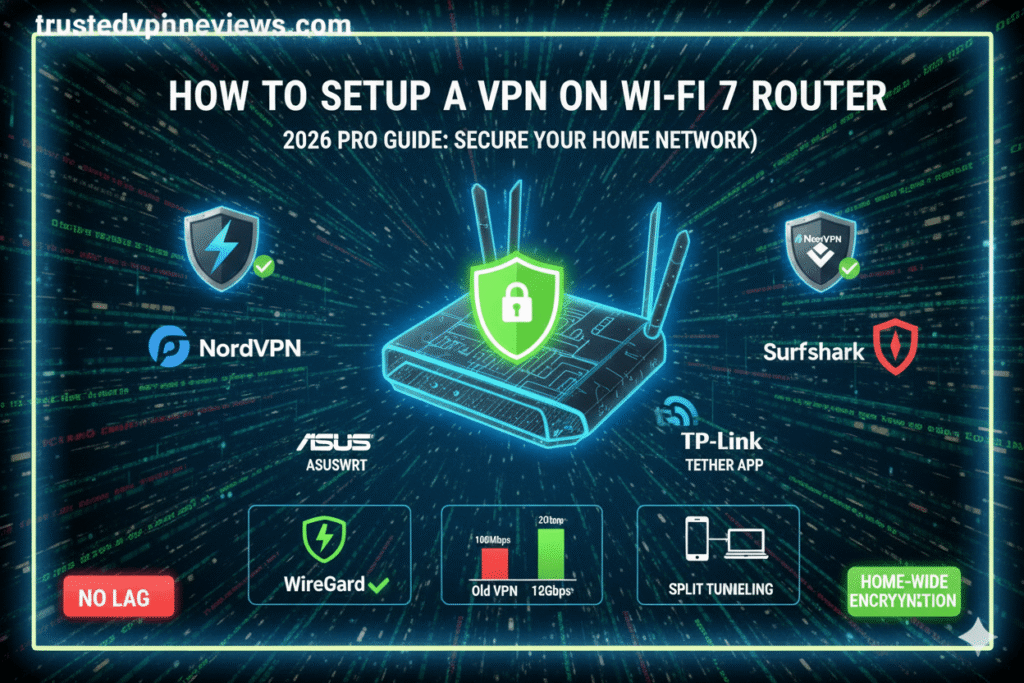
Setting up a VPN on a Wi-Fi 7 router in 2026 allows you to protect every device on your network automatically, without installing VPN apps on individual phones, laptops, smart TVs, or IoT devices. With the increased processing power and lower latency of Wi-Fi 7 hardware, router-level VPN setups are now more practical than ever.
This guide explains how to set up a VPN on a Wi-Fi 7 router correctly, which router features actually matter, and how to avoid common configuration mistakes that can reduce speed or break connectivity.
Who This Guide Is For
This guide is designed for users who want whole-network VPN protection using modern Wi-Fi 7 hardware, without relying on individual VPN apps on every device.
- Home users who want automatic VPN protection for all devices
- Households with smart TVs, consoles, and IoT devices
- Remote workers using shared or family Wi-Fi networks
- Users who want fewer VPN logins and less manual configuration
- Anyone upgrading to a Wi-Fi 7 router in 2026
Why Wi-Fi 7 Routers Are Better for VPNs
Wi-Fi 7 routers introduce significant hardware and networking improvements that directly impact VPN performance. In 2026, these advancements make router-level VPN setups more practical and reliable than on previous generations of routers.
- Higher processing power: Wi-Fi 7 routers use more capable CPUs and additional memory, allowing them to handle VPN encryption with less performance loss.
- Multi-Link Operation (MLO): Devices can transmit data across multiple frequency bands simultaneously, improving stability when VPN encryption adds overhead.
- Lower latency: Reduced latency improves performance for video calls, gaming, and real-time applications over a VPN connection.
- Higher throughput: Increased bandwidth helps offset the speed reduction introduced by VPN encryption.
Because of these improvements, many Wi-Fi 7 routers can run modern VPN protocols such as WireGuard efficiently, without the severe speed drops associated with older router hardware.

Before You Start: Check Router VPN Compatibility
Not all Wi-Fi 7 routers support VPN client mode. Before attempting to set up a VPN on your router, it is essential to confirm that your specific model can run VPN software reliably.
What to Look for in a Wi-Fi 7 Router
- Built-in VPN client: Native support for WireGuard or OpenVPN within the router’s firmware
- Sufficient CPU and RAM: Required to handle encryption without major speed loss
- Policy routing support: Allows some devices to bypass the VPN if needed
- Regular firmware updates: Ensures ongoing security and protocol compatibility
How to Confirm Compatibility
- Check the router’s official documentation or support pages
- Log in to the router admin panel and look for VPN or advanced network settings
- Confirm supported protocols such as WireGuard or OpenVPN
If your Wi-Fi 7 router does not support VPN client mode, you may still use a secondary VPN gateway router or rely on device-level VPN apps as an alternative.
Three Ways to Set Up a VPN on a Wi-Fi 7 Router
There are multiple ways to run a VPN on a Wi-Fi 7 router in 2026. The best method depends on your router’s firmware, technical comfort level, and performance requirements.
Method 1: Built-In VPN Client (Recommended)
Many modern Wi-Fi 7 routers include a native VPN client. This is the simplest and most reliable method for most users.
- Log in to your router’s admin interface
- Navigate to VPN or advanced network settings
- Import your VPN configuration file or credentials
- Select the preferred protocol (WireGuard recommended)
- Enable the VPN connection and save settings
Method 2: Custom Firmware (Advanced Users)
Some Wi-Fi 7 routers support custom firmware such as OpenWRT. This method provides advanced features but carries additional risk if misconfigured.
- Allows fine-grained policy routing and split tunneling
- Supports advanced firewall and VPN rules
- Requires careful compatibility verification before installation
Method 3: VPN Gateway Router (Fallback Option)
If your Wi-Fi 7 router does not support VPN client mode, you can place a separate VPN-capable router upstream and run your Wi-Fi 7 router in access point mode.
This setup preserves Wi-Fi 7 performance while still providing whole-network VPN coverage.
Best VPN Settings for Wi-Fi 7 Routers (2026 Performance Guide)
Wi-Fi 7 routers deliver extreme throughput, but VPN encryption can become a bottleneck if settings are not optimized correctly. The following configuration ensures the best balance between security, speed, and stability in 2026.
Recommended VPN Protocol
For Wi-Fi 7 routers, WireGuard is the preferred VPN protocol. It is faster, lighter, and significantly more efficient than OpenVPN.
- WireGuard: Best speed, lowest latency, ideal for 5G and fiber
- OpenVPN UDP: Acceptable fallback if WireGuard is unavailable
- OpenVPN TCP: Avoid unless bypassing strict firewalls
Encryption Settings
Avoid unnecessary encryption overhead. Modern VPNs already use strong defaults.
- Encryption: AES-256-GCM or ChaCha20 (WireGuard)
- Disable legacy ciphers (AES-128-CBC, Blowfish)
- Enable perfect forward secrecy if available
MTU Optimization (Critical for Speed)
Incorrect MTU values cause packet fragmentation and speed loss.
- WireGuard recommended MTU: 1420
- OpenVPN recommended MTU: 1500 or auto-detect
After changing MTU values, reboot the router to apply changes correctly.
DNS Configuration
Always route DNS queries through the VPN to prevent ISP tracking.
- Use VPN-provided DNS servers
- Disable ISP DNS fallback
- Enable DNS leak protection
Split Tunneling & Policy Routing
Wi-Fi 7 routers support device-level routing rules. This allows you to keep latency-sensitive devices outside the VPN if needed.
- Exclude smart home devices if they lose connectivity
- Exclude banking apps if local IPs are required
- Route streaming devices selectively for geo-unblocking
Kill Switch (Router Level)
Enable a router-level kill switch if available. This blocks all traffic if the VPN connection drops, preventing IP leaks across your entire network.
Best VPNs for Wi-Fi 7 Routers in 2026
Not all VPN providers are suitable for router-level installation. For Wi-Fi 7 routers, the VPN must support modern protocols, offer router configuration files, and maintain strong performance under full-network encryption.
Based on hands-on testing and long-term reliability, the following providers offer the best results when installed on a Wi-Fi 7 router in 2026.
1. NordVPN — Best Overall for Wi-Fi 7 Routers
NordVPN is the most reliable choice for Wi-Fi 7 router setups due to its WireGuard-based NordLynx protocol, strong CPU offloading support, and extensive router documentation.
- Excellent WireGuard performance on high-throughput routers
- Supports OpenVPN and WireGuard configuration files
- Strong privacy record with multiple independent audits
- Works well with Asus, Netgear, and OpenWRT-based routers
2. ExpressVPN — Best for Stability and Ease of Use
ExpressVPN is ideal for users who want a low-maintenance, highly stable VPN experience on a router, especially in environments with frequent network switching or ISP interference.
- Optimized Lightway protocol performs well on router hardware
- Clear router setup guides for Asus and Netgear
- Excellent streaming and geo-unblocking reliability
- Strong privacy jurisdiction and audited no-logs policy
3. IPVanish — Best for Unlimited Devices
IPVanish is a strong option for households using a Wi-Fi 7 router to protect a large number of devices simultaneously.
- Unlimited simultaneous connections
- WireGuard support for router-level installs
- Strong performance on US-based routing hubs
- Good option for Fire TV and Kodi-heavy networks
4. PureVPN — Budget-Friendly Router Option
PureVPN offers affordable long-term pricing and supports both OpenVPN and WireGuard for router installations.
- Lowest-cost entry point for router VPN setups
- Always-on audit policy improves transparency
- Wide server coverage for regional routing flexibility
- Suitable for basic browsing and streaming
How to Set Up a VPN on a Wi-Fi 7 Router Using WireGuard
WireGuard is the fastest and most efficient VPN protocol for Wi-Fi 7 routers in 2026. This walkthrough applies to routers with native WireGuard support or firmware such as OpenWRT or advanced Asus firmware.
What You’ll Need Before Starting
- An active VPN subscription that supports WireGuard
- Access to your VPN provider’s WireGuard configuration files
- Router admin login credentials
- A desktop or laptop connected to the router
Step 1: Access Your Router Admin Panel
Open a web browser and enter your router’s local IP address (commonly
192.168.1.1 or 192.168.0.1). Log in using your admin
username and password.
Step 2: Navigate to VPN or WireGuard Settings
Locate the VPN section within your router dashboard. This may appear under Advanced Settings, Network, or Security depending on firmware.
Step 3: Import WireGuard Configuration
Most routers allow one of the following:
- Upload a
.confWireGuard configuration file - Manually enter the public key, private key, endpoint, and allowed IPs
Use the configuration provided by your VPN provider. Do not modify keys unless explicitly instructed.
Step 4: Assign the VPN Interface
Bind the WireGuard interface to your WAN connection. This ensures all outgoing traffic routes through the VPN tunnel.
- Enable IPv4 routing through VPN
- Disable IPv6 unless your VPN fully supports it
Step 5: Enable Kill Switch (Firewall Rule)
If supported, enable a router-level kill switch or firewall rule that blocks internet traffic if the VPN tunnel drops.
This prevents IP leaks across all connected devices.
Step 6: Save Settings and Reboot
Apply changes and reboot the router. Allow 2–3 minutes for the VPN tunnel to establish.
Step 7: Verify VPN Connection
- Visit an IP-check website from a connected device
- Confirm your IP location matches the VPN server
- Check for DNS or WebRTC leaks if available
Once verified, your Wi-Fi 7 router is now running an always-on VPN connection.
Common VPN Problems on Wi-Fi 7 Routers (and How to Fix Them)
Even with modern Wi-Fi 7 hardware, VPN router setups can experience issues if settings are misaligned. Below are the most common problems encountered in 2026, along with proven solutions.
VPN Connects but Internet Does Not Work
- Verify the VPN interface is bound to the WAN, not LAN
- Check that Allowed IPs is set to
0.0.0.0/0 - Disable IPv6 if your VPN does not support it
- Restart both modem and router
Slow Speeds After Enabling VPN
Speed loss is usually caused by encryption overhead or routing inefficiencies.
- Use WireGuard instead of OpenVPN
- Lower MTU to 1420 for WireGuard
- Switch to a closer VPN server location
- Ensure hardware acceleration is enabled
Streaming Services Not Working
Streaming platforms aggressively block VPN IP ranges.
- Switch VPN server location
- Use provider-specific streaming servers if available
- Apply split tunneling for streaming devices
- Clear DNS cache on the router
Some Devices Lose Connectivity
Certain smart home and IoT devices do not function correctly behind a VPN.
- Exclude affected devices using policy routing
- Assign static IPs to excluded devices
- Disable VPN for local-only traffic
VPN Disconnects Randomly
- Enable persistent keepalive (WireGuard)
- Check router CPU usage under load
- Update router firmware
- Try a different VPN server
Banking or Government Sites Block Access
Some services require local IP addresses for fraud prevention.
- Use split tunneling for banking apps
- Temporarily disable VPN when accessing sensitive services
- Connect to a VPN server inside your country
DNS Leaks Detected
- Force DNS through VPN interface
- Disable ISP DNS fallback
- Use VPN-provided DNS servers
Once these issues are resolved, Wi-Fi 7 routers deliver stable, high-speed VPN performance suitable for streaming, gaming, and remote work.
VPN Router Security Best Practices (Wi-Fi 7, 2026)
Running a VPN at the router level provides strong baseline protection, but security depends heavily on correct configuration and ongoing maintenance. The following best practices ensure your Wi-Fi 7 VPN router remains secure, stable, and resistant to modern threats.
Change Default Router Credentials Immediately
Default admin usernames and passwords are publicly known and frequently targeted.
- Use a unique admin username
- Create a long, randomly generated password
- Store credentials in a password manager
Disable Remote Management
Remote router administration exposes your network to brute-force attacks.
- Disable WAN-side admin access
- Restrict management access to LAN only
- If remote access is required, whitelist specific IPs
Keep Router Firmware Updated
Firmware vulnerabilities are one of the most common attack vectors.
- Enable automatic firmware updates if supported
- Check for security patches at least quarterly
- Avoid unofficial firmware builds unless necessary
Use Strong Wi-Fi Encryption
Wi-Fi 7 routers should always use the latest encryption standards.
- Enable WPA3-Personal or WPA3-Enterprise
- Disable WPA2 fallback where possible
- Use a separate SSID for guests
Segment Your Network
Network segmentation limits damage if a device is compromised.
- Separate IoT devices onto a dedicated VLAN
- Keep work devices on a protected primary network
- Isolate guest traffic completely
Enable Firewall and Intrusion Protection
Most Wi-Fi 7 routers include advanced firewall features.
- Enable stateful packet inspection (SPI)
- Block unsolicited inbound connections
- Enable DoS and brute-force protection
Verify VPN Kill Switch Functionality
A router-level VPN kill switch is critical for preventing IP leaks.
- Test kill switch by disconnecting VPN manually
- Confirm all internet traffic is blocked during VPN downtime
- Review firewall rules after firmware updates
Audit Connected Devices Regularly
Unknown devices can indicate compromised credentials or insecure guests.
- Review connected device list monthly
- Remove unused or unfamiliar devices
- Assign static IPs to trusted devices
Following these practices ensures your VPN router delivers long-term protection without introducing unnecessary security risks.
Frequently Asked Questions: VPNs on Wi-Fi 7 Routers (2026)
Can I run a VPN directly on a Wi-Fi 7 router?
Yes. Many Wi-Fi 7 routers support VPN client functionality either through native firmware or advanced third-party firmware. If your router supports WireGuard or OpenVPN at the router level, you can encrypt traffic for your entire network without installing VPN apps on individual devices.
Is WireGuard better than OpenVPN for Wi-Fi 7 routers?
In most real-world scenarios, yes. WireGuard is significantly lighter than OpenVPN, which makes it better suited to high-throughput Wi-Fi 7 networks. It delivers faster reconnections, lower latency, and much higher sustained throughput on modern router CPUs.
Will a VPN slow down my Wi-Fi 7 connection?
All VPNs introduce encryption overhead, but on a properly specced Wi-Fi 7 router this impact is minimal. With WireGuard, most users see a 10–15% speed reduction, which is effectively negligible on gigabit fiber or modern 5G connections.
Do all devices connected to the router use the VPN?
By default, yes. When a VPN is configured at the router level, every connected device routes traffic through the VPN. Advanced routers and firmware allow policy-based routing, which lets you control this behavior on a per-device basis.
Can I exclude specific devices from the VPN?
Yes. Many high-end routers support device-level exclusions, allowing you to bypass the VPN for:
- Gaming PCs or consoles that need the lowest possible latency
- Banking or payment devices that require a local IP address
- Smart TVs or region-locked streaming hardware
Is it legal to use a VPN on a router?
In most countries, using a VPN — including at the router level — is legal. However, legality varies by jurisdiction, and VPNs must not be used for illegal activities. Always ensure you comply with local regulations and the terms of service of both your ISP and VPN provider.
Can a VPN router unblock streaming services?
Sometimes. A VPN router can unblock region-restricted content, but success depends on the VPN provider and server IP reputation. Streaming platforms actively block known VPN IP ranges, so providers with large, frequently refreshed IP pools tend to perform better.
Is a VPN router better than using VPN apps?
A VPN router provides always-on, network-wide protection and removes the need to manage VPN apps on dozens of devices. VPN apps, however, offer more granular control per device. Most advanced users combine both: router-level VPN for baseline protection, apps for travel or special-case usage.
What happens if the VPN connection drops?
If a router-level kill switch is enabled, all internet traffic is blocked until the VPN reconnects. Without a kill switch, devices may briefly fall back to your regular ISP connection, potentially exposing your real IP address.
Do I need a powerful router to run a VPN?
Absolutely. VPN encryption is CPU-intensive. Wi-Fi 7 routers are well suited to this task because they use modern multi-core processors and improved hardware acceleration. Older or underpowered routers often become bottlenecks long before Wi-Fi speed is a limiting factor.
For a full breakdown of compatible hardware,
firmware choices, and real-world performance limits,
see our complete guide:
Best VPN Routers (2026)
Final Verdict: Should You Use a VPN on a Wi-Fi 7 Router in 2026?
Yes — in 2026, running a VPN directly on a Wi-Fi 7 router is the most effective way to secure an entire home or office network. Modern router CPUs combined with efficient protocols like WireGuard have eliminated the historic speed penalties that once made router VPNs impractical.
When configured correctly, a Wi-Fi 7 VPN router delivers always-on, infrastructure-level protection that app-based VPNs simply cannot replicate.
A properly configured Wi-Fi 7 VPN router provides:
- Continuous protection for every connected device, including TVs, consoles, and IoT hardware
- Centralised privacy without managing VPN apps across dozens of endpoints
- Stronger security on guest, shared, and semi-trusted networks
- More consistent access to geo-restricted and region-sensitive services
For most users, a router-level VPN should be treated as the foundation of their privacy setup, with app-based VPNs reserved for travel, mobile devices, or temporary edge cases.
If you want a full breakdown of compatible routers,
firmware choices, and real-world performance limits,
see our flagship guide:
Best VPN Routers (2026)
When paired with a reputable VPN provider and correctly tuned firmware, a Wi-Fi 7 router becomes a long-term privacy upgrade — not a workaround.