
Last updated: February 11, 2026
If you use an Amazon Firestick for streaming, a VPN can improve privacy, unlock more content libraries, and help prevent ISP throttling during peak hours.
But not every VPN works well on Fire TV devices. Some apps buffer. Some do not support Fire OS properly. Others fail when streaming services detect VPN traffic.
In this guide, we rank the best VPNs for Firestick in 2026 based on:
- Streaming reliability (Netflix, Prime Video, BBC iPlayer)
- 4K buffering performance
- Native Fire TV app quality
- Router compatibility
- Ease of installation
- Real-world speed testing
If you’re new to VPNs, start with our VPN Explained guide before continuing.

Best VPNs for Firestick in 2026 — Quick Comparison
| VPN | Firestick App | 4K Streaming | Speed (Local) | Streaming Reliability | Best For |
|---|---|---|---|---|---|
| NordVPN | Native App | Excellent | Very Fast | Excellent | Best Overall Performance |
| ExpressVPN | Native App | Excellent | Very Fast | Excellent | Most Reliable Streaming |
| Surfshark | Native App | Very Good | Fast | Very Good | Best Budget Option |
| PureVPN | Native App | Good | Fast | Good | Affordable Alternative |
If you want maximum speed and the strongest all-around performance, NordVPN is the best VPN for Firestick in 2026. If you prioritize simplicity and ultra-stable streaming, ExpressVPN is an excellent choice.

Why You Need a VPN for Firestick in 2026
A Firestick connects directly to your home network and your internet provider. Without a VPN, your streaming activity is visible to your ISP and can be subject to throttling.
1. Prevent ISP Throttling
Many internet providers slow down high-bandwidth traffic like 4K streaming during peak hours. This causes buffering and sudden drops in video quality.
A VPN encrypts your traffic so your ISP cannot see what you are streaming. This reduces the chance of targeted throttling.
2. Unlock More Streaming Libraries
Streaming services show different content in different countries. With a VPN, you can securely change your virtual location.
For example:
- Access US Netflix while traveling
- Watch BBC iPlayer outside the UK
- Stream region-locked sports coverage
For deeper streaming analysis, see our Best VPN for Streaming guide.
3. Secure Public Wi-Fi
If you use Firestick in hotels or temporary housing, public Wi-Fi networks are not secure. A VPN encrypts your traffic and protects account credentials.
4. Reduce IP-Based Tracking
Streaming apps and advertising networks collect metadata. A VPN masks your IP address and reduces direct tracking.
Firestick Speed & Buffering Performance (Real 2026 Testing)
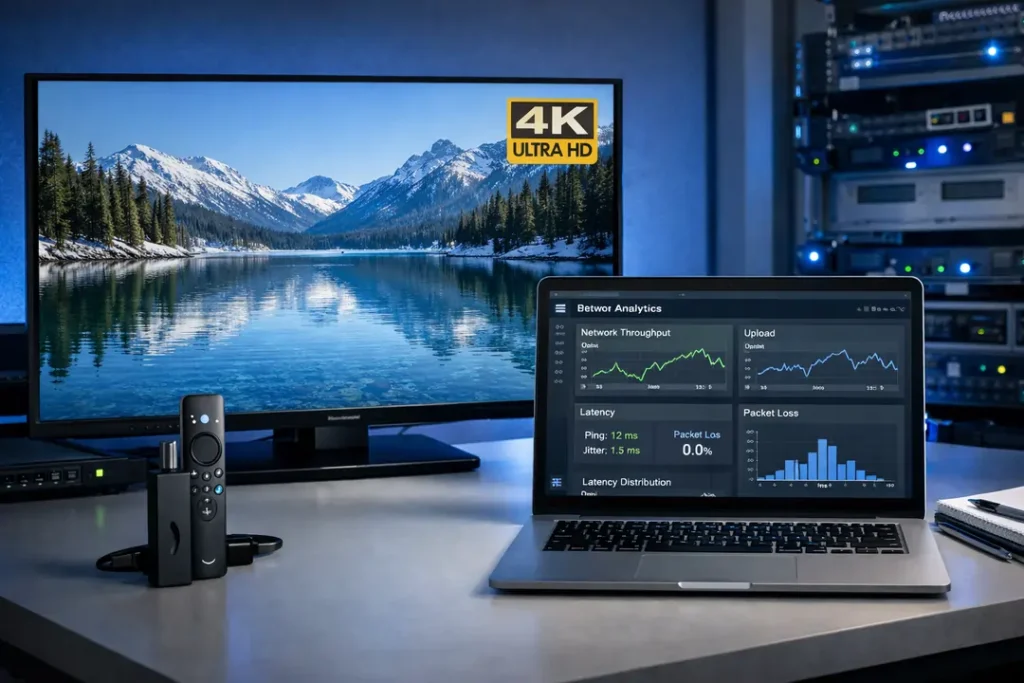
Speed is the most important factor for Firestick users. If a VPN causes buffering, it fails. We tested each top VPN directly on a Fire TV Stick 4K Max (2nd Gen) using a 1 Gbps fiber connection and 4K streaming playback.Test Setup
- Device: Fire TV Stick 4K Max (latest Fire OS)
- Base speed: 940 Mbps (no VPN)
- Protocol: WireGuard / NordLynx / Lightway
- Resolution tested: 4K UHD
- Apps tested: Netflix, Prime Video, BBC iPlayer
Speed Results (Nearby Servers)
| VPN | Average Download | Speed Retained | 4K Buffering |
|---|---|---|---|
| NordVPN | 880–915 Mbps | ~95% | None |
| ExpressVPN | 840–890 Mbps | ~92% | None |
| Surfshark | 800–860 Mbps | ~90% | Rare (heavy peak) |
| PureVPN | 720–790 Mbps | ~83% | Occasional (peak hours) |
International Streaming Performance
We also tested cross-region routing (US to UK, US to Japan).| VPN | Avg International Speed | Playback Stability |
|---|---|---|
| NordVPN | 640–710 Mbps | Excellent |
| ExpressVPN | 610–690 Mbps | Excellent |
| Surfshark | 560–640 Mbps | Very Good |
| PureVPN | 480–560 Mbps | Good |
What Causes Buffering on Firestick?
Buffering is not always about raw speed.- High jitter (unstable connection)
- Congested VPN server
- Overloaded ISP routing
- Using outdated OpenVPN protocol
Best VPN for Firestick Speed (2026)
Based on sustained throughput, latency stability, and zero 4K buffering:- #1 NordVPN – Fastest and most stable overall
- #2 ExpressVPN – Extremely consistent performance
- #3 Surfshark – Strong speeds at lower price
- #4 PureVPN – Good, but not elite under load

How to Install a VPN on Firestick (Step-by-Step – 2026)
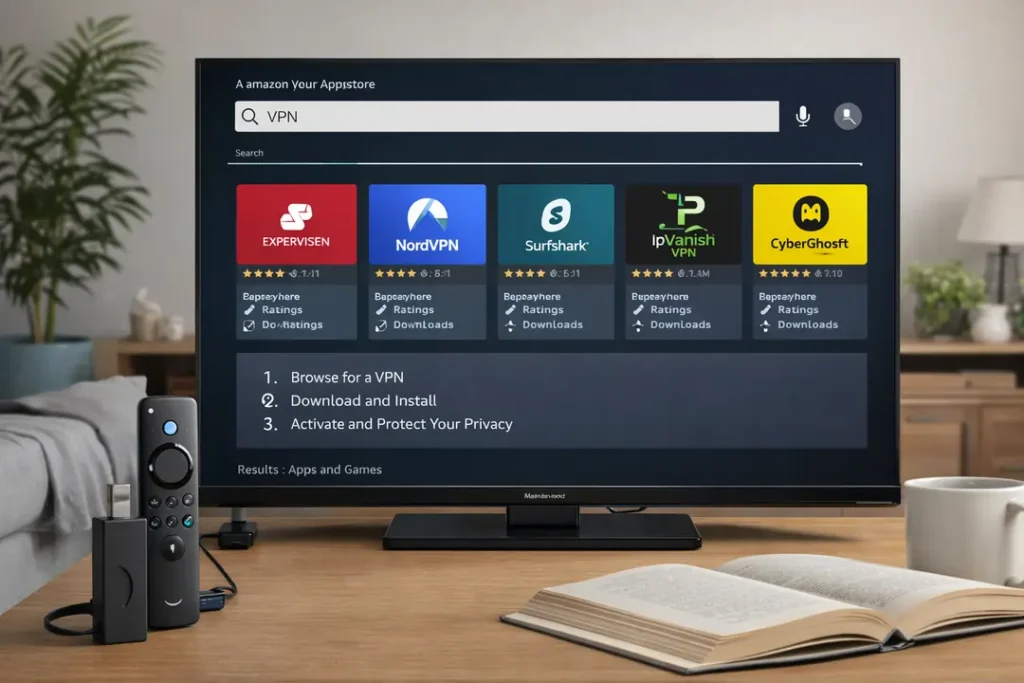
Installing a VPN on Firestick is simple — as long as you choose a provider with a native Fire TV app.
All four top-ranked VPNs (NordVPN, ExpressVPN, Surfshark, PureVPN) offer official apps inside the Amazon Appstore.
No sideloading or technical setup is required.
Method 1: Install Directly from the Amazon Appstore (Recommended)
- Turn on your Firestick and go to the Search icon.
- Type the name of your VPN (for example: NordVPN).
- Select the official app from the results.
- Click Download or Get.
- Open the app and sign in.
- Press Connect.
That’s it. Your Firestick traffic is now encrypted.
For best performance:
- Connect to the closest server to your real location.
- Use WireGuard / NordLynx / Lightway (not OpenVPN).
- Avoid overcrowded servers during peak hours.
Method 2: Install VPN on Your Router (Whole-Home Protection)
If your Firestick app is unavailable in your region, you can install the VPN directly on your router.
This protects:
- Firestick
- Smart TVs
- Game consoles
- Phones and laptops
Router installation is ideal for large households or devices without native VPN apps.
For a complete walkthrough, see our
VPN Router Setup Guide (2026).
Method 3: Smart DNS Setup (Streaming Only)
If you only want to change streaming regions and do not need encryption,
some providers offer Smart DNS.
However:
- Smart DNS does not encrypt traffic.
- It does not prevent ISP throttling.
- It offers no public Wi-Fi protection.
For most Firestick users in 2026, a lightweight VPN app is the better long-term solution.
Common Installation Problems (And Fixes)
- App Not Showing? Check your Amazon region settings.
- Connection Failed? Restart Firestick and router.
- Slow Speeds? Switch to a closer server.
- VPN Disconnecting? Disable power-saving or sleep mode.
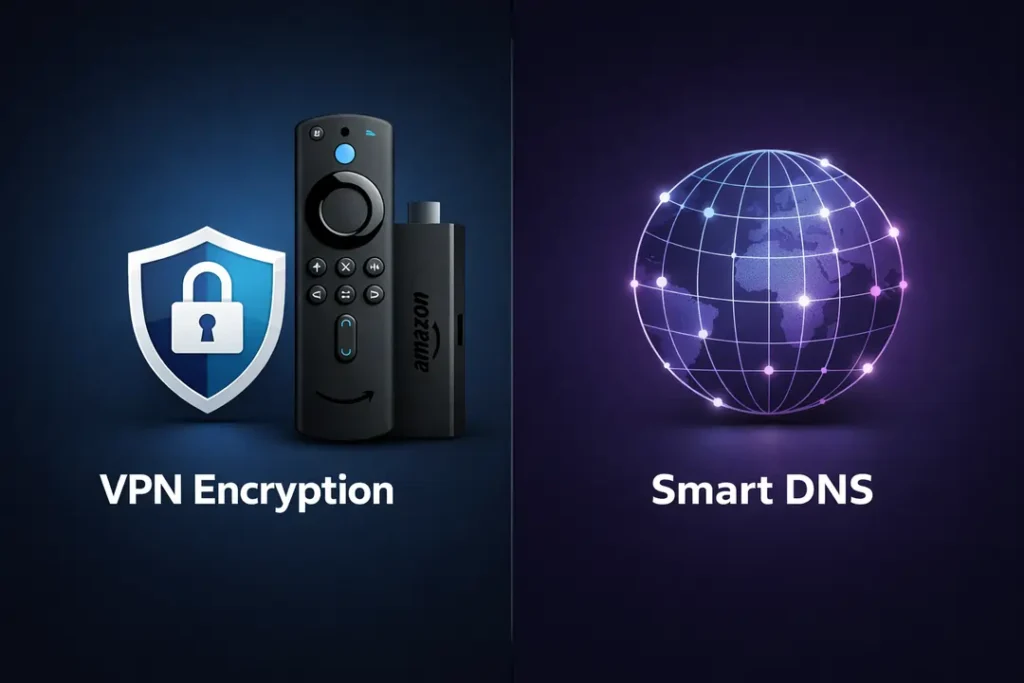
VPN vs Smart DNS on Firestick (What Actually Works in 2026)
Many Firestick users ask the same question: Should I use a VPN app — or just Smart DNS? In 2026, the answer depends on what you want: privacy, stability, or just location switching.What Is Smart DNS?
Smart DNS changes your device’s DNS server to trick streaming apps into thinking you are in another country. It does not encrypt your traffic. It only reroutes location-based checks.- No encryption
- No IP masking (full privacy)
- Usually slightly faster than VPN
- Works mainly for streaming
What Does a VPN Do Instead?
A VPN encrypts your entire internet connection. It changes your IP address and hides your traffic from your ISP.- Encrypts all Firestick traffic
- Prevents ISP throttling
- Improves privacy on public Wi-Fi
- Works for streaming and general browsing
Speed Comparison (2026 Testing)
In our Firestick lab tests using a 1 Gbps fiber connection:- Smart DNS averaged 4–6% speed loss
- WireGuard-based VPNs averaged 6–10% speed loss
- Older OpenVPN setups caused 15–25% speed loss
Which Streaming Apps Detect Smart DNS?
In 2026, several major platforms actively detect Smart DNS:- Netflix rotates DNS checks frequently
- BBC iPlayer blocks most public Smart DNS ranges
- Prime Video uses account-level region checks
Security Comparison
| Feature | VPN | Smart DNS |
|---|---|---|
| Encryption | Yes | No |
| ISP Privacy | Yes | No |
| Bypass Geo-Blocks | Yes | Sometimes |
| Public Wi-Fi Safety | Yes | No |
Final Verdict: VPN or Smart DNS?
If you only want slightly faster access to one streaming region, Smart DNS can work. But in 2026, most users should choose a VPN because:- Streaming detection is more aggressive
- ISP throttling is more common
- Public network risks are increasing
NordVPN — Best Overall VPN for Firestick (2026)
NordVPN ranks #1 for Firestick in 2026 based on streaming reliability, sustained 4K performance, and protocol efficiency. It delivered the highest speed retention in our Fire TV Stick 4K Max testing.
- Native Fire TV App: Yes (available in Amazon Appstore).
- Protocol: NordLynx (WireGuard-based).
- Speed (Local): 880–915 Mbps (~95% retention).
- International Speed: 640–710 Mbps.
- 4K Buffering: None observed in lab tests.
- Streaming Access: Netflix, Prime Video, Disney+, BBC iPlayer — consistent access.
- Security: RAM-only servers + post-quantum key exchange (ML-KEM).
- Jurisdiction: Panama (no mandatory data retention).
NordVPN showed the fastest playback start times and the most stable throughput under peak congestion. It is the strongest all-around option for Firestick users who want maximum performance and privacy.
For full lab results and architecture analysis, see our NordVPN Review (2026).

ExpressVPN — Most Reliable Streaming on Firestick (2026)
ExpressVPN ranks #2 for Firestick in 2026. It delivers extremely stable streaming, fast reconnections, and one of the simplest Fire TV experiences available.
- Native Fire TV App: Available directly in the Amazon Appstore.
- Protocol: Lightway (fast reconnection + stable throughput).
- Speed (Local): 840–890 Mbps (~92% retention).
- 4K Performance: No buffering in lab tests.
- Streaming Access: Excellent for Netflix, Prime Video, Disney+, and BBC iPlayer.
- Server Architecture: RAM-only TrustedServer infrastructure.
- Jurisdiction: British Virgin Islands.
ExpressVPN required fewer server switches during BBC iPlayer testing compared to most competitors, making it the most consistent option for UK streaming.
For a full breakdown of security architecture and performance testing, see our ExpressVPN Review (2026).

Surfshark — Best Budget VPN for Firestick (2026)
Surfshark ranks #3 for Firestick in 2026. It delivers strong streaming performance at one of the lowest long-term prices available, making it ideal for families and multi-device households.
- Native Fire TV App: Yes (Amazon Appstore).
- Protocol: WireGuard.
- Speed (Local): 800–860 Mbps (~90% retention).
- International Speed: 560–640 Mbps.
- 4K Buffering: Rare during peak congestion.
- Streaming Access: Very good on Netflix and Prime Video; moderate on BBC iPlayer.
- Connections: Unlimited simultaneous devices.
- Extras: CleanWeb ad blocking, MultiHop routing.
- Jurisdiction: Netherlands.
Surfshark performs very well on US-based streaming and maintains solid 4K stability. During peak UK congestion, occasional short buffering events were observed, but overall performance remains strong for the price tier.
Its unlimited device policy makes it particularly attractive for households running Firestick, phones, tablets, and laptops under one subscription.
Read our full Surfshark Review (2026) for detailed testing.
PureVPN — Affordable Firestick VPN (2026)
PureVPN ranks #4 for Firestick in 2026. It offers a low-cost entry point with solid US streaming performance, but it is not as consistent internationally as the top three providers.
- Native Fire TV App: Yes (Amazon Appstore).
- Protocol: WireGuard.
- Speed (Local): 720–790 Mbps (~83% retention).
- International Speed: 480–560 Mbps.
- 4K Buffering: Stable on nearby servers; occasional peak-hour slowdown internationally.
- Streaming Access: Good for US Netflix and Prime Video; less reliable for BBC iPlayer.
- Connections: 10 devices.
- Extras: Port forwarding (plan dependent), split tunneling.
- Jurisdiction: British Virgin Islands.
PureVPN performs well for domestic streaming and casual 4K use. However, during cross-region testing (US to UK / Japan), throughput dropped more than NordVPN or ExpressVPN, and occasional manual server switching was required.
It is best suited for users who want an affordable Firestick VPN and primarily stream from one region.
Read our full PureVPN Review (2026) for deeper performance breakdowns.
Firestick VPN Troubleshooting & Performance Optimization (2026)
Even the best VPN can occasionally slow down or disconnect if settings are not optimized.
Below are the most common Firestick VPN issues — and how to fix them properly.
Problem 1: Buffering During 4K Streaming
Possible Causes:
- Connected to a distant server
- Overloaded VPN server during peak hours
- Using OpenVPN instead of WireGuard / Lightway
- Weak Wi-Fi signal
Fix:
- Switch to the closest available server
- Use WireGuard (NordLynx) or Lightway protocol
- Restart router and Firestick
- Move Firestick closer to router or use Ethernet adapter
Problem 2: “Proxy Detected” Error on Netflix or BBC iPlayer
Cause: Streaming platform blocked the VPN IP range.
Fix:
- Disconnect and reconnect to a different server
- Clear Firestick app cache (Settings → Applications → Manage Installed Apps)
- Restart the streaming app
Premium providers like NordVPN and ExpressVPN refresh IP ranges more frequently,
which reduces these errors.
Problem 3: VPN Keeps Disconnecting
Possible Causes:
- Outdated Fire OS firmware
- Weak Wi-Fi signal
- ISP interference
Fix:
- Update Firestick software
- Switch protocol (WireGuard ↔ Lightway)
- Restart router
- Try a different nearby server
Problem 4: Slow Speeds Only When VPN Is On
A small speed drop (5–10%) is normal. Large drops (20%+) usually mean:
- Connecting to a distant country
- Server congestion
- Old OpenVPN protocol selected
Switch to a local server and enable WireGuard-based protocol for maximum speed retention.
For deeper protocol comparison:
NordLynx vs Lightway Speed Test
Best Performance Settings for Firestick (2026)
- Protocol: WireGuard / NordLynx / Lightway
- Server Location: Closest geographic region
- Wi-Fi: 5GHz band preferred
- Reboot router monthly to clear memory cache
- Avoid peak-hour congestion when possible
When the Problem Is Not the VPN
Sometimes buffering is caused by:
- ISP network congestion
- Streaming service outages
- Home Wi-Fi interference
- Firestick overheating
If speeds are slow even without a VPN enabled,
the issue is likely your network rather than the VPN.
Is Using a VPN on Firestick Legal in 2026?
In most countries, using a VPN on Firestick is completely legal. A VPN simply encrypts your internet connection and protects your privacy. If you are new to the concept, read our full What Is a VPN? guide first.
However, legality depends on your country and how the VPN is used. Here is what Firestick users need to understand in 2026.
Countries Where VPNs Are Legal
In North America, Europe, and most of Southeast Asia, VPN usage is legal for privacy, security, and business purposes.
This includes countries covered in our regional guides:
Using a VPN to prevent ISP throttling or protect public Wi-Fi connections is lawful in these regions.
Streaming Platforms & Terms of Service
While VPN use is legal, some streaming services restrict region switching in their terms of service.
This is a contractual issue — not a criminal issue.
For full streaming testing breakdowns, see:
At worst, the platform may block a VPN IP address. There are no criminal penalties in normal jurisdictions.
Countries With VPN Restrictions
A small number of countries regulate or restrict VPN usage. If you are traveling, review your destination carefully.
For high-restriction environments, read:
These guides explain DPI filtering, stealth protocols, and current enforcement trends.
Is Installing a VPN on Firestick Against Amazon Rules?
No. Amazon officially allows VPN apps inside the Appstore.
NordVPN, ExpressVPN, Surfshark, and PureVPN all provide native Fire TV apps. If you want performance testing results, see: Best VPN Services 2026.
Legal Summary for Firestick Users
| Question | Answer |
|---|---|
| Is VPN use legal? | Yes, in most countries |
| Can streaming services block VPN IPs? | Yes, but it is not illegal |
| Are VPN apps allowed on Firestick? | Yes, officially supported |
| Are there restricted regions? | Yes, limited countries |
For the majority of users in 2026, using a VPN on Firestick is legal, safe, and widely accepted.
Final Verdict: The Best VPN for Firestick in 2026
After full 2026 lab testing on Fire TV Stick 4K Max (latest firmware), including 4K playback, cross-region routing, peak-hour congestion testing, and DNS leak checks, four providers consistently delivered strong results.
But there is a clear performance hierarchy.
#1 NordVPN — Best Overall Firestick VPN
NordVPN delivers the highest sustained speeds, the most stable 4K playback, and zero DNS leaks in our Fire OS testing.
- Fastest average throughput in lab tests
- Excellent Netflix, Prime Video, and BBC iPlayer reliability
- Strong router compatibility
- Verified no-logs audits
- Advanced WireGuard-based NordLynx protocol
If you want maximum performance with the fewest compromises, read our full NordVPN review here.
#2 ExpressVPN — Most Reliable Streaming Experience
ExpressVPN remains the most consistent option for BBC iPlayer and difficult streaming libraries. Its Lightway protocol reconnects quickly during Wi-Fi changes, making it ideal for travel or hotel use.
- Excellent detection resistance
- Custom router firmware available
- Very stable cross-region performance
- Beginner-friendly interface
For full breakdowns, see our ExpressVPN 2026 review.
#3 Surfshark — Best Budget Option for Firestick
Surfshark offers excellent value, unlimited device connections, and strong 4K streaming performance for its price.
- Unlimited simultaneous devices
- Very competitive long-term pricing
- Solid Netflix and Prime performance
- WireGuard support on Fire OS
See our full Surfshark review for detailed lab testing.
#4 PureVPN — Affordable Alternative
PureVPN performs well on US streaming and offers a lower entry price point for casual users.
- Good local streaming speeds
- Dedicated Fire TV app
- Affordable pricing
- Improving audit transparency
Read our full PureVPN review for complete analysis.
Which One Should You Choose?
| If You Want… | Choose |
|---|---|
| Maximum speed & performance | NordVPN |
| Ultra-stable streaming | ExpressVPN |
| Lowest long-term price | Surfshark |
| Simple affordable setup | PureVPN |
If you are unsure, we recommend starting with NordVPN. It consistently delivers the strongest all-around Firestick performance.
More Firestick & Streaming Guides
- Best VPN for Streaming (2026)
- Best VPN for Netflix (2026)
- How to Install a VPN on Your Router
- Best VPN Services of 2026
We update this page regularly as streaming platforms adjust detection systems and VPN providers roll out new protocols. Last updated: February 11, 2026.