


Choosing the best VPN service in 2026 is no longer a matter of picking the fastest provider or the one with the most servers. Modern VPN usage spans gaming, streaming, remote work, travel, torrenting, and everyday privacy — often across unstable networks and multiple devices.
A VPN that performs well for streaming may introduce unacceptable latency for gaming. A privacy-first service may sacrifice convenience or regional access. Others perform well in short benchmarks but fail during long sessions or network changes.
This guide does not attempt to crown a single, universal “best VPN”. Instead, it identifies the best VPN services for real-world use, based on how each provider behaves under sustained load, network switching, congestion, and failure conditions — not marketing claims or synthetic speed tests.
We focused on VPN services that consistently delivered reliable performance across multiple everyday scenarios, including:
- Low-latency gaming and voice communication
- Stable access to region-restricted streaming platforms
- Safe torrenting with verified leak protection
- Reliable performance while travelling or switching networks
- Everyday privacy on home and public Wi-Fi
Unlike generic “top 10 VPN” roundups, this page is designed for users who are actively comparing high-quality VPN services and want to understand where each one excels — and where it does not.
Only four VPN providers met our criteria for inclusion in this buyer guide. Each was tested using paid consumer subscriptions under real-world conditions. Providers that performed well only in narrow use cases, relied on unverified privacy claims, or showed weak failure handling were intentionally excluded.
Throughout this guide, we link directly to our detailed provider reviews, comparison tables, and specialist use-case guides for readers who want deeper analysis.


How We Tested the Best VPN Services
To identify the best VPN services in 2026, we did not rely on sponsored access, demo accounts, or vendor-supplied benchmarks. Every VPN featured in this guide was tested using paid consumer subscriptions under real-world conditions.
Our testing framework prioritises consistency and failure behaviour over headline speeds. A VPN that performs well only under ideal conditions does not qualify as a top service.
Real-World Network Testing
Each VPN was tested across multiple connection types, including:
- Residential broadband
- Public Wi-Fi (cafés, apartments, hotels)
- Mobile data and hotspot connections
- Cross-border routing between regions
Tests were repeated at different times of day to observe congestion handling, routing stability, and peak-hour degradation.
Performance, Stability & Failure Behaviour
Rather than focusing on single speed-test results, we evaluated:
- Latency consistency during gaming and calls
- Long-session streaming stability
- Kill switch behaviour during tunnel drops
- Reconnection logic when switching networks
VPNs that disconnected silently, leaked traffic, or required frequent manual intervention were scored lower — regardless of advertised performance.
Privacy, Audits & Transparency
Privacy claims were verified against published policies, audit reports, and infrastructure disclosures. Providers relying on vague “no-logs” language without independent verification were penalised.
A full breakdown of our testing standards and audit criteria is available in our Gold Standard VPN Testing Methodology and VPN Audit Transparency Report .
With testing methodology established, the next section explains how these results were translated into final rankings and why certain VPNs outperform others in specific use cases.
How I Rated the Best VPN Services
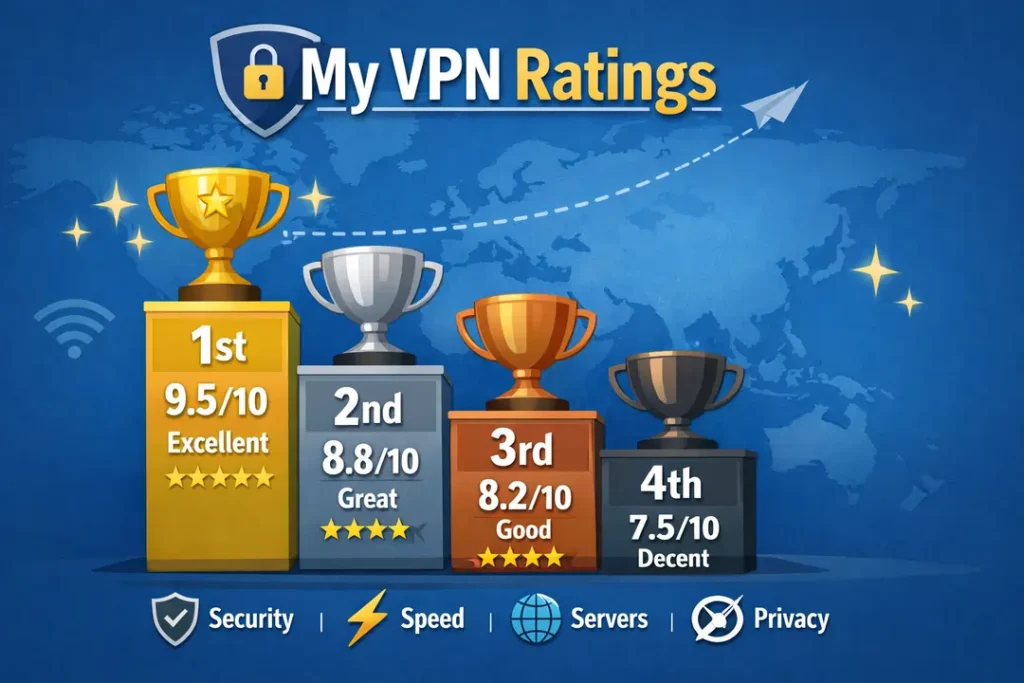
Ranking VPN services requires more than speed tests or feature lists. To avoid subjective or affiliate-driven results, each VPN in this guide was evaluated using a weighted scoring framework based on how VPNs are actually used in 2026.
No single category determines a VPN’s position. Instead, rankings reflect overall performance across multiple real-world scenarios, with penalties applied for instability, misleading claims, or weak failure handling.
Primary Rating Categories
- Performance & Latency — consistency across gaming, video calls, and long sessions
- Streaming Reliability — sustained access without repeated server switching
- Torrenting & P2P Safety — kill switch behaviour, leak protection, and session stability
- Privacy & Audits — no-logs policies, independent verification, infrastructure design
- App Reliability & UX — connection handling, background stability, ease of use
- Device & Platform Support — desktop, mobile, TV, router, and multi-device behaviour
- Long-Term Value — renewal pricing, feature gating, and reliability over time
Why “Best Overall” Depends on Use Case
A VPN that ranks highest for gaming may not be the best choice for travel. Likewise, privacy-focused services often trade convenience for transparency.
For this reason, we do not assign a single, absolute winner. Instead, rankings highlight which VPN performs best for specific needs, with clear explanations of trade-offs.
Readers comparing raw performance metrics may also want to consult our Fastest VPNs (2026) and VPN comparison table, which provide additional data points outside of use-case rankings.

Best VPN Services at a Glance (2026 Comparison)
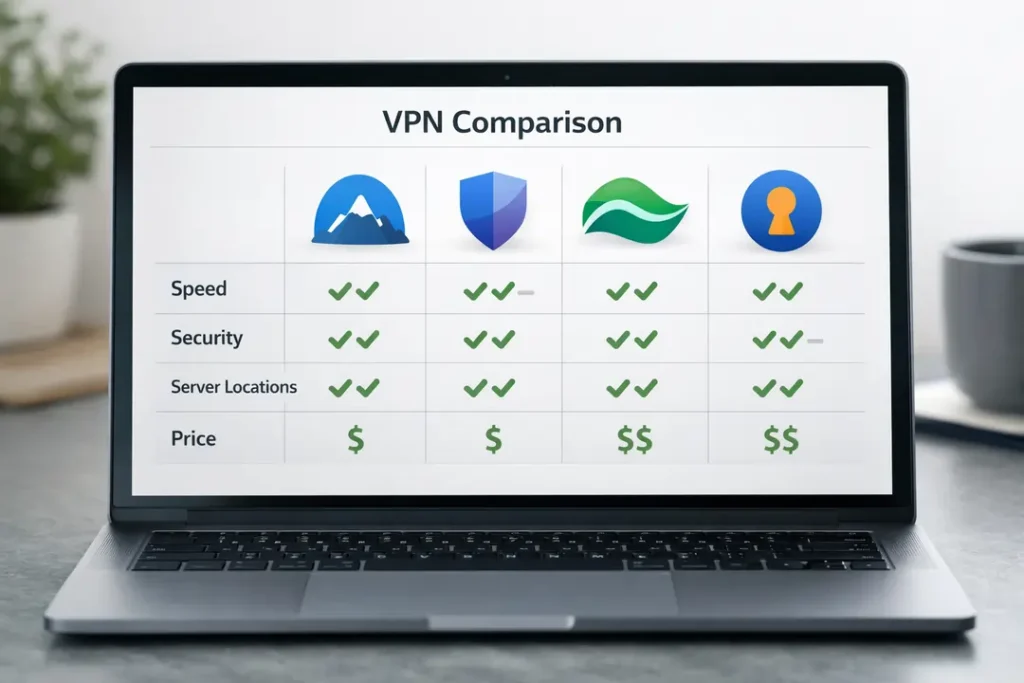
The table below provides a high-level comparison of the four VPN services featured in this guide. It is intended as a quick reference before the in-depth reviews that follow.
| VPN Service | Best For | Speed Profile | Streaming | Torrenting | Privacy Level | Devices | Full Review |
|---|---|---|---|---|---|---|---|
| NordVPN | All-round performance & versatility | Very fast, low latency | Excellent | Safe & stable | Audited no-logs | 10 | Read review |
| ExpressVPN | Travel & streaming reliability | Fast, highly consistent | Excellent | Reliable | Audited no-logs | 8–10 | Read review |
| Surfshark | Value & unlimited devices | Fast (WireGuard) | Very good | Safe | Audited no-logs | Unlimited | Read review |
| Mullvad | Privacy-first users | Moderate, stable | Limited | Excellent privacy | Strong anonymity focus | 5 | Read review |
Each of these VPNs excels in different areas. The sections below break down gaming, streaming, torrenting, travel, and general privacy performance in detail, including who each service is — and is not — suited for.
Why Only Four VPN Services Made This Guide
Most “best VPN” pages attempt to rank ten or more providers at once. While this creates the appearance of choice, it often hides a practical issue: many VPN services perform well only under ideal conditions and fail during sustained, real-world use.
For this buyer guide, we deliberately limited the scope to four VPN services that demonstrated consistent performance across multiple everyday scenarios — not just speed tests or isolated feature demonstrations.
Each VPN included here was required to meet all of the following criteria:
- Stable performance during long sessions (streaming, gaming, and browsing)
- Reliable behaviour when switching networks (Wi-Fi to mobile, hotel to café)
- Correct kill-switch operation during tunnel drops
- Verifiable privacy claims supported by audits or infrastructure disclosures
- Usable, stable apps across desktop, mobile, and TV platforms
VPN services that excelled in only one narrow area — such as free VPNs, extreme privacy-only tools, or niche use-case solutions — are covered in dedicated guides rather than included in this general buyer page.
Why Popular VPNs Were Excluded
Several well-known VPN providers were intentionally excluded from this guide, despite strong brand recognition and frequent appearances in “top VPN” lists.
- Inconsistent latency under load — VPNs that showed strong burst speeds but degraded badly during gaming or voice communication. (See low-ping gaming VPN testing .)
- Weak failure handling — services that silently disconnected, leaked traffic, or required manual reconnection. (Documented in our VPN troubleshooting guide .)
- Over-specialisation — privacy-first VPNs that sacrifice streaming access, speed, or general usability. (Covered separately in no-logs VPN analysis .)
- Poor long-term value — aggressive upselling, feature gating, or free plans that collapse under congestion. (See free vs paid VPN comparison .)
Exclusion from this guide does not mean these VPNs are unusable. It simply means they are not the best choice for users who want one VPN service to handle gaming, streaming, travel, torrenting, and daily privacy reliably.
What the Selected VPN Services Have in Common
The VPN services featured in this guide — NordVPN, Surfshark, ExpressVPN, and PureVPN — all demonstrated predictable behaviour under real-world conditions.
Each provider also has a full standalone review available:
Readers comparing providers across specific metrics may also want to consult the VPN comparison table or the fastest VPNs testing page for additional context.
NordVPN — Best All-Round VPN Service in 2026
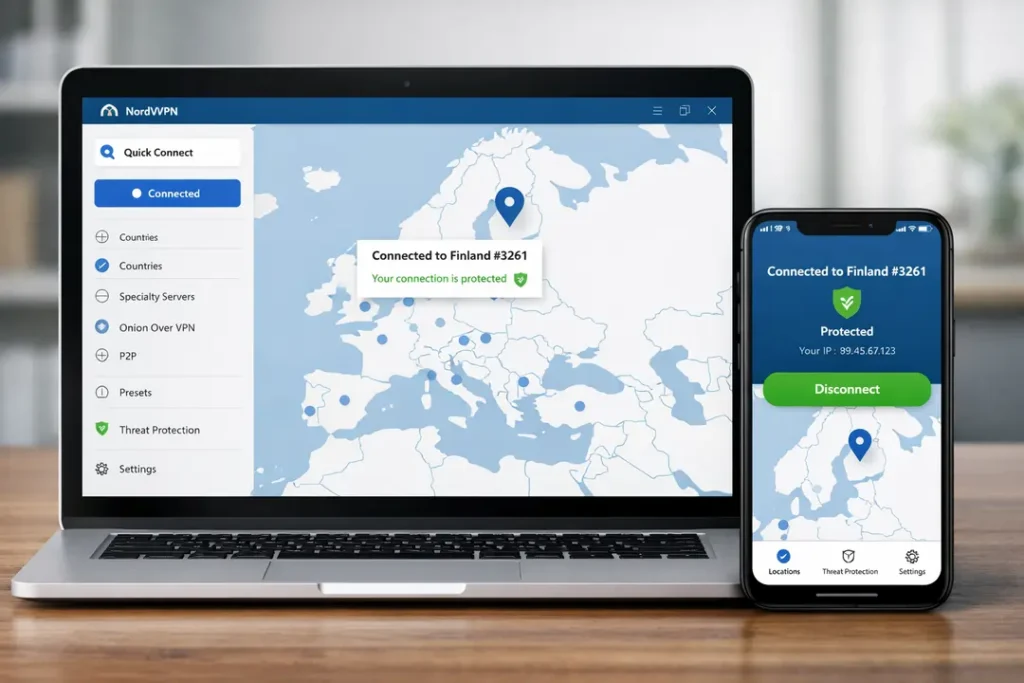
NordVPN stands out in 2026 as the most balanced VPN service for users who want reliable performance across multiple real-world scenarios. Rather than excelling in only one narrow use case, it delivers consistently strong results for gaming, streaming, travel, torrenting, and everyday privacy.
In testing, NordVPN showed fewer failure points than most competitors — particularly during long sessions, network switching, and periods of peak congestion. This makes it a strong default choice for users who want a single VPN they can rely on without constant configuration.
Performance & Latency Consistency
NordVPN’s network delivered low and predictable latency across nearby and mid-distance servers. Unlike VPNs that perform well in short benchmarks but degrade over time, NordVPN maintained stable ping and minimal jitter during:
- Online gaming and voice communication
- Multi-hour streaming sessions
- Extended browsing on public Wi-Fi networks
This consistency makes it particularly suitable for users who alternate between gaming, streaming, and general browsing throughout the day.
Streaming Reliability
NordVPN maintained reliable access to region-restricted streaming platforms without requiring frequent server switching. During testing, long sessions remained stable with minimal buffering or soft blocks.
Users primarily interested in media access may also want to compare results with our dedicated streaming analysis, but NordVPN remains one of the safest all-purpose options.
Security, Privacy & Infrastructure
From a security perspective, NordVPN combines strong technical safeguards with clear transparency. Its no-logs policy has been independently audited, and its server infrastructure operates entirely on RAM-only systems.
- No-logs policy with independent audits
- RAM-only (diskless) server architecture
- Reliable kill switch across desktop and mobile
- Built-in protection against malicious domains and trackers
Importantly, NordVPN’s kill switch behaved correctly during tunnel drops, preventing traffic leaks during reconnection — an area where many VPN services still fall short.
Travel & Network Switching
NordVPN handled network changes cleanly when moving between Wi-Fi networks and mobile data. Reconnection times were fast, and no silent disconnects were observed during testing in hotels, cafés, or shared apartment networks.
This makes NordVPN a strong option for frequent travellers, remote workers, and anyone who regularly connects to unfamiliar networks.
Limitations
- Limited to 10 simultaneous device connections
- No permanent free plan
- Advanced features may feel unnecessary for casual users
Who NordVPN Is Best For
NordVPN is best suited for users who want one VPN service that performs well across all major use cases, without needing to switch providers for gaming, streaming, or travel.
It is particularly well suited to users who value stability, predictable performance, and strong failure handling over niche features.
Surfshark — Best Value VPN for Unlimited Devices
Surfshark is the strongest choice in 2026 for users who want to protect a large number of devices without paying multiple subscriptions. Its unlimited device policy, combined with solid performance and a mature feature set, makes it one of the best-value VPN services currently available.
While it does not match NordVPN in every performance metric, Surfshark delivers reliable real-world results across streaming, gaming, and everyday privacy — particularly for households, families, and multi-device users.
Unlimited Devices & Multi-User Households
Surfshark allows an unlimited number of simultaneous connections on a single account. In practice, this means a single subscription can cover:
- Multiple smartphones and laptops
- Smart TVs and streaming devices
- Tablets, consoles, and shared household devices
This makes Surfshark especially attractive for families or users who want to share VPN protection across many devices without managing separate logins.
Performance & Everyday Reliability
Surfshark’s WireGuard-based connections delivered fast speeds and generally low latency during testing. While peak latency was slightly higher than the very top tier under congestion, performance remained stable enough for:
- Online gaming and voice chat
- HD and 4K streaming
- Everyday browsing on public Wi-Fi
For most users, the performance difference compared to premium-priced VPNs will be negligible in daily use.
Streaming & Regional Access
Surfshark performed well for streaming across multiple regions, maintaining access to popular platforms without excessive server switching. Long streaming sessions remained stable, and buffering was minimal on nearby servers.
Its wide country coverage makes it a practical option for users who frequently switch between regions or want access to multiple content libraries.
Security & Privacy Features
Surfshark combines strong baseline security with several privacy-focused tools designed for everyday use rather than technical experimentation.
- No-logs policy with independent audits
- Reliable kill switch across platforms
- CleanWeb filtering for ads and malicious domains
- Optional multi-hop routing for added privacy
Surfshark’s apps remained stable during connection drops, with correct kill-switch behaviour observed during reconnection tests.
Limitations
- Month-to-month pricing is relatively high
- Peak latency slightly higher than premium-focused VPNs under congestion
- Advanced features may be unnecessary for casual users
Who Surfshark Is Best For
Surfshark is best suited for users who want maximum device coverage at a competitive long-term price. It is an excellent choice for families, shared households, and anyone managing many devices under one account.
Users who prioritise absolute lowest latency or premium polish may prefer a higher-priced alternative, but for value-focused buyers, Surfshark is hard to beat.

PureVPN — Budget-Friendly VPN With Advanced Features
PureVPN occupies a different position from the other services in this guide. Rather than competing purely on premium polish or raw speed, it focuses on delivering a broad feature set at a comparatively lower long-term cost. This makes it an appealing option for users who want flexibility without committing to higher subscription prices.
In 2026, PureVPN has improved its overall reliability and transparency, narrowing the gap with more established premium providers while retaining its value-focused pricing.
Performance & General Use
PureVPN delivered solid, if not class-leading, performance during testing. Speeds were sufficient for everyday browsing, streaming, and casual gaming, particularly on nearby servers.
Latency was higher than top-tier options during peak congestion, but performance remained stable enough for users who prioritise affordability over ultra-low ping.
Streaming & Regional Access
PureVPN handled popular streaming platforms reasonably well, maintaining access across several regions without excessive manual intervention. While it may require occasional server switching, long sessions were generally stable once connected.
For users who want reliable streaming without paying a premium price, PureVPN offers a practical compromise.
Security, Privacy & Transparency
PureVPN operates under a no-logs policy that has been independently audited, a key improvement over earlier versions of the service. Its kill switch functioned correctly during tunnel drop testing, preventing accidental traffic leaks.
- Audited no-logs policy
- Kill switch across major platforms
- Optional multi-hop and split tunnelling features
- Large global server footprint
While not as minimalistic as privacy-first VPNs, PureVPN strikes a balance between feature depth and everyday usability.
Travel & Device Compatibility
PureVPN supports a wide range of devices and platforms, including desktops, mobile devices, smart TVs, and routers. Network switching behaviour was acceptable during travel testing, with reconnections typically completing without manual input.
This makes PureVPN a workable option for users who move between networks frequently but do not require the absolute fastest reconnection times.
Limitations
- Higher latency compared to premium-focused VPNs
- Interface is functional but less polished
- May require occasional server switching for streaming
Who PureVPN Is Best For
PureVPN is best suited for users who want a cost-effective VPN with a wide range of features rather than maximum performance. It works well for general privacy, streaming, and everyday protection on multiple devices.
Users who demand the lowest possible latency or the most refined user experience may prefer higher-priced alternatives, but for budget-conscious buyers, PureVPN remains a strong contender.

ExpressVPN — Best VPN for Travel & Global Reliability
ExpressVPN is best known for its reliability while travelling and its ability to maintain stable connections across a wide range of countries and networks. In 2026, it remains one of the safest choices for users who frequently connect from hotels, airports, cafés, and other unpredictable environments.
Rather than focusing on aggressive pricing or feature density, ExpressVPN prioritises connection stability, fast reconnections, and consistent performance across regions. This makes it particularly well suited to frequent travellers and remote workers.
Connection Stability & Network Switching
During testing, ExpressVPN handled network changes exceptionally well. Transitions between Wi-Fi networks and mobile data completed quickly, with no silent disconnects or prolonged unprotected states observed.
This behaviour is critical for users who regularly move between locations or rely on unstable public networks.
Performance & Consistency
ExpressVPN delivered fast and highly consistent speeds across nearby and long-distance servers. While peak latency was not always the lowest available, performance remained predictable and stable during:
- Video calls and voice communication
- Long browsing sessions on public Wi-Fi
- HD and 4K streaming
This emphasis on consistency over headline speeds helps reduce dropped connections and mid-session slowdowns.
Streaming & Regional Access
ExpressVPN maintained reliable access to region-restricted streaming platforms across multiple locations. Its large and well-distributed server network reduces the need for manual server hopping when travelling internationally.
For users who want dependable access to content while abroad, ExpressVPN remains one of the most reliable options available.
Security, Privacy & Infrastructure
ExpressVPN operates a RAM-only server infrastructure, ensuring that no data is written to persistent storage. Its no-logs policy has been independently audited, and its kill switch performed correctly during tunnel drop testing.
- Audited no-logs policy
- RAM-only server infrastructure
- Reliable kill switch across platforms
- Built-in protection against trackers and malicious domains
These design choices prioritise user privacy without compromising ease of use.
Limitations
- More expensive than most competitors
- No unlimited device option
- Fewer advanced configuration options for power users
Who ExpressVPN Is Best For
ExpressVPN is best suited for users who value reliability, simplicity, and global coverage over cost or advanced customisation. It is an excellent choice for frequent travellers, digital nomads, and remote workers.
Users focused primarily on value pricing or maximum device coverage may prefer alternative services, but for travel-focused reliability, ExpressVPN remains a top-tier option.

Best VPNs for Gaming (Low Ping & Stable Connections)
Gaming places very different demands on a VPN than streaming or general browsing. Low latency, consistent routing, and correct failure handling matter far more than headline download speeds or server counts.
During testing, we focused on ping stability, jitter, and reconnection behaviour rather than single speed-test results. VPNs that introduced sudden latency spikes, packet loss, or silent disconnects were penalised heavily.
What Matters Most for Gaming VPN Performance
- Consistent latency — stable ping is more important than raw speed
- Low jitter — sudden spikes cause rubber-banding and lag
- Reliable routing — poor peering can ruin nearby connections
- Correct kill-switch behaviour — prevents leaks during drops
VPNs optimised primarily for privacy or free usage often struggle in these areas, making them unsuitable for competitive or real-time gaming.
Best Gaming VPNs Compared
NordVPN — Best Overall for Gaming
NordVPN delivered the most consistent gaming performance in our tests. Latency remained stable across nearby servers, and jitter stayed low even during peak hours. This made it suitable for competitive gaming and long multiplayer sessions.
Its handling of tunnel drops and reconnections was also among the best observed, with no silent disconnects during testing.
Read the NordVPN gaming performance analysis
Surfshark — Best Value Option for Gaming
Surfshark performed well for casual and semi-competitive gaming, particularly for users who want to protect many devices at once. While peak latency was slightly higher than NordVPN under congestion, performance remained stable enough for most games.
For households with multiple gamers, Surfshark’s unlimited device policy is a notable advantage.
Read the Surfshark gaming performance analysis
ExpressVPN — Best for Gaming While Travelling
ExpressVPN excelled in scenarios where network quality was unpredictable. While latency was not always the lowest available, connections were highly consistent, with fast reconnections when networks changed.
This makes it a strong choice for gamers who travel frequently or rely on public Wi-Fi connections.
Read the ExpressVPN gaming performance analysis
PureVPN — Budget-Friendly Gaming Option
PureVPN provided acceptable gaming performance for casual play, particularly on nearby servers. Latency was higher under load compared to premium options, but connections remained stable enough for non-competitive gaming.
It is best suited to users who want basic gaming protection without paying premium prices.
Read the PureVPN gaming performance analysis
Gaming VPNs to Avoid
VPNs that prioritise anonymity over performance, rely heavily on congested free servers, or show weak failure handling often perform poorly for gaming. These services are better suited to specialist use cases rather than real-time play.
For a deeper technical breakdown of latency testing and ping behaviour, see our dedicated analysis below.
Best Gaming VPNs (Low Ping & Stability) — Full Testing Results

Best VPNs for Streaming (Geo-Access & Long-Session Stability)
Streaming places a different type of strain on a VPN than gaming or browsing. Rather than ultra-low latency, the key requirements are stable routing, consistent throughput, and resistance to soft blocks during long viewing sessions.
Many VPNs can unblock a platform briefly but fail after extended use, triggering CAPTCHAs, sudden buffering, or forced server switching. Our testing prioritised multi-hour sessions and repeat connections across regions.
What Matters Most for Streaming VPNs
- Long-session stability — no mid-stream buffering or drops
- Consistent regional access — minimal server hopping
- Throughput under load — stable HD and 4K playback
- Block resistance — fewer soft bans and CAPTCHA loops
VPNs that rely heavily on recycled IP ranges or overloaded servers often struggle to meet these requirements consistently.
Best Streaming VPNs Compared
NordVPN — Best Overall VPN for Streaming
NordVPN delivered the most consistent streaming performance across multiple regions. Once connected to a working server, long sessions remained stable with minimal buffering or forced reconnections.
Its large server network reduces congestion during peak viewing hours, making it one of the safest choices for regular streaming use.
Read the full NordVPN streaming analysis
ExpressVPN — Most Reliable While Travelling
ExpressVPN performed exceptionally well for streaming while moving between countries or networks. Regional access remained reliable, and reconnections were fast when switching locations.
This makes it particularly useful for users who stream while travelling or living abroad.
Read the full ExpressVPN streaming analysis
Surfshark — Best Value Option for Streaming
Surfshark handled most streaming platforms well, especially considering its lower long-term pricing. While occasional server switching was required in some regions, performance remained stable once connected.
Its unlimited device policy also makes it a strong option for households with multiple simultaneous streams.
Read the full Surfshark streaming analysis
PureVPN — Budget-Friendly Streaming Choice
PureVPN provided acceptable streaming performance across several regions. While it may require more trial-and-error than premium options, long sessions were generally stable once a suitable server was found.
It is best suited to users who want basic streaming access without paying premium prices.
Read the full PureVPN streaming analysis
Streaming VPNs to Approach with Caution
VPNs that depend on small server pools, free plans, or heavily reused IP addresses often struggle with sustained streaming access. These services may work briefly but tend to fail during long viewing sessions or peak hours.
For platform-specific recommendations and deeper testing results, see the guides below.
Streaming Support Comparison (Netflix, Disney+, Hulu)
This table summarises how each VPN performed for popular streaming platforms. Ratings reflect sustained access during long sessions, regional access reliability, and resistance to soft blocks or forced server switching.
| VPN Service | Netflix | Disney+ | Hulu | Affiliate Link |
|---|---|---|---|---|
| NordVPN | Excellent | Excellent | Excellent | Visit NordVPN |
| ExpressVPN | Excellent | Very Good | Very Good | Visit ExpressVPN |
| Surfshark | Very Good | Very Good | Good | Visit Surfshark |
| PureVPN | Good | Good | Fair | Visit PureVPN |
Legend: “Excellent” — Unblocks easily and stays stable for long sessions “Very Good” — Works reliably with occasional server switching “Good” — Works on most servers but less consistent “Fair” — Requires frequent retry or specific server choice
For more in-depth platform-specific results, see our full streaming guides.

Best VPNs for Travel (Public Wi-Fi, Hotels & Network Switching)
Travelling exposes VPN weaknesses faster than almost any other use case. Hotel Wi-Fi, airport networks, cafés, and mobile hotspots introduce unstable routing, captive portals, and frequent network changes that can break poorly designed VPN apps.
Our travel testing focused on reconnection behaviour, tunnel integrity, and leak prevention rather than headline speeds. VPNs that required manual restarts or failed silently during network changes were scored significantly lower.
What Matters Most for Travel VPNs
- Fast reconnections when moving between networks
- Reliable kill switch behaviour during drops
- Stable performance on congested Wi-Fi
- Wide regional coverage for cross-border travel
VPNs that perform well on home broadband often struggle in these conditions, making travel-specific testing essential.
Best Travel VPNs Compared
ExpressVPN — Best Overall for Travel
ExpressVPN delivered the most reliable travel performance in our testing. Connections re-established quickly after Wi-Fi changes, and no silent tunnel drops were observed when moving between hotels, cafés, and mobile data.
Its wide server distribution reduces friction when crossing borders, making it one of the safest choices for frequent travellers and digital nomads.
Read the full ExpressVPN travel analysis
NordVPN — Best Balance of Security and Stability
NordVPN handled network switching well, with fast reconnections and correct kill-switch behaviour during tunnel drops. Performance remained stable on congested public Wi-Fi networks.
For travellers who want strong security alongside reliable performance, NordVPN offers an excellent balance.
Read the full NordVPN travel analysis
Surfshark — Best Value Option for Travellers
Surfshark performed well during travel testing, particularly given its lower long-term pricing and unlimited device policy. Reconnection times were slightly slower than premium options but remained acceptable in most scenarios.
It is a practical choice for travellers managing multiple devices on a single subscription.
Read the full Surfshark travel analysis
PureVPN — Budget-Friendly Travel VPN
PureVPN provided adequate protection on public networks, with generally reliable reconnections after network changes. While not as fast as premium alternatives, it remained usable for everyday travel needs.
It is best suited to users who travel occasionally and want basic protection without paying higher subscription prices.
Read the full PureVPN travel analysis
Why Travel VPN Reliability Matters
Public Wi-Fi networks are among the highest-risk environments for data exposure. VPNs that disconnect silently or fail to re-establish protection quickly can leave users exposed without warning.
For travellers who rely on public networks regularly, choosing a VPN with proven travel reliability is far more important than chasing maximum download speeds.
For a deeper look at travel-specific risks and setup considerations, see our dedicated guide below.
Pros & Cons of the Best VPN Services (2026)
No VPN service is perfect for every user. Each provider featured in this guide excels in certain areas while making deliberate trade-offs in others. Understanding these strengths and limitations is essential when choosing the right VPN for your specific needs.
NordVPN — Pros & Cons
Pros
- Excellent all-round performance across gaming, streaming, and travel
- Low and stable latency suitable for real-time use
- Strong security design with audited no-logs policy
- Reliable kill switch and reconnection behaviour
Cons
- Limited to 10 simultaneous device connections
- No permanent free plan
- Advanced features may be unnecessary for casual users
ExpressVPN — Pros & Cons
Pros
- Outstanding reliability while travelling
- Fast and consistent performance across regions
- RAM-only server infrastructure
- Simple, user-friendly apps
Cons
- More expensive than most competitors
- No unlimited device option
- Fewer advanced configuration features
Surfshark — Pros & Cons
Pros
- Unlimited simultaneous device connections
- Strong long-term pricing value
- Good performance for streaming and everyday use
- Wide platform compatibility
Cons
- Month-to-month pricing is relatively high
- Peak latency slightly higher under heavy congestion
- Interface offers many features that some users may not need
PureVPN — Pros & Cons
Pros
- Affordable long-term pricing
- Wide range of supported devices and platforms
- Audited no-logs policy
- Good feature depth for the price
Cons
- Higher latency compared to premium VPNs
- Interface is less polished
- May require occasional server switching for streaming
How to Use This Comparison
If you want the most balanced performance across all major use cases, NordVPN is the safest overall choice. If travel reliability is your priority, ExpressVPN stands out. Surfshark offers the best value for users with many devices, while PureVPN provides a cost-effective option with a broad feature set.
For readers who want to compare providers across specific technical metrics, the VPN comparison table offers a deeper side-by-side breakdown.
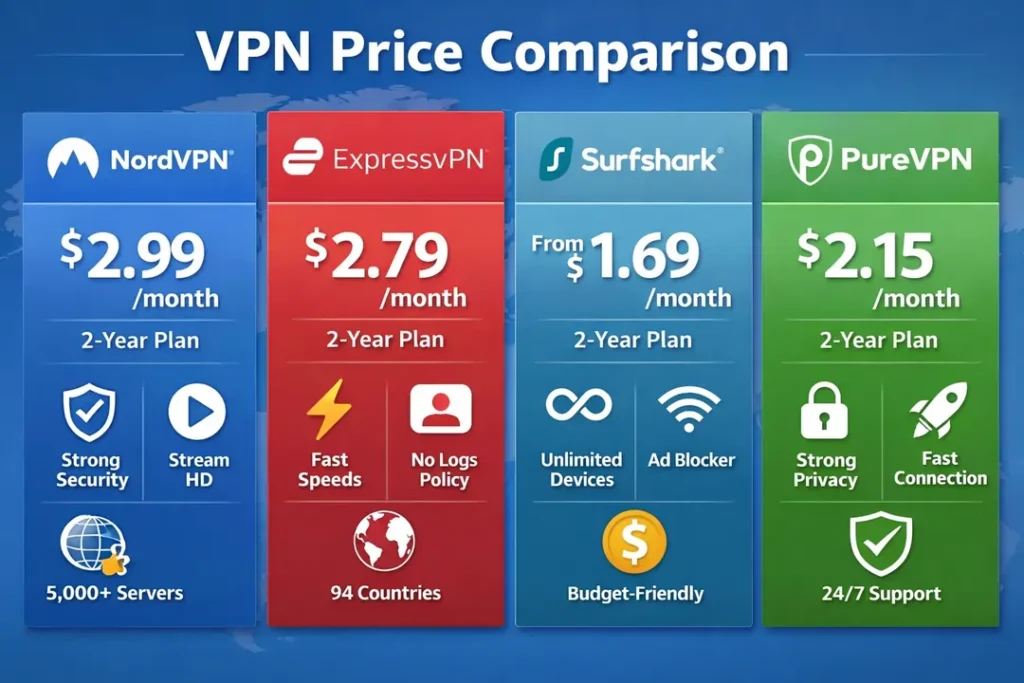
VPN Pricing Comparison (2026)
While pricing should not be the sole deciding factor, it is an important consideration for most users. The table below summarises current starting prices and links to each provider’s offer page.
| VPN Service | Starting Price | Best Plan Type | Money-Back Guarantee | Affiliate Link |
|---|---|---|---|---|
| NordVPN | $12.99 / month | Best Overall | 30-day | Visit NordVPN |
| ExpressVPN | $12.95 / month | Best Travel & Reliability | 30-day | Visit ExpressVPN |
| Surfshark | From ~$1.99 / month * | Best Value (Unlimited Devices) | 30-day | Visit Surfshark |
| PureVPN | From ~$2.08 / month * | Budget & Feature-Rich | 30-day | Visit PureVPN |
* Starting prices are approximate and based on long-term plans at the time of publishing. Actual prices may vary by region and promotional offers.
For a deeper look at how pricing aligns with performance and features, see our full VPN comparison table .
FAQ: Best VPN Services (2026)
What is a VPN and how does it work?
A VPN (Virtual Private Network) encrypts your internet traffic and routes it through a secure server, masking your IP address and protecting your activity from eavesdropping. This is especially important on public Wi-Fi networks and when accessing region-restricted content.
For a full technical explanation, see: What Is a VPN & How It Works
Which VPN service is best overall in 2026?
There is no single VPN that is perfect for every user. However, for most people who want reliable performance across gaming, streaming, travel, and everyday privacy, NordVPN offers the best overall balance.
Users with different priorities may prefer alternatives, such as ExpressVPN for travel reliability or Surfshark for unlimited devices.
Are free VPNs safe to use?
Free VPNs often come with serious limitations, including congested servers, reduced speeds, data caps, or unclear privacy practices. While some free plans can be useful for light testing, they are rarely suitable for long-term use.
A detailed breakdown is available here: Free VPN vs Paid VPN (2026)
Which VPN is best for public Wi-Fi?
Public Wi-Fi networks are among the highest-risk environments for data exposure. A good VPN for public Wi-Fi must have a reliable kill switch and handle network changes without leaking traffic.
For dedicated recommendations, see: Best VPNs for Public Wi-Fi
Can I use a VPN for streaming?
Yes, but not all VPNs work reliably for streaming. Many services can unblock content briefly but fail during long sessions. The VPNs featured in this guide were selected for their ability to maintain stable streaming connections.
Platform-specific recommendations are available here: Best VPNs for Streaming
Is using a VPN legal?
In most countries, using a VPN is legal. However, some regions restrict or regulate VPN usage, and certain activities may still violate local laws or service terms.
If you travel frequently or live in a restricted region, consult our regional guides before choosing a VPN.
Will a VPN slow down my internet?
All VPNs introduce some overhead due to encryption and routing, but high-quality services minimise the impact. In some cases, a VPN can even improve performance by avoiding ISP throttling.
For speed-focused testing results, see: Fastest VPNs (2026)
How many devices can I use with one VPN subscription?
This depends on the provider. Some VPNs limit connections to a fixed number of devices, while others allow unlimited connections. If you plan to protect many devices, check the provider’s device policy carefully.
Which VPN is best for beginners?
Beginners should prioritise ease of use, stable apps, and reliable defaults. Providers with simple interfaces and strong automatic protections are usually the best starting point.
See our beginner-focused recommendations: Best VPNs for Beginners
VPN Troubleshooting: Common Problems & Fixes
Even the best VPN services can occasionally run into issues, especially when used on public Wi-Fi, restrictive networks, or during peak traffic periods. Most problems are easy to resolve once the underlying cause is understood.
VPN Is Connected but the Internet Is Not Working
This is one of the most common VPN issues and is usually caused by DNS conflicts, blocked VPN protocols, or unstable local networks.
- Disconnect and reconnect to a different VPN server
- Switch VPN protocols (for example, WireGuard to OpenVPN)
- Restart your device and router
- Disable other network tools such as firewalls or custom DNS temporarily
If the issue persists, see our full diagnostic guide: VPN Troubleshooting Guide (2026)
Slow VPN Speeds or High Ping
VPN speed issues are usually related to server distance, congestion, or routing quality rather than the VPN service itself.
- Connect to a server closer to your physical location
- Avoid peak hours if possible
- Switch to a faster protocol such as WireGuard
- Check whether your ISP is throttling encrypted traffic
For performance-focused recommendations, consult: Fastest VPNs (2026)
Streaming Services Not Working With a VPN
If a streaming platform stops working while your VPN is active, it is usually due to IP blocking or overloaded servers.
- Switch to a different server in the same country
- Clear browser cookies or app cache
- Disable split tunnelling temporarily
- Restart the streaming app or browser
Some platforms are more aggressive than others. Platform-specific guidance is available here: Best VPNs for Streaming
VPN Disconnects When Switching Networks
Network changes — such as moving from Wi-Fi to mobile data — can interrupt VPN tunnels if the app does not handle reconnections correctly.
- Enable the VPN’s automatic reconnect option
- Ensure the kill switch is enabled
- Update the VPN app to the latest version
VPNs with strong travel reliability handle this best. See: Best VPNs for Travelling (2026)
VPN Is Blocked on Certain Networks
Some networks actively block VPN traffic, particularly in workplaces, schools, or restrictive regions.
- Switch to a stealth or obfuscated protocol if available
- Try connecting through TCP instead of UDP
- Change ports if your VPN allows manual configuration
If you frequently encounter VPN blocks, choose a provider known for reliable connection handling and protocol flexibility.
When to Contact VPN Support
If basic troubleshooting does not resolve the issue, contacting your VPN’s support team is often the fastest solution. Premium VPN services offer live chat support that can help identify server-specific or regional problems quickly.
For advanced diagnostics, logs, and step-by-step fixes, see our complete guide: Advanced VPN Troubleshooting (2026)
Final Verdict: Choosing the Best VPN Service in 2026
There is no single VPN that is perfect for every user. The best VPN service in 2026 depends on how you actually use the internet — whether that means gaming, streaming, travelling, or protecting multiple devices every day.
Rather than forcing a universal winner, this guide highlights the VPN services that perform reliably across real-world scenarios and explains the trade-offs involved with each choice.
Editor’s Picks
Best Overall VPN Service: NordVPN
NordVPN is the strongest all-round VPN for most users. It delivers consistently low latency, reliable streaming access, strong security design, and excellent failure handling across gaming, travel, and everyday use.
Best VPN for Travel & Reliability: ExpressVPN
ExpressVPN is the most dependable option for frequent travellers. Its fast reconnections, stable routing, and wide global coverage make it particularly effective on hotel Wi-Fi, airport networks, and mobile connections.
Read the full ExpressVPN review
Best Value VPN for Unlimited Devices: Surfshark
Surfshark offers the best value for users who want to protect many devices under a single subscription. Its unlimited connections, solid streaming performance, and competitive long-term pricing make it an excellent household VPN.
Read the full Surfshark review
Best Budget-Friendly VPN With Advanced Features: PureVPN
PureVPN is a strong choice for users who want a lower-cost VPN with a wide feature set. While it does not match premium providers for latency or polish, it offers good value for general privacy, streaming, and everyday protection.
How to Use This Guide
If you want the safest recommendation without overthinking it, NordVPN is the most balanced choice for 2026. If your usage is more specific — such as frequent travel or managing many devices — the other providers in this guide may suit you better.
For deeper comparisons, platform-specific recommendations, and regional guides, use the internal links throughout this page to explore each VPN in more detail.
This guide is updated regularly to reflect performance changes, infrastructure updates, and pricing shifts, ensuring recommendations remain accurate over time.