
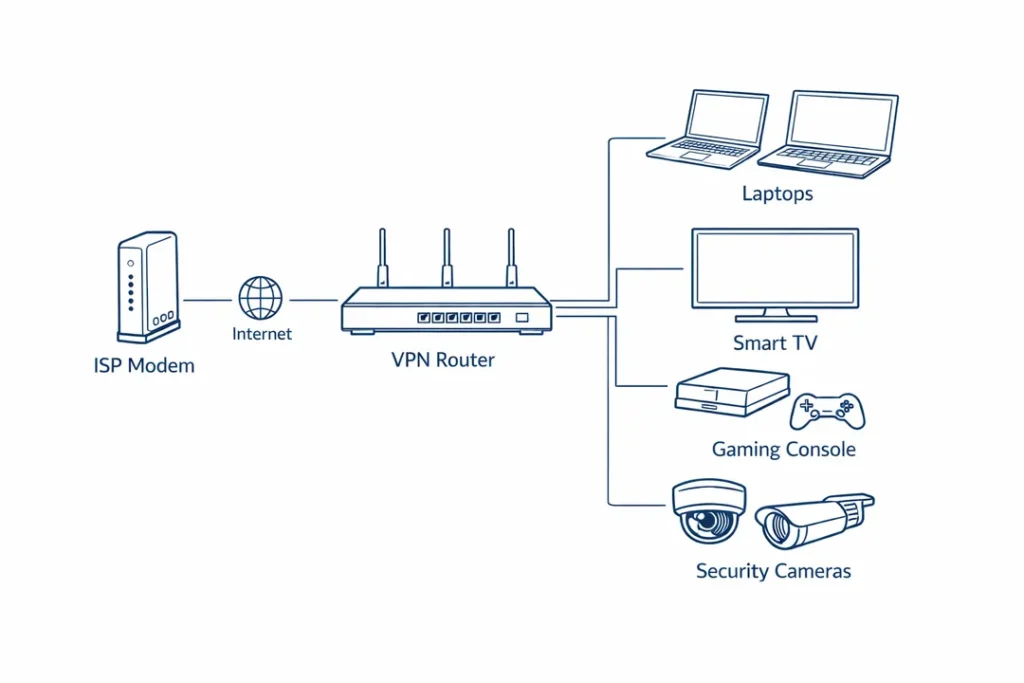
Installing a VPN on a single device is simple. Protecting an entire network is not.
Modern homes and small businesses now run dozens of connected devices — smart TVs, consoles, cameras, work laptops, and IoT hardware. Many of these devices cannot run VPN apps at all.
A VPN router solves this by moving encryption to the network gateway. Instead of protecting devices one by one, it encrypts all traffic automatically at the router level.
Quick Answer: Best VPNs for Router Setup
- Best Overall Router Performance: NordVPN
- Best Custom Firmware Ecosystem: ExpressVPN
- Best Budget Router Deployment: Surfshark
- Best Affordable Dedicated IP Setup: PureVPN
If you want the strongest balance of performance and stability for router deployment, start with NordVPN.
This guide explains which routers can sustain VPN encryption, which firmware actually matters, and how to deploy a VPN router correctly without sacrificing performance.
Why VPN Routers Matter in 2026
Running a VPN on a router is fundamentally different from using a VPN app on a phone or laptop.
At router level, every packet from every connected device must be encrypted, decrypted, authenticated, and routed continuously — in real time.
There is no device-level isolation. If the VPN fails, the entire network is exposed.
For households, this provides automatic protection for devices that cannot run VPN software. For businesses, it creates centralized control over encryption and routing.
If you are deploying VPN infrastructure for team use, see our Best VPN for Small Business guide.
The Three Technical Limits That Define VPN Router Performance
Marketing specifications focus on Wi-Fi speed and port bandwidth. Once encryption is enabled, those metrics become secondary.
1. CPU-Bound Encryption
VPN throughput depends on how fast the router’s processor can encrypt traffic. A powerful Wi-Fi 7 radio does nothing if the CPU cannot sustain WireGuard or OpenVPN encryption under load.
2. Sustained Load
Speed tests measure bursts. Router-level VPN encryption runs continuously — streaming, cloud sync, background updates, and IoT traffic generate constant CPU pressure.
3. Network-Wide Exposure
If a device VPN drops, one device is exposed. If a router VPN drops, every connected device is exposed at once.
For users who require stable IP-based access control at router level, review our guide to VPNs with Dedicated IP Addresses.
Hardware Reality: What Actually Makes a Good VPN Router
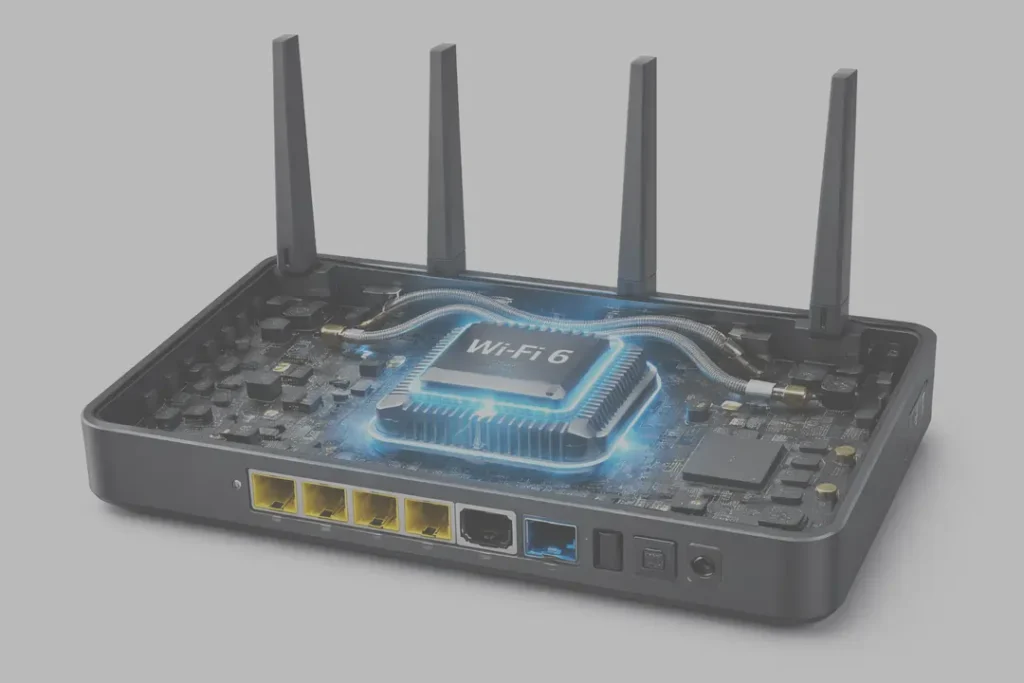
In 2026, VPN router performance is dictated almost entirely by processor power and firmware efficiency. Wi-Fi generation, antenna count, and port speed only matter after encryption is no longer the bottleneck.
A VPN router is not just an access point. It is an encryption appliance. And encryption is CPU-intensive.
The Only Metric That Truly Matters: Sustained Encrypted Throughput
Router marketing highlights peak Wi-Fi speeds. VPN routers live or die by sustained encrypted throughput under continuous load.
Unlike a speed test, real VPN usage never stops. Streaming, cloud sync, software updates, and background traffic create constant encryption pressure.
- Sub-1GHz CPUs typically struggle beyond ~100–150 Mbps under VPN load.
- Modern quad-core ARM CPUs can sustain 600–900 Mbps with WireGuard-based protocols.
- Wi-Fi 7 hardware only improves performance once encryption is no longer CPU-bound.
This is why a high-end Wi-Fi router can underperform once a VPN is enabled — and why CPU architecture matters more than branding.
Router Categories That Make Sense for VPN Use
In practice, only three router categories consistently perform well for VPN deployment:
- High-end consumer routers: Strong ARM processors and support for advanced firmware.
- OpenWrt-optimized routers: Lean firmware with excellent WireGuard efficiency.
- Preconfigured VPN routers: Simpler to deploy, but typically limited in maximum throughput.
If you are configuring next-generation hardware, see our detailed walkthrough: How to Set Up a VPN on a Wi-Fi 7 Router.
Firmware Is Where VPN Routers Are Won or Lost
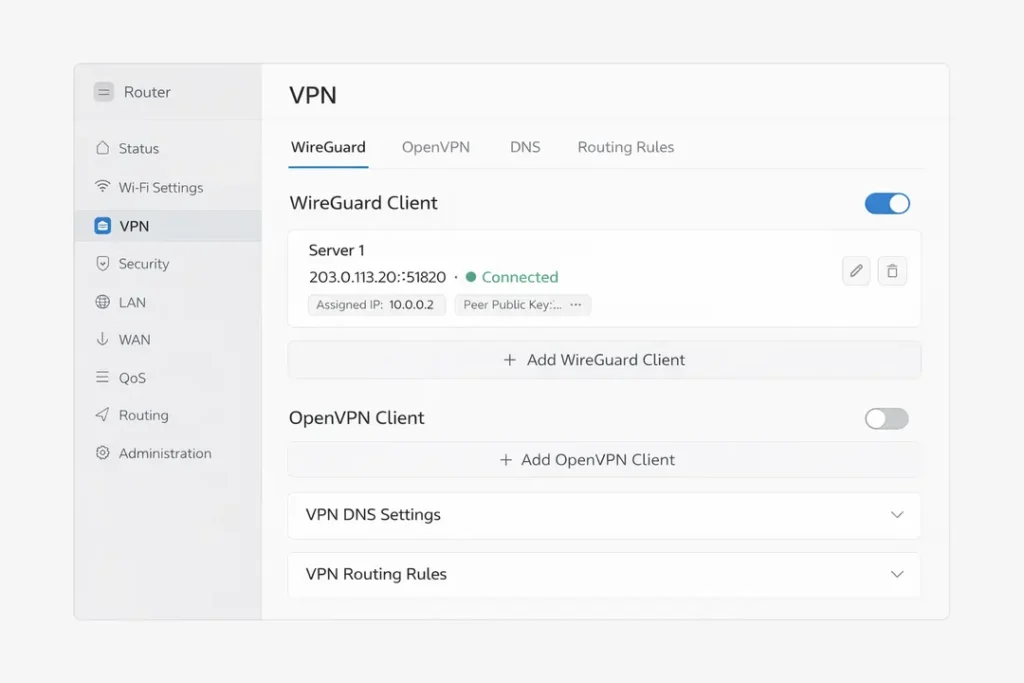
Two routers with identical hardware can perform completely differently once a VPN is enabled. The difference is almost never the chipset — it is the firmware layer that controls encryption, routing, and failure recovery.
Firmware determines whether your router behaves like a reliable security appliance or collapses under sustained encrypted traffic.
Stock Firmware: Functional, but Limited
Most manufacturer firmware is built for simplicity, not continuous VPN workloads. While many routers advertise “VPN support,” the implementation is often shallow.
- Limited protocol control
- No true system-level kill switch
- Weak reconnect handling
- Minimal routing control
Under light use, this may appear stable. Under sustained load — streaming, cloud sync, IoT traffic — weaknesses become visible.
Asuswrt-Merlin: The Practical Benchmark
For ASUS hardware, Asuswrt-Merlin is widely regarded as the benchmark for stable VPN routing. It preserves hardware acceleration while exposing advanced controls.
Its most important feature is policy-based routing. This allows you to:
- Route work devices through the VPN
- Exclude gaming consoles for lower latency
- Encrypt IoT devices by default
This flexibility improves both performance and stability by preventing unnecessary bottlenecks.
OpenWrt: Lean and Highly Efficient
OpenWrt removes vendor bloat and exposes full networking control. It allows direct tuning of encryption parameters, MTU settings, firewall rules, and routing behaviour.
Because it is lightweight, OpenWrt often delivers higher sustained VPN throughput on mid-range hardware than stock firmware achieves on premium routers.
The trade-off is complexity. OpenWrt rewards technical users but requires networking familiarity.
If you are deploying a router specifically for VPN use, firmware support often matters more than brand selection.
For VPN providers tested specifically on router firmware environments, see our Best VPN Services comparison.

VPN Compatibility, Real-World Router Deployment & Failure Points
Not all VPN providers perform equally at router level. A VPN that feels fast on a laptop can become unstable when deployed on a router under sustained multi-device load.
Router compatibility depends on protocol support, configuration flexibility, and how well the provider handles persistent connections.
VPN Providers That Perform Well on Routers (2026)
NordVPN — Most Versatile for Router Deployment
Strong OpenVPN support and efficient WireGuard-based NordLynx implementations make NordVPN one of the most stable options for router-level encryption. It performs consistently across Asuswrt-Merlin and OpenWrt environments.
Surfshark — Efficient on Mid-Range Hardware
Surfshark’s WireGuard implementation performs well on routers with moderate CPU capacity. It is especially suitable for households running multiple devices under a single subscription.
ExpressVPN — Stable and Simple Router Setup
ExpressVPN offers custom router firmware and strong reconnect stability. While peak throughput may be lower than WireGuard-heavy setups, its simplicity makes it attractive for plug-and-play deployments.
Visit ExpressVPN Official Site
PureVPN — Affordable Dedicated IP Router Option
PureVPN supports router configuration and dedicated IP deployments at competitive pricing. It is suitable for users prioritizing cost control over maximum throughput.
Common VPN Router Problems — And What Actually Causes Them
Most VPN router failures are misdiagnosed. Users blame the ISP or the VPN provider, when the root cause is usually hardware limitation or firmware configuration.
Problem: VPN Speeds Are Much Slower Than Expected
This is almost always a CPU limitation.
If your router cannot encrypt traffic fast enough, speeds will cap — even if your ISP connection is fast.
Common causes:- Underpowered router CPU
- Using OpenVPN instead of WireGuard
- Multiple devices saturating encryption simultaneously
- Switch to WireGuard or NordLynx if supported
- Disable unnecessary features like double VPN
- Use policy-based routing to limit VPN traffic to selected devices
If speeds remain capped at the same level regardless of ISP bandwidth, you have reached a hardware ceiling.
Problem: Random Disconnects or Tunnel Drops
Disconnects under load usually indicate firmware instability or thermal throttling.
Typical causes:- CPU overheating under sustained encryption
- Improper keepalive settings
- Firmware watchdog timeouts
- Enable persistent keepalive (WireGuard: 25 seconds)
- Ensure proper airflow around the router
- Update firmware before changing providers
Problem: DNS Leaks
DNS leaks on router-level VPN setups affect the entire network silently.
Why this happens:- Router continues using ISP DNS
- IPv6 traffic bypasses the VPN
- DNS not explicitly bound to VPN interface
- Force DNS through VPN interface only
- Disable IPv6 unless fully supported
- Use VPN-provided DNS resolvers
Problem: Streaming Services Block Access
This is rarely a router issue. It is almost always IP-based blocking by the streaming provider.
Effective approach:- Switch VPN server location
- Use policy-based routing to exclude streaming devices
- Use a secondary guest network without VPN
Changing MTU values or flashing firmware will not solve IP-based blocking.
Problem: VPN Works on Devices but Not on the Router
If a VPN works on a laptop but fails at router level, the issue is almost always firmware-related.
Likely causes:- Unsupported cipher or protocol module
- Outdated OpenSSL libraries
- Hardware acceleration conflicts
In these cases, switching firmware (not VPN providers) is often the correct solution.
Frequently Asked Questions: VPN Routers (2026)
What is a VPN router?
A VPN router encrypts traffic at the network level instead of on individual devices. Every device connected to the router uses the same encrypted tunnel automatically.
Will a VPN router slow down my internet?
Yes — but the slowdown depends on router hardware. VPN encryption is CPU-intensive. If the router processor cannot sustain encryption at high speed, throughput will be limited regardless of your ISP plan.
Is WireGuard better than OpenVPN for routers?
In most cases, yes. WireGuard is more efficient and places less strain on router CPUs. OpenVPN remains useful as a fallback protocol in restrictive or unstable network environments.
Do I need a special router to run a VPN?
Most ISP-provided routers do not support advanced VPN client configuration. Reliable deployment usually requires a router with strong CPU hardware or custom firmware such as OpenWrt or Asuswrt-Merlin.
Is it better to use a VPN on a router or on each device?
Router-level VPNs protect every device automatically and are ideal for households or small offices. Device-level VPN apps provide more flexibility for travelers and single-device users. Many advanced setups combine both approaches.
Can I choose which devices use the VPN?
Yes — if your firmware supports policy-based routing. This allows selected devices to use the VPN while others bypass it for performance or streaming purposes.
Do VPN routers work for streaming?
Sometimes. Streaming services frequently block VPN IP addresses. Router configuration does not bypass IP blocking — switching servers or excluding streaming devices is usually the correct solution.
Are VPN routers safe for remote work?
Yes, when configured correctly. A properly deployed VPN router enforces encryption at all times and reduces accidental exposure during reconnects or network changes. For business-focused comparisons, see our Best VPN for Small Business guide.
Do free VPNs work on routers?
Rarely. Most free VPNs do not provide router configuration files, impose severe bandwidth limits, or log user activity. On a router, these limitations affect your entire network.
Is using a VPN router legal?
In most countries, yes. However, laws vary by region. Users are responsible for understanding local regulations before deploying VPN infrastructure.
Final Verdict: Is a VPN Router Worth It in 2026?
A VPN router is not a convenience feature. It is network infrastructure.
When built correctly, it protects every device automatically — including smart TVs, consoles, cameras, and IoT hardware that cannot run VPN apps. It reduces management overhead, enforces consistent encryption, and gives you centralized control over how traffic flows.
When built poorly, it becomes a bottleneck and a single point of failure.
A VPN Router Is Worth It If:
- You have many connected devices
- You want always-on protection without managing apps
- You need policy-based routing control
- You run remote work or business infrastructure
- You want protection for devices that do not support VPN apps
A VPN Router Is Not Necessary If:
- You only use one or two devices
- You travel frequently and change networks often
- You prioritize maximum speed on a single device
For most modern households, the value increases as device count and network complexity increase.
If you are still comparing providers before deploying a router setup, start here:
Choose hardware based on CPU power. Choose firmware based on control. Choose providers based on sustained router-level performance — not marketing claims.
If you treat a VPN router as infrastructure rather than a gadget, it becomes one of the most powerful privacy upgrades you can deploy in 2026.
Best VPNs for Router Setup (2026 Tested)
Router-level VPN encryption runs 24/7. These providers consistently perform best under sustained load on Asuswrt-Merlin, OpenWrt, and high-performance Wi-Fi 6/7 hardware.
🥇 NordVPN — Best Overall for Router Performance
- High sustained throughput under load
- Strong OpenVPN & NordLynx support
- Excellent documentation for manual setup
- Stable under multi-device encryption
🥈 Surfshark — Best for Multi-Device Households
- Unlimited device connections
- Efficient WireGuard performance
- Excellent value for larger homes
- Strong OpenWrt compatibility
🥉 ExpressVPN — Best for Simplicity
- Clean router configuration process
- Lightway fast reconnection
- Strong stability for streaming homes
- Good global infrastructure
PureVPN — Budget Router Option
- Affordable long-term pricing
- Dedicated IP options available
- Manual router configuration support
- Suitable for moderate household loads
Note: Router performance depends heavily on CPU power. If your router hardware is underpowered, no VPN provider can compensate for encryption bottlenecks.