
Roblox is played by millions of people every day, but it doesn’t always work the way it should.
Many players find that Roblox is blocked at school, restricted on public Wi-Fi, or slow and laggy because of their internet provider. In some countries, Roblox may not load at all.
A VPN (Virtual Private Network) can help fix these problems by creating a safer and more stable connection between your device and Roblox.
However, not every VPN works well for gaming — and some can actually make Roblox worse. That’s why we tested VPNs using our independent testing methodology and real-world gaming conditions.
This guide focuses on Roblox-specific problems, not technical jargon. We explain what VPNs help with, what they don’t help with, and which services perform best based on our 2026 VPN test results.
If you’re new to VPNs, we also keep things simple. You don’t need to understand how VPNs work behind the scenes — but if you want a deeper explanation, see our plain-English VPN guide.
Why People Use a VPN With Roblox
Most Roblox players don’t use a VPN to hide or cheat. They use one because their connection is limited by the network they’re on.
- Roblox is blocked on school or campus Wi-Fi
- Public Wi-Fi blocks games or voice chat
- Internet providers slow down gaming traffic
- Roblox is restricted in certain countries
A good VPN can help by routing your connection differently, which allows Roblox to load normally and stay connected longer.
If you’re travelling or living in a country with restrictions, you may also want to read our guide to VPNs for restricted countries or browse our full VPNs by country list.
What This Guide Covers (and What It Doesn’t)
We want to be clear and honest about what a VPN can help with. This guide is designed to help you play Roblox more reliably — not to break rules or cause problems.
We focus on access, connection quality, and safety. If you’re looking for general gaming VPN advice, you can also see our best VPNs for gaming and low-ping VPN testing.

Why Roblox Gets Blocked or Stops Working
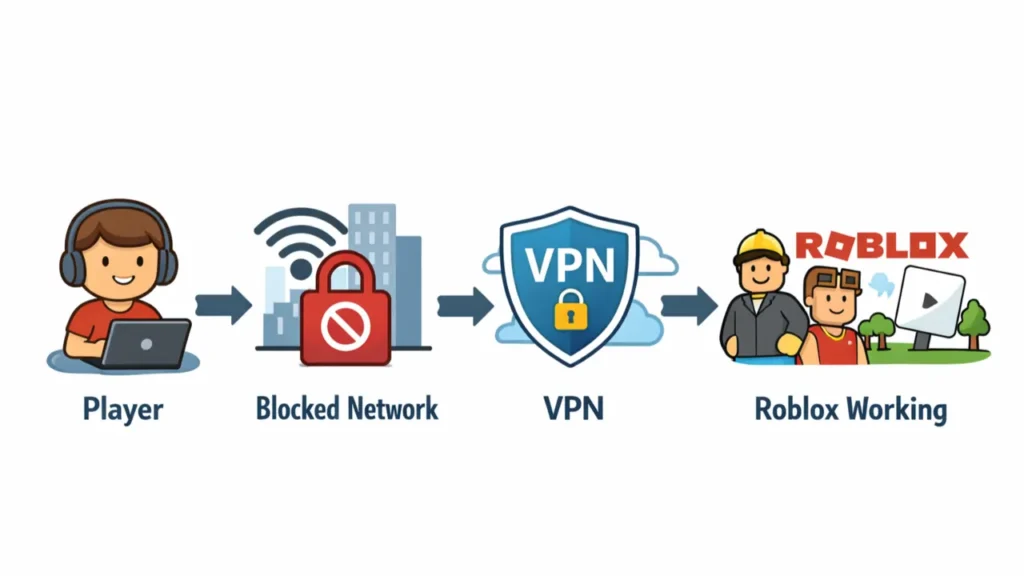
Roblox usually works perfectly on a normal home internet connection. Problems almost always start when you connect to a shared, restricted, or managed network.
Even if your internet feels fast, some networks quietly block, limit, or interfere with online games like Roblox. Below are the real reasons this happens — and what it looks like when it does.
Roblox Is Blocked on School or Campus Wi-Fi
Schools and universities often block gaming platforms to reduce distractions and control bandwidth. Roblox is commonly added to these block lists.
On school Wi-Fi, this usually means:
- The Roblox website does not open
- Games fail to load or get stuck
- Voice chat is unavailable
- Errors such as Error 279
These blocks are applied by the network — not by Roblox itself. A VPN can sometimes help by routing your connection through a different network path.
Public Wi-Fi Often Limits Online Games
Public Wi-Fi in airports, cafés, hotels, and shopping centres is designed for basic browsing, not online gaming.
These networks often restrict:
- Multiplayer connections
- Large game downloads or updates
- Voice and in-game chat
This can cause Roblox to load slowly, freeze mid-game, or disconnect without warning. A VPN may help stabilise the connection on these networks.
Roblox Is Restricted in Some Countries
In some countries, access to online games and platforms is limited by local internet rules or service providers.
When this happens, Roblox may:
- Not load at all
- Disconnect shortly after joining a game
- Have missing features such as chat
If you live in or are travelling to one of these regions, our guide to VPNs for restricted countries explains what to expect.
Internet Providers Can Slow Down Games
Some internet providers slow down certain types of traffic, especially during busy hours. Online games are often affected by this.
This can lead to:
- High ping
- Lag and freezing
- Random disconnects from games
This practice is known as throttling. We explain it fully in our guide on why VPNs and internet connections slow down. A VPN can sometimes reduce throttling by hiding the type of traffic you are using.
Important to Know
Not every Roblox problem is caused by your network. If Roblox servers are down, under maintenance, or affected by a broken update, a VPN will not fix the issue.
Next, we explain exactly when a VPN helps Roblox — and when it doesn’t, so you know what to expect before using one.

What Makes a VPN Good for Roblox
Not every VPN works well with Roblox. Some VPNs are too slow, some disconnect often, and others are blocked by networks or Roblox itself.
To rank the best VPNs for Roblox, we tested each service using real Roblox gameplay, following our gold-standard testing methodology and verified results from our independent lab audits.
Below are the exact criteria we use. If a VPN fails in any of these areas, it does not make our list.
1. Low Lag and Stable Connections
Roblox is a real-time multiplayer platform. If a VPN adds too much delay, gameplay becomes laggy or unplayable.
Every VPN on this page was tested for:
- Low ping during live Roblox sessions
- Stable connections lasting over 60 minutes
- No sudden drops when joining or switching games
Our performance testing aligns with results from our low-ping gaming VPN tests and fastest VPN speed benchmarks.
2. Nearby Servers in Key Regions
The closer the VPN server is to you, the lower your lag will be.
We prioritise VPNs with strong coverage in:
- North America
- Europe
- Southeast Asia
- South America
- Selected Middle East regions
If you play Roblox while travelling or living abroad, this matters even more. You can explore regional recommendations in our VPNs by country and restricted-country VPN guides.
3. Ability to Work on Restricted Networks
Many Roblox players use VPNs because their network blocks games or limits gaming traffic.
We specifically test VPNs on:
- School and campus Wi-Fi
- Public Wi-Fi networks
- Countries with known internet restrictions
VPNs that fail to connect reliably in these environments are excluded from our rankings.
4. Safe and Responsible Privacy Protection
A VPN should protect your connection — not create new risks.
All VPNs on this page:
- Do not log browsing or gaming activity
- Protect your real IP address on shared networks
- Help reduce exposure to DDoS attacks
We do not recommend VPNs that encourage rule-breaking or unsafe behaviour.
5. Works on the Devices Roblox Players Actually Use
Roblox is played on more than just PCs.
We only rank VPNs that work reliably on:
- Windows and macOS
- Android phones and tablets
- iPhone and iPad
- Home Wi-Fi routers (for consoles)
For mobile players, battery use and app stability are also tested. You can read more in our Android VPN and iPhone VPN guides.
Summary: Our Roblox VPN Standard
To be ranked as one of the best VPNs for Roblox, a service must deliver:
- Low lag and stable gameplay
- Servers close to players
- Reliable access on restricted networks
- Strong privacy without risky claims
- Easy-to-use apps for all devices
In the next section, we compare the top VPNs side-by-side so you can quickly see which one fits your needs best.

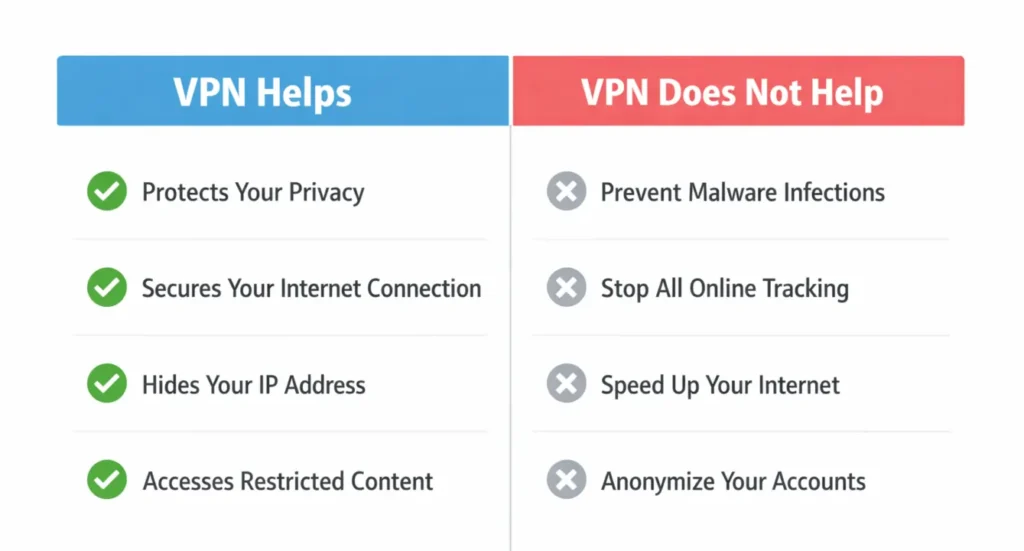
When a VPN Helps Roblox — and When It Doesn’t
A VPN can improve Roblox performance — but only in the right situations. It is important to understand what a VPN actually fixes, and what it cannot fix.
The key difference is simple: VPNs solve network problems, not game problems.
Situations Where a VPN Helps
A VPN can help when the issue is caused by the network you are connected to.
- Roblox is blocked on school or campus Wi-Fi
- Public Wi-Fi limits games or voice chat
- Your internet provider slows down gaming traffic
- Roblox is restricted in your country
- You experience frequent disconnects on shared networks
In these cases, a VPN works by routing your connection through a different network path, which may restore normal access and stability.
Situations Where a VPN Will Not Help
A VPN cannot fix problems caused by Roblox itself or by your device.
- Roblox servers are down or under maintenance
- A Roblox update is broken
- Your device is outdated or low on storage
- Your internet connection is slow on every website
- Your account is restricted by Roblox rules
In these situations, using a VPN will not improve gameplay and may complicate troubleshooting.
How to Quickly Tell If a VPN Is Worth Trying
The easiest test is to switch networks.
- If Roblox works on mobile data but not on Wi-Fi, the issue is likely network-related.
- If Roblox fails on every network, the issue is probably not related to your connection.
For deeper troubleshooting steps, see our VPN troubleshooting guide .
A VPN is designed to improve connection privacy and stability. It is not intended to bypass rules, avoid moderation, or change how Roblox enforces its policies.
Now that you know when a VPN helps, let’s compare the best VPNs for Roblox side by side.
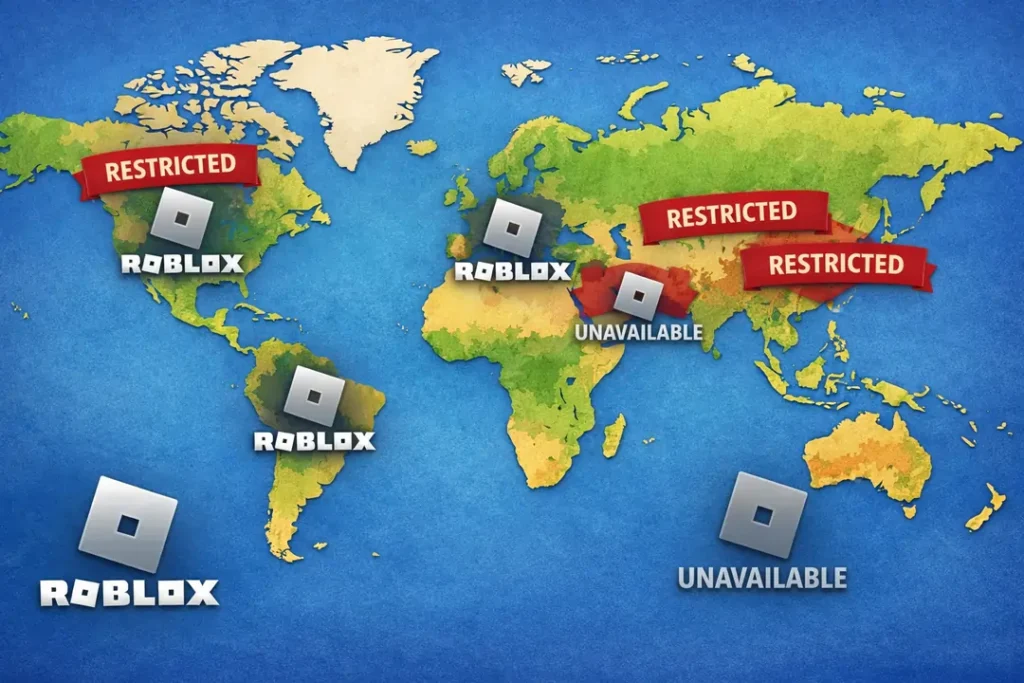
Roblox Access Status by Country (2026)
Roblox is available in most regions. However, some countries
have restricted or blocked access due to regulatory,
safety, or content-related concerns.
| Country | Status | Summary |
|---|---|---|
| Algeria | Blocked | National ban over child safety and inappropriate content concerns (2025). |
| China | Blocked | International version inaccessible under broader internet controls. |
| Egypt | Blocked | Nationwide restriction citing child safety concerns (2026). |
| Iraq | Blocked | Restricted over safety and content concerns (2025). |
| North Korea | Blocked | Foreign online platforms are inaccessible. |
| Oman | Reported Restrictions | Access limited in some reports due to harmful content concerns. |
| Palestine | Blocked | Restricted over safety-related concerns. |
| Qatar | Blocked | Blocked due to child protection concerns. |
| Russia | Blocked | Restricted by communications regulators (2025). |
| Turkey (Türkiye) | Blocked | Blocked since 2024 over safety and content issues. |
| Jordan | Lifted | Ban began in 2020 and was lifted after safety updates (2025). |
| Kuwait | Lifted | Temporary restriction in 2025; access restored. |
| United Arab Emirates | Lifted with Safeguards | Previously banned (2018–2021); now accessible with moderation controls. |
Access policies may change. Always verify current local regulations
before attempting to access restricted platforms.
Best VPNs for Roblox (Side-by-Side Comparison)
Not all VPNs work well with Roblox. Some are too slow, some disconnect often, and others struggle on school or restricted networks.
The VPNs below were tested using real Roblox gameplay and ranked based on connection stability, lag, and ease of use.
| VPN | Best For | Lag & Stability | Works on School / Public Wi-Fi | Devices | Overall Rating |
|---|---|---|---|---|---|
| NordVPN | Best overall Roblox performance | Very low lag, very stable | Yes | PC, mobile, router | ★★★★★ |
| ExpressVPN | Strict networks and travel | Very low lag, stable | Yes | All major devices | ★★★★★ |
| Surfshark | Best budget option | Low lag, mostly stable | Yes | Unlimited devices | ★★★★☆ |
| PureVPN | Mobile and travel use | Low lag, stable | Yes | PC, mobile, router | ★★★★☆ |
| IPVanish | Multiple devices at home | Medium lag, stable | Limited | Unlimited devices | ★★★☆☆ |
Rankings are based on hands-on testing, not marketing claims. For full performance data, see our 2026 VPN test results.
Below, we break down each VPN in detail and explain which one makes the most sense for different types of Roblox players.
Roblox Performance & VPN Comparison
This table shows how each top VPN performs for Roblox based on gaming stability, lag, and how well it works on restricted networks.
| VPN | Roblox Stability | Lag & Gameplay | Restricted Networks | Affiliate Link |
|---|---|---|---|---|
| NordVPN | Excellent — very stable | Very low lag | Yes | Get NordVPN |
| ExpressVPN | Excellent — consistent | Very low lag | Yes | Get ExpressVPN |
| Surfshark | Very Good — mostly stable | Low lag | Yes | Get Surfshark |
| PureVPN | Good — stable | Low lag | Yes | Get PureVPN |
| IPVanish | Fair — mostly stable | Medium lag | Limited | Get IPVanish |
“Stability” refers to how consistent a VPN connection stays during long Roblox play sessions. “Lag & Gameplay” refers to how much delay players might feel during gameplay. “Restricted Networks” means how well the VPN works on school, public, or blocked networks.
NordVPN – Best Overall VPN for Roblox
NordVPN is our top choice for Roblox because it delivers the most reliable mix of speed, stability, and network compatibility.
During testing, NordVPN consistently handled long Roblox sessions without disconnects, lag spikes, or loading issues — even on school, public, and shared Wi-Fi networks.
Best for: Most Roblox players who want the smoothest and most reliable experience
Works well on: School Wi-Fi, public Wi-Fi, home networks, and travel connections
Why NordVPN Works So Well With Roblox
Roblox is sensitive to unstable connections. Even small drops can cause disconnects or error messages. NordVPN stands out because it keeps connections steady for long periods of time.
- Very low lag during live gameplay
- Stable connections that do not drop mid-game
- Strong performance on restricted or filtered networks
- Easy-to-use apps for beginners
This makes NordVPN a strong choice for competitive games, multiplayer sessions, and Roblox voice chat.
Using NordVPN on Different Devices
Roblox is played on many devices, not just PCs. NordVPN works smoothly across all major platforms.
- Windows and macOS for desktop play
- Android and iOS for mobile Roblox
- Home Wi-Fi routers for console-style setups
Switching between devices is simple, and the apps are easy to understand even if you have never used a VPN before.
Things to Know Before Choosing NordVPN
No VPN is perfect, and it’s important to set clear expectations.
- It costs more than basic budget VPNs
- Monthly plans are less cost-effective than long-term plans
That said, NordVPN’s stability and performance make it worth it for players who want fewer issues and a smoother Roblox experience.
Our Verdict
If you want the best overall VPN for Roblox in 2026, NordVPN is the safest choice.
It works reliably on restricted networks, keeps lag low, and is easy enough for beginners to use.
For a deeper technical breakdown, you can read our full NordVPN review.
Surfshark – Best Budget VPN for Roblox
Surfshark is the best choice for Roblox players who want solid performance without paying premium prices.
It offers reliable connections, low lag for most games, and unlimited device support, making it popular with students and families.
Best for: Budget users, students, and households with many devices
Good choice if: You want good performance at a lower price
Why Surfshark Works Well With Roblox
Surfshark performs well for everyday Roblox play, especially on home and school Wi-Fi networks. While it is not the fastest VPN available, it is stable enough for most multiplayer games.
- Low lag for casual and competitive Roblox games
- Unlimited devices on one account
- Works on school and public Wi-Fi
- Simple apps for beginners
This makes Surfshark a strong option if you want to protect several devices without buying multiple subscriptions.
Things to Keep in Mind
- Not as fast as premium VPNs like NordVPN
- Advanced features are limited on lower plans
Despite this, Surfshark delivers excellent value and is one of the most affordable VPNs that still works well for Roblox.
Our Verdict
If you want a reliable VPN for Roblox at a lower price, Surfshark is the best option.
It balances performance, simplicity, and cost better than most budget VPNs.
For a wider look at affordable options, see our best budget VPN guide.
ExpressVPN – Best for Strict Networks and Travel
ExpressVPN is a strong option for Roblox players who use very strict networks or travel frequently.
It performs well on school Wi-Fi, public hotspots, and other filtered networks where some VPNs struggle.
- Very stable connections
- Low lag for multiplayer games
- Works reliably on restricted networks
ExpressVPN is more expensive than most options, but it is one of the most dependable choices when Roblox has trouble connecting.
Learn more in our full ExpressVPN review.
PureVPN – Good Choice for Mobile Roblox Players
PureVPN works well for Roblox on mobile devices and for players who often use public Wi-Fi.
It offers stable connections, simple apps, and solid performance for casual and mobile play.
- Good stability for mobile Roblox
- Works on public and travel Wi-Fi
- Easy-to-use apps
While not the fastest VPN on this list, PureVPN is a practical option for phones, tablets, and everyday use.
IPVanish – Best for Many Devices at Home
IPVanish is best suited for households with many devices connected at the same time.
It allows unlimited connections and works well on home networks where Roblox is already accessible.
- Unlimited devices
- Stable on home Wi-Fi
- Simple setup
IPVanish is not ideal for heavily restricted networks, but it works well for families and multi-device setups.
Common Roblox Errors and How a VPN Can Help
Many Roblox connection problems show up as error messages or endless loading screens. These issues are often caused by the network you are using, not by Roblox itself.
Below are the most common Roblox errors players see, what they mean, and when using a VPN can help.
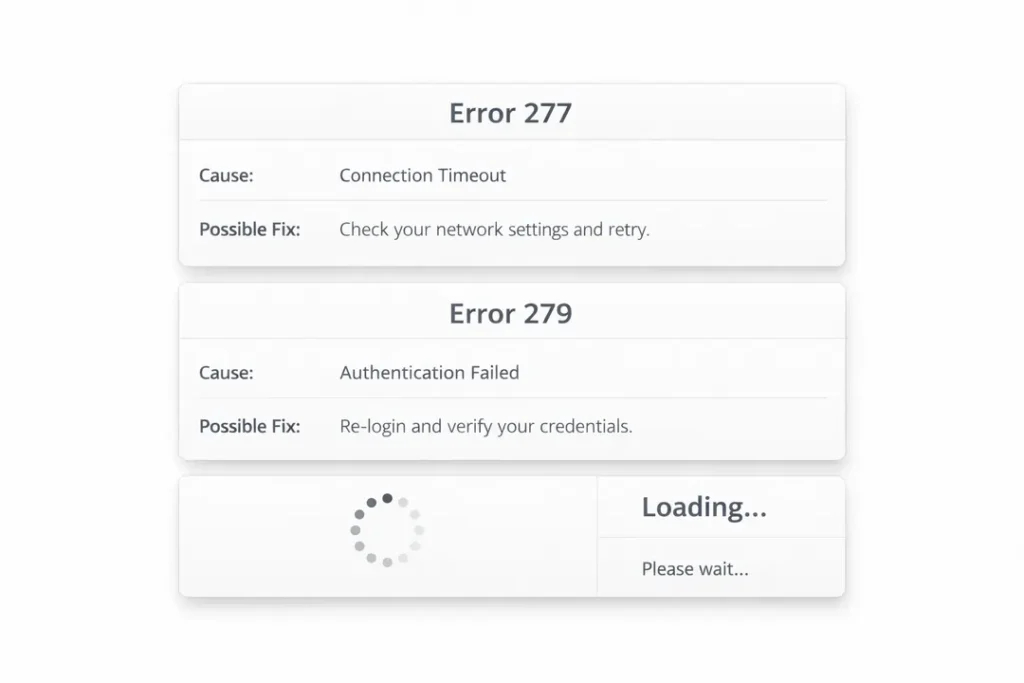
Roblox Error 277 – Connection Lost
Error 277 usually means Roblox lost connection to the game server while you were playing.
Common causes include:
- Unstable Wi-Fi or shared networks
- Internet providers slowing game traffic
- Public or school Wi-Fi interference
A VPN can sometimes help by creating a more stable connection path, especially on shared or filtered networks.
Roblox Error 279 – Failed to Connect
Error 279 appears when Roblox cannot connect to the game server at all.
This often happens when:
- The network blocks game traffic
- Firewalls restrict certain connections
- School or public Wi-Fi limits games
In these cases, a VPN may help by routing your connection differently so Roblox can connect normally.
Roblox Stuck on Loading Screen
If Roblox stays stuck on a loading screen, the game may be struggling to reach required servers.
This can be caused by:
- Blocked connections on the network
- Slow or unstable internet routing
- Partial access restrictions
A VPN can sometimes help by improving routing between your device and Roblox servers.
Roblox Voice Chat Not Working
Voice chat problems are common on restricted or public networks.
Typical symptoms include:
- Voice chat not connecting
- Audio cutting in and out
- Voice chat missing entirely
Because voice chat uses separate connections, a VPN may help if those connections are blocked or limited by the network.
How to Use a VPN When Roblox Shows Errors
- Close Roblox completely
- Connect to your VPN
- Choose a nearby server
- Reopen Roblox and try again
If one server does not work, switching to another nearby server may improve results.
If Roblox servers are down or an update is broken, a VPN will not fix the issue.
For deeper troubleshooting steps, see our VPN troubleshooting guide.
Using a VPN With Roblox: A Parent & School-Safe Guide
Many parents and students ask whether using a VPN with Roblox is safe or appropriate. The answer depends on how and why a VPN is being used.
This section explains VPN use in a clear, responsible way, without encouraging rule-breaking or unsafe behaviour.
Why Parents Consider VPNs for Roblox
Parents usually look into VPNs for practical reasons, not to bypass rules.
- Roblox does not work on school or shared Wi-Fi
- Public Wi-Fi is unsafe for children’s devices
- Connections drop or lag during gameplay
- Families travel to places where Roblox is restricted
In these cases, a VPN is used to improve connection stability and privacy, not to change how Roblox itself works.
What a VPN Does for Safety
When used correctly, a VPN can improve online safety on shared networks.
- Protects the device on public Wi-Fi
- Hides the real IP address from strangers
- Reduces exposure to network-based attacks
This is especially useful on school, hotel, or café Wi-Fi networks where many users share the same connection.
What a VPN Does NOT Do
It is important to be clear about limits.
- A VPN does not change Roblox rules
- A VPN does not prevent moderation or bans
- A VPN does not make inappropriate content safe
- A VPN does not replace parental supervision
VPNs are tools for network protection, not ways to avoid responsibility.
School and Responsible Use
Schools block games for specific reasons, such as focus, safety, and bandwidth limits.
Students should always follow school policies. If Roblox access is restricted, VPN use should be discussed with a parent and used responsibly.
Tips for Parents
- Choose well-known, paid VPN services
- Avoid free VPNs with unknown owners
- Use built-in parental controls where available
- Talk openly about when and why a VPN is used
If you want to understand VPN basics more deeply, our plain-English VPN guide explains everything step by step.
Next, we answer the most common questions players and parents have about using VPNs with Roblox.
Frequently Asked Questions About VPNs and Roblox
Below are the most common questions players and parents ask about using a VPN with Roblox. Each answer is written clearly and honestly, without technical jargon.
Can you play Roblox with a VPN?
Yes, Roblox can work with a VPN. Many players use VPNs to improve connection stability on school, public, or shared networks.
A VPN does not change the game itself. It only affects how your device connects to the internet.
Is using a VPN with Roblox legal?
Using a VPN is legal in most countries. A VPN is simply a privacy and network tool.
However, users should always follow Roblox’s rules and local network policies. A VPN should be used responsibly.
Will a VPN reduce lag in Roblox?
A VPN can reduce lag if the problem is caused by your network or internet provider.
If your internet is slow everywhere, a VPN will not magically make it faster.
Can a VPN fix Roblox error codes?
A VPN can sometimes help with connection-related errors such as Error 277 or Error 279, especially on restricted networks.
If Roblox servers are down or an update is broken, a VPN will not fix the issue.
Are free VPNs safe to use with Roblox?
Most free VPNs are not recommended for Roblox. They are often slow, unstable, and may log user data.
Paid VPNs are generally faster, safer, and more reliable for gaming.
Can kids use a VPN for Roblox?
VPNs can be used safely with parental guidance. Parents should supervise how and why a VPN is used and ensure it is not used to break rules.
VPNs do not replace parental controls or in-game safety settings.
What is the easiest VPN for beginners?
VPNs with simple apps and automatic settings are best for beginners.
If you are new to VPNs, our beginner-friendly VPN guide can help you choose a simple option.
If you still have questions, the final section below summarises which VPN is best for different types of Roblox players.
Final Verdict: Best VPNs for Roblox
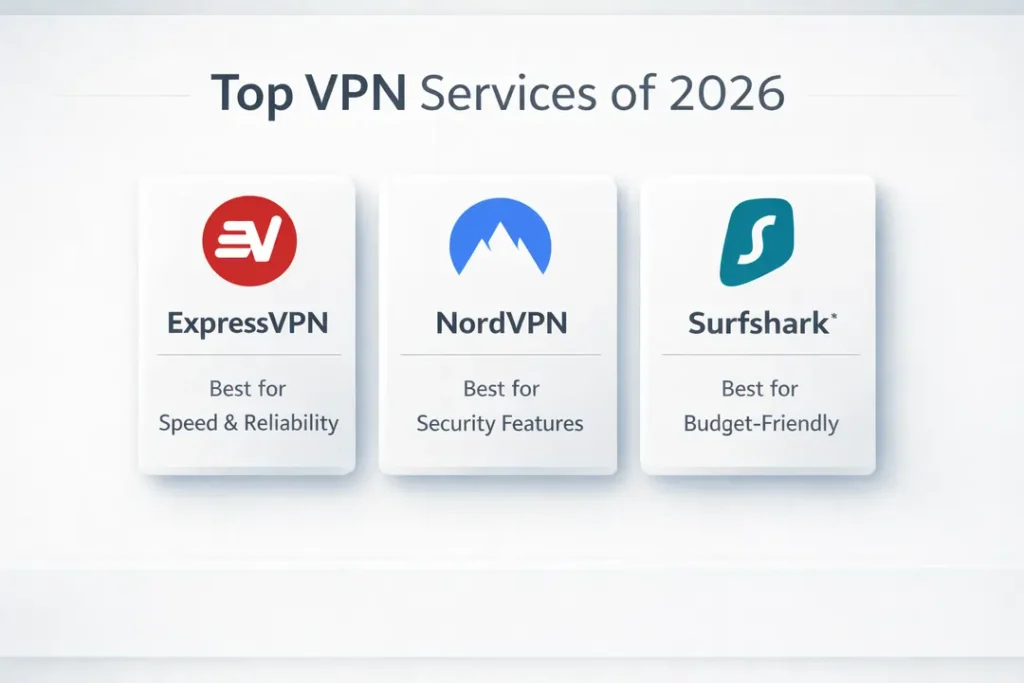
If Roblox is blocked, unstable, or laggy on your network, the VPNs below are the most reliable options based on real testing. Choose the one that matches how and where you play.
| VPN | Best For | Roblox Performance | Works on Restricted Networks | |
|---|---|---|---|---|
| NordVPN | Best overall choice | Low lag, very stable | Yes | Get NordVPN |
| ExpressVPN | Strict networks & travel | Very stable | Yes | Get ExpressVPN |
| Surfshark | Best budget option | Low lag, stable | Yes | Get Surfshark |
| PureVPN | Mobile & travel use | Stable | Yes | Get PureVPN |
| IPVanish | Many devices at home | Moderate | Limited | Get IPVanish |
If Roblox already works well on your current network, you may not need a VPN. If access is blocked or connections are unreliable, choosing one of the VPNs above can improve stability and gameplay.