
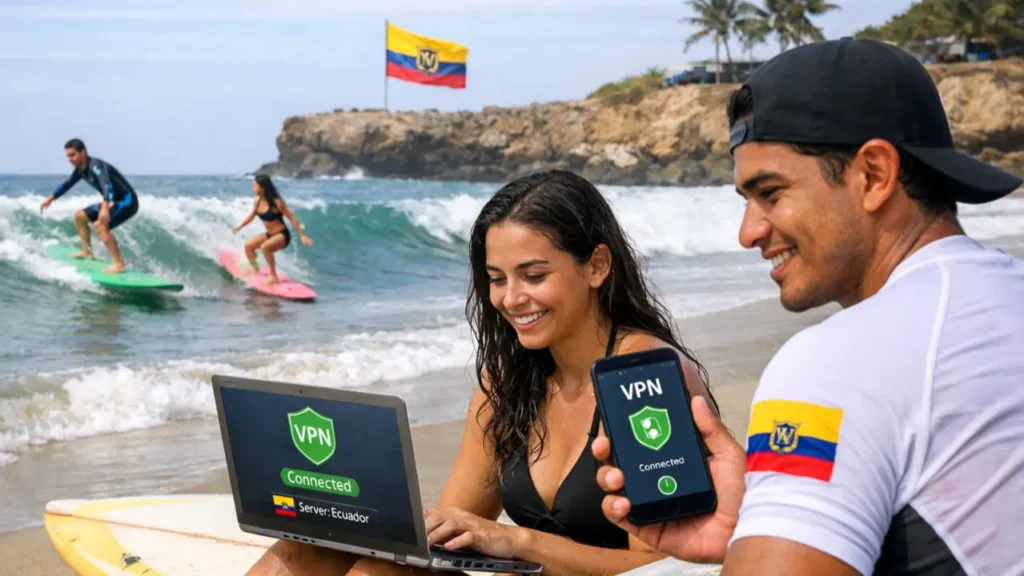

Best VPN for Ecuador (2026)
Ecuador’s internet has improved quickly over the last few years. Faster fibre connections are now common in cities like Quito, Guayaquil, and Cuenca. However, as speeds increased, so did privacy risks, throttling, and access limits.
In 2026, using a VPN in Ecuador is no longer just for “tech experts”. It is now a practical tool for everyday internet users who want stable speeds, better privacy, and access to the full global internet.
A VPN protects your connection, hides your real IP address, and lets you choose where your internet traffic appears to come from. This helps you avoid tracking, slowdowns, and blocked content.
This guide focuses on how VPNs actually perform inside Ecuador, not marketing promises. We explain what problems VPNs solve, which features matter most, and which providers work reliably on Ecuadorian networks.
If you are new to VPNs and want a simple explanation first, we recommend reading our VPN basics guide.
If your situation involves frequent travel or long-term relocation, you may also find these guides useful:
Who This Guide Is For
This guide is written for people who use the internet in Ecuador regularly and want it to be safer, faster, and more reliable. Different users face different problems, but a VPN helps all of them in practical ways.
Local Residents in Ecuador
If you live in Ecuador full time, your internet traffic is handled by local providers such as CNT or Netlife. These providers are allowed to log activity and manage traffic, especially during busy evening hours.
A VPN helps residents by:
- Reducing ISP tracking and logging
- Preventing speed slowdowns during streaming
- Protecting privacy on home and mobile connections
Expats and Digital Nomads
Many expats living in Ecuador use online banking, work platforms, and streaming services from their home country. These services often block or restrict Ecuadorian IP addresses for security reasons.
A VPN allows expats to:
- Access home-country banking safely
- Use work tools without account lockouts
- Watch streaming libraries from the US, UK, or Europe
For long-term relocation scenarios, see our dedicated VPNs for Expats guide.
Travellers and Short-Term Visitors
Travellers in Ecuador rely heavily on hotel Wi-Fi, cafés, airports, and shared networks. These networks are convenient, but they are also easy targets for monitoring and attacks.
A VPN protects travellers by:
- Encrypting data on public Wi-Fi
- Preventing session hijacking and fake hotspots
- Keeping apps and logins secure while moving between networks
If public Wi-Fi safety is your main concern, we recommend reading Best VPN for Public Wi-Fi.
In the next section, we explain the real internet conditions in Ecuador and why these problems exist in the first place.

Internet Reality in Ecuador (What Actually Happens)
On paper, Ecuador’s internet looks good. Fibre connections are common in cities, mobile coverage is improving, and average speeds are higher than they were five years ago.
In real-world use, however, many users experience slowdowns, unstable routing, and privacy issues. This is not caused by your device — it is how Ecuador’s internet infrastructure is set up.
How Internet Traffic Leaves Ecuador
Most internet traffic in Ecuador passes through a small number of exit points before reaching the rest of the world. From there, traffic usually routes through the United States (mainly Miami).
Because so much traffic uses the same paths, these routes become crowded, especially during evening hours. This is when users notice:
- Streaming quality dropping suddenly
- Video calls freezing or stuttering
- International websites loading slowly
ISP Control and Traffic Management
Major Ecuadorian internet providers use traffic management tools to control how bandwidth is shared. This includes Deep Packet Inspection (DPI), which allows ISPs to identify what type of traffic you are using.
When certain activities are detected — such as HD streaming, gaming, or file sharing — your connection may be slowed automatically. This is known as throttling.
If you want to understand how VPNs bypass this, our VPN fundamentals guide breaks it down step by step.
For a wider comparison of routing and performance, see our South America VPN Hub.
Next, we explain exactly why a VPN solves these problems and what it changes about your connection.
Why You Need a VPN in Ecuador
A VPN gives you back control over your internet connection. It does this by encrypting your traffic and sending it through a secure server before it reaches the open internet.
This changes three important things.
Better Privacy
Without a VPN, your internet provider can see:
- Which websites you visit
- How long you stay on them
- What type of traffic you use
A VPN hides this information by encrypting your data. Your ISP can see that you are connected, but it cannot see what you are doing.
Fewer Speed Slowdowns
Because VPN traffic looks the same to your ISP, it becomes much harder for them to slow down specific activities.
This is why VPNs are especially useful for:
- Streaming video in HD or 4K
- Online gaming
- Large downloads
If this is your main reason for using a VPN, see:
Access to Blocked or Limited Content
Many websites and apps show different content depending on your country. Some services offer smaller libraries in Ecuador, while others block access completely.
A VPN lets you change your virtual location, so you can:
- Access full streaming libraries
- Use foreign banking and work platforms
- Avoid unnecessary regional restrictions
In the next section, we look at how ISPs monitor traffic and why VPNs are effective at stopping it.
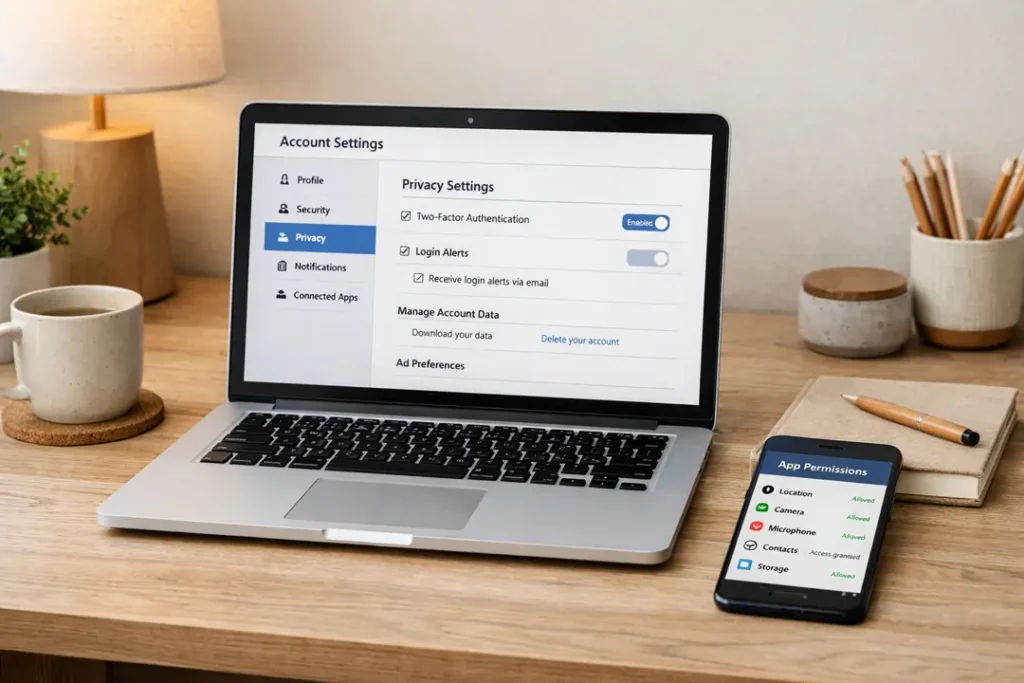
ISP Monitoring and Throttling in Ecuador
Many people think slow internet is caused by old cables or weak Wi-Fi. In Ecuador, this is often not the case.
Most speed problems come from how internet providers manage traffic. This happens quietly in the background and affects users differently depending on what they do online.
What ISPs Can See Without a VPN
When you connect to the internet normally, your internet service provider (ISP) can see:
- The websites and services you access
- The type of traffic you are using
- How much data you send and receive
- When you are most active online
They do not need to read your messages to control your connection. They only need to recognise traffic patterns.
How Throttling Works
During busy hours — usually evenings — ISPs slow down activities that use a lot of data.
This commonly affects:
- Streaming video (Netflix, Prime Video, YouTube)
- Online gaming
- Large downloads and file sharing
This is why a fast plan can feel slow at night. Your connection is still active — it is just being limited.
How a VPN Stops Throttling
A VPN encrypts your traffic before it reaches your ISP.
Because the data is encrypted, your ISP cannot tell:
- What service you are using
- Whether you are streaming or gaming
- What type of content you are accessing
To the ISP, your traffic looks like normal, generic data. This makes targeted throttling much harder.
If throttling is your main problem, you may also want to read:
Next, we look at public Wi-Fi risks and why VPNs are essential outside your home.
Public Wi-Fi Risks in Ecuador
Public Wi-Fi is everywhere in Ecuador. Cafés, hotels, airports, shopping centres, and shared apartments all offer free internet access.
It is convenient — but it is also one of the most dangerous ways to connect.
Why Public Wi-Fi Is Unsafe
When you use public Wi-Fi, you are sharing the same network with many other people. You do not know:
- Who controls the router
- Who else is connected
- What data is being monitored
Even password-protected Wi-Fi does not guarantee safety.
Common Public Wi-Fi Attacks
Most public Wi-Fi attacks are silent. You will not see warnings or error messages.
The most common risks include:
- Packet sniffing – others watching unencrypted traffic
- Session hijacking – stealing active logins
- Fake hotspots – Wi-Fi networks that look real but are not
These risks are especially common in tourist areas and busy cities.
How a VPN Protects You on Public Wi-Fi
A VPN encrypts your data before it reaches the Wi-Fi network.
This means:
- Other users cannot read your traffic
- Logins and passwords stay protected
- Apps and background services remain secure
This protection applies to:
- Email and messaging apps
- Banking and payment apps
- Streaming services
- Work tools and cloud platforms
For deeper coverage of this topic, see our Best VPN for Public Wi-Fi guide.
Next, we explain how streaming works in Ecuador and what VPNs actually unlock.

Streaming Access in Ecuador
Streaming services work in Ecuador, but you do not get the full experience. Most platforms show smaller or restricted libraries compared to the US, UK, and Europe.
This is not caused by censorship. It happens because of licensing rules and IP location checks.
How Streaming Platforms Treat Ecuador IPs
When you connect without a VPN, streaming platforms can see your Ecuador IP address. Based on that, they decide:
- What content you can see
- Which shows are blocked
- Whether playback is allowed at all
This affects both locals and expats. It also affects Ecuadorians travelling abroad who want access to local content.
Streaming Availability Table
| Streaming Platform | Status in Ecuador | VPN Needed? |
|---|---|---|
| Netflix (US) | Limited library | Yes |
| Prime Video | Rotating catalog | Often |
| Disney+ | Missing titles | Yes |
| BBC iPlayer | Blocked | Yes |
| Local Ecuadorian TV | Blocked abroad | Yes (Ecuador IP) |
How a VPN Fixes Streaming Problems
A VPN lets you choose where your connection appears to be.
This allows you to:
- Access US, UK, or EU libraries
- Watch Ecuadorian TV while abroad
- Avoid ISP throttling during peak hours
For platform-specific help, see:
Next, let’s look at gaming performance and latency inside Ecuador.
Gaming Performance and Latency in Ecuador
Online gaming in Ecuador comes with one major challenge: distance from game servers.
Most multiplayer servers are located in:
- Brazil
- United States
- Europe
This distance increases ping and makes gameplay less stable.
Why Ping Is Often High
Without a VPN, your traffic follows your ISP’s default route.
These routes are often:
- Longer than necessary
- Congested during peak hours
- Poorly optimised for gaming traffic
This causes:
- Lag spikes
- Packet loss
- Rubber-banding in games
How a VPN Can Improve Gaming
A good VPN does not magically remove distance, but it can improve routing.
By connecting through nearby hubs like Brazil or Miami, a VPN can:
- Reduce routing hops
- Avoid congested ISP paths
- Improve connection stability
Gaming Latency Comparison
| Server Location | Average Ping (No VPN) | With Optimised VPN |
|---|---|---|
| Brazil | 120–150 ms | 80–100 ms |
| US East | 150–180 ms | 100–130 ms |
| Europe | 200+ ms | 160–180 ms |
When You Should Use a VPN for Gaming
- Playing on public or shared Wi-Fi
- Experiencing ISP throttling
- Connecting to Brazilian or US servers
For competitive or low-latency gaming, see:
Next, we cover torrenting, P2P safety, and long-download stability.
Torrenting and P2P Safety in Ecuador
Torrenting is widely used in Ecuador, but doing it without protection creates real risks.
When you torrent without a VPN, your real IP address is exposed. This allows:
- Your ISP to monitor activity
- Automatic throttling of your connection
- Account warnings or slowdowns
What Happens Without a VPN
Ecuadorian ISPs do not usually block torrenting, but they do:
- Log P2P traffic
- Throttle speeds during peak hours
- Flag accounts with heavy usage
This often leads to:
- Very slow download speeds
- Unstable connections
- Interrupted downloads
How a VPN Protects Torrenting
A VPN hides your real IP and encrypts your traffic.
This means:
- Your ISP cannot see what you are downloading
- Traffic looks like normal encrypted data
- Throttling rules do not trigger
Features That Matter for P2P
| Feature | Why It Matters |
|---|---|
| Kill Switch | Stops downloads if VPN disconnects |
| No-Logs Policy | Prevents activity records |
| High-Speed Servers | Maintains stable download speeds |
| Port Forwarding | Improves P2P connection quality |
For P2P-specific recommendations, see:
Next, let’s compare the best VPNs for Ecuador side by side.
Best VPNs for Ecuador (2026)
Not all VPNs perform well in Ecuador. Some struggle with routing, others fail on streaming or public Wi-Fi.
The VPNs below were selected based on:
- Real-world performance in Ecuador
- Stable South America routing
- Streaming and gaming reliability
- Privacy and security features
Quick Comparison
| VPN | Speed | Devices | Ecuador IP | Best For |
|---|---|---|---|---|
| NordVPN | Very Fast | 10 | Yes | All-around performance |
| Surfshark | Fast | Unlimited | Yes | Families & multiple devices |
| ExpressVPN | Fast & stable | 8 | Yes | Travel & public Wi-Fi |
| PureVPN | Good | 10 | Yes | Budget & P2P use |
How to Choose the Right One
- Best overall: NordVPN
- Best value: Surfshark
- Best for travellers: ExpressVPN
- Best budget option: PureVPN
For broader comparisons, see:
Next, we explain VPN legality in Ecuador and how IP addresses are used.
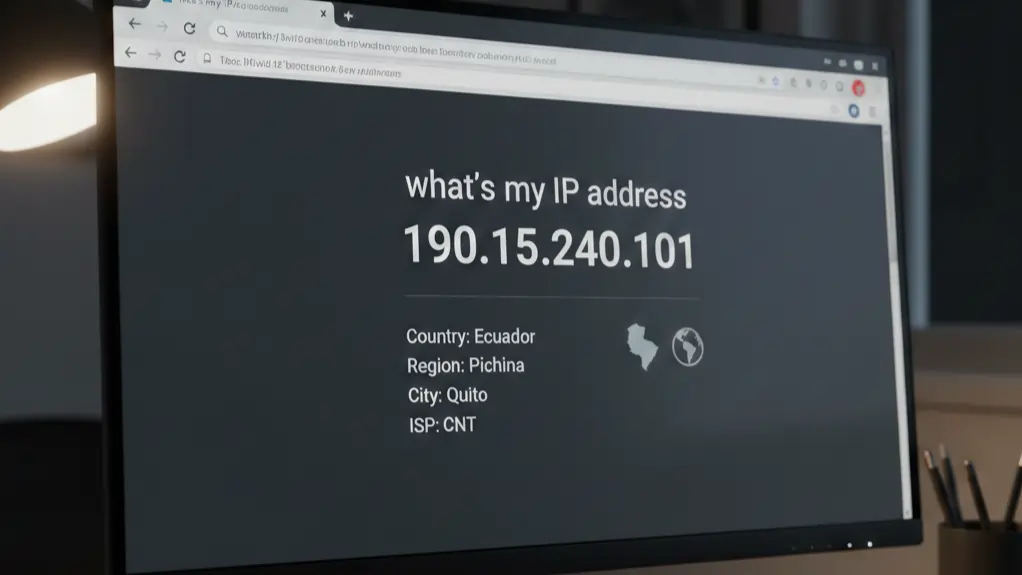
VPN Legality and IP Address Use in Ecuador
Using a VPN in Ecuador is completely legal. There are no laws that ban VPNs, limit encryption, or restrict personal VPN use.
VPNs are commonly used by:
- Businesses and remote workers
- Universities and researchers
- Travellers and expats
- Everyday users on public Wi-Fi
What VPNs Are Used For (Legally)
In Ecuador, VPNs are mainly used to:
- Protect privacy from ISP logging
- Secure public Wi-Fi connections
- Access international services
- Maintain stable work connections
A VPN does not make illegal activity legal. It simply protects your connection.
Why IP Addresses Matter
An IP address shows websites where you are located.
Without a VPN, websites can see that you are in Ecuador. This affects:
- Banking security checks
- Streaming libraries
- Online pricing
- Account access rules
When an Ecuador IP Is Useful
- Accessing local banks and services
- Watching Ecuadorian TV while abroad
- Booking local flights or services
When a Foreign IP Is Better
- Unlocking US or EU streaming libraries
- Accessing work platforms abroad
- Avoiding regional pricing differences
This flexibility is one of the biggest reasons VPNs are widely used in Ecuador.
If you travel often, see:
Next, we explain how to install and use a VPN step by step.
How to Install and Use a VPN in Ecuador
Installing a VPN is simple. You do not need technical skills. Most people are protected in under five minutes.
Step-by-Step Installation
-
Choose a VPN provider
Pick one from the recommended list above. -
Create an account
Visit the VPN’s website and sign up. -
Download the app
Available for Windows, macOS, Android, iOS, and smart TVs. -
Log in
Open the app and sign in. -
Tap “Connect”
You are now protected.
Recommended Settings
For best results in Ecuador, enable:
- Kill Switch
- Automatic Wi-Fi protection
- WireGuard or equivalent fast protocol
Which Server Should You Choose?
| Goal | Recommended Server |
|---|---|
| Everyday privacy | Automatic / nearest server |
| Streaming US services | United States |
| Low ping gaming | Brazil or Miami |
| Local banking access | Ecuador |
Using a VPN on Multiple Devices
Most VPNs allow:
- Phones and tablets
- Laptops and desktops
- Smart TVs and Firestick
- Routers (advanced users)
For device-specific guides, see:
Next, we answer the most common questions people have about VPNs in Ecuador.
Frequently Asked Questions About VPNs in Ecuador
Is using a VPN legal in Ecuador?
Yes. VPN use is completely legal in Ecuador. There are no laws banning VPNs, encryption, or personal privacy tools.
Will a VPN slow down my internet?
A small speed drop is normal, but in Ecuador a VPN often makes connections more stable. This is because it avoids ISP throttling and poor international routing.
Do I need a VPN if I only browse the web?
Yes. Even basic browsing exposes your IP address, location, and browsing habits. A VPN encrypts this data and prevents tracking.
Can I use a VPN on my phone?
Yes. Most VPNs are designed primarily for Android and iOS. They are especially useful on mobile data and public Wi-Fi.
Will a VPN work with Ecuadorian banks?
Yes, but you should use an Ecuador server or disable the VPN temporarily when logging in. Some banks block foreign IPs for fraud prevention.
Is a free VPN safe to use?
Usually not. Most free VPNs log activity, inject ads, or sell user data. For real privacy, a paid VPN is strongly recommended.
For a deeper explanation, see our Free vs Paid VPNs guide.
Final Thoughts: Do You Really Need a VPN in Ecuador?
Yes. In 2026, a VPN is no longer optional for people using the internet in Ecuador.
While speeds have improved, privacy, routing quality, and access restrictions have not. ISPs monitor traffic, public Wi-Fi is unsafe, and many global services do not work properly without a VPN.
A good VPN gives you:
- Private and encrypted internet access
- Stable international connections
- Protection on public networks
- Access to global streaming and services
Whether you are:
- Living in Ecuador
- Working remotely
- Travelling short-term
- Using public Wi-Fi daily
A VPN improves your internet experience in real, noticeable ways.
If you want the best balance of speed, privacy, and reliability, start with a top-tier provider tested on South American networks.
South America VPN Guides
Internet conditions vary widely across South America. Some countries have open networks, others rely heavily on ISP control and unstable routing.
Use the regional guides below to compare conditions and VPN performance:
- South America VPN Hub
- Best VPN for Colombia
- Best VPN for Peru
- Best VPN for Brazil
- Best VPN for Chile
- Best VPN for Argentina
These guides use the same testing standards and real-world analysis to help you choose the right VPN wherever you are in the region.