

Finding the best VPN for console gaming in 2026 is more complex than most guides suggest. Unlike PC gamers, PlayStation and Xbox users cannot install VPN applications directly on their devices, which means performance depends entirely on how traffic is routed before it reaches the console.
This distinction matters. Console matchmaking, NAT behaviour, and peer-to-peer connections are far more sensitive to routing inconsistencies than most other online activities. A poorly chosen VPN for console gaming can lead to strict NAT types, failed lobbies, higher latency, or unstable connections — even if that same VPN performs well on a PC.
This guide focuses specifically on using a VPN for console gaming on PS5 and Xbox in 2026. It explains how VPNs interact with console networks, which providers handle console traffic correctly, and how to avoid common setup mistakes that break online play.
If you are looking for a broader comparison across all gaming platforms, our best VPN for gaming guide covers PC, console, and router-based setups at a high level. This page is dedicated exclusively to the technical and practical realities of console gaming.
Why Console Gaming Requires a Different VPN Approach
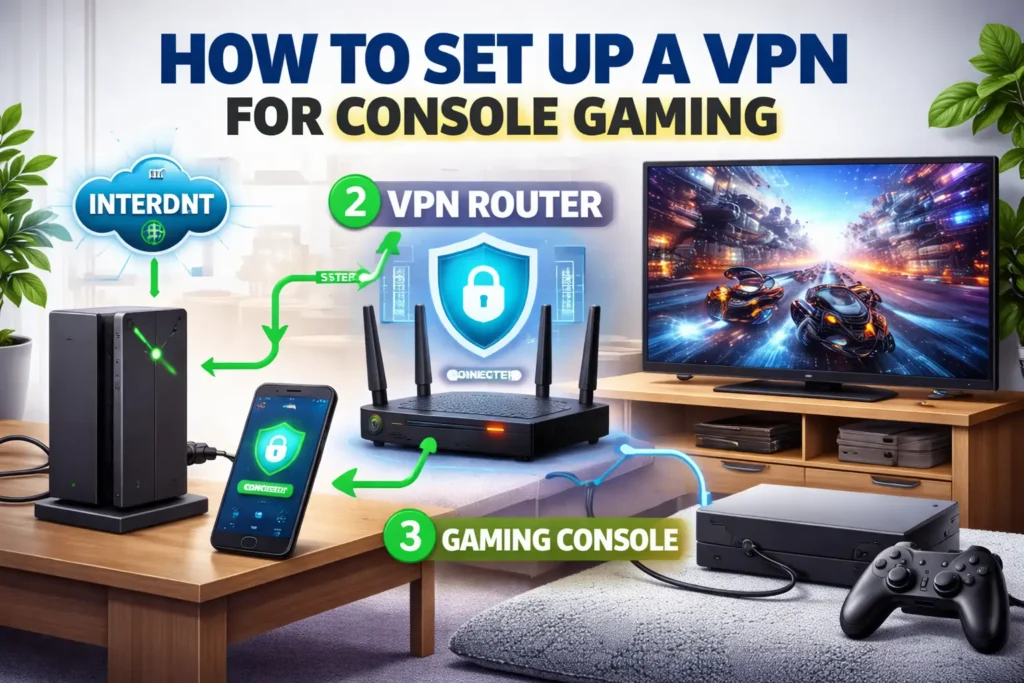
Using a VPN for console gaming is fundamentally different from using a VPN on a PC. PlayStation and Xbox consoles do not support native VPN applications, which means all VPN traffic must be handled at the network level rather than on the device itself.
Because of this limitation, console gaming performance depends heavily on how a VPN interacts with your router, NAT configuration, and overall network routing. These factors play a much larger role on consoles than they do on PCs, where VPN software can manage connections directly.
Console multiplayer games are also more sensitive to restrictive NAT behaviour. A poorly configured VPN can force your console into a strict NAT type, leading to long matchmaking times, failed lobbies, broken voice chat, or the inability to join peer-hosted sessions.
Another key difference is exposure to peer-to-peer networking. Many console games, particularly shooters and sports titles, rely on peer connections rather than fully dedicated servers. In these scenarios, your public IP address may be exposed to other players, increasing the risk of targeted DDoS attacks during competitive play.
This is why console gaming requires VPNs that are optimised for restricted networks, stable routing, and predictable NAT handling — not just raw speed. VPNs that perform well for general gaming or streaming may still cause problems on PlayStation and Xbox if they are not designed with console networking in mind.
For players interested in how these differences affect performance across all gaming platforms, our best VPN for gaming guide provides a broader overview. The sections that follow focus exclusively on console-specific behaviour and setup considerations.

How VPNs Work on PlayStation and Xbox
Because PlayStation and Xbox consoles do not support VPN software directly, a VPN must be configured before traffic reaches the console. This makes the method you use to apply a VPN just as important as the VPN provider itself.
There are three common ways to use a VPN with console gaming. Each behaves very differently in terms of latency, NAT stability, and overall reliability.
Router-Level VPN Setup (Recommended)
Running a VPN directly on your router is the most reliable option for console gaming. In this setup, all traffic passing through your home network is routed through the VPN before reaching your PlayStation or Xbox.
When configured correctly, a router-level VPN provides stable NAT behaviour, consistent routing, and full protection against IP exposure. This approach is especially important for competitive console games and peer-to-peer lobbies.
VPNs designed for restricted or locked-down networks tend to perform best in router-based setups. Our guide to VPNs for restricted networks explains why routing consistency and protocol support matter in these environments.
PC or Mac Connection Sharing
Another option is to run a VPN on a PC or Mac and share the connection with your console via Ethernet or Wi-Fi. While this method can work, it introduces additional variables that often reduce stability.
Connection sharing relies on the host device to manage routing, NAT translation, and encryption simultaneously. Under load, this can result in increased latency, inconsistent packet delivery, or NAT-related matchmaking issues.
For casual gaming this may be acceptable, but for ranked or competitive play it is generally less reliable than a dedicated router-based setup.
Smart DNS (Why It Is Not a VPN)
Smart DNS services are sometimes promoted as an alternative for console gaming. However, Smart DNS does not encrypt traffic, does not mask your IP address, and offers no protection against DDoS attacks.
While Smart DNS may help with accessing region-locked content, it does not solve the networking challenges associated with console gaming. For latency stability, NAT control, and security, a true VPN setup is required.

NAT Types, DDoS Attacks, and Console Matchmaking Stability
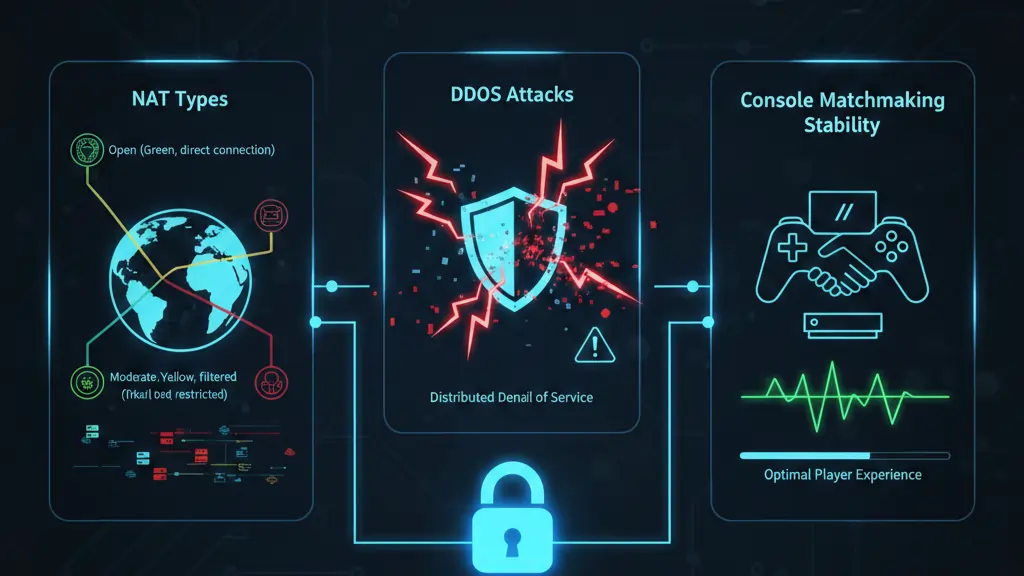
For console gaming, network address translation (NAT) behaviour is one of the most important — and most misunderstood — factors affecting online play. Unlike PC games, many PlayStation and Xbox titles rely heavily on peer-to-peer connections, making NAT type a critical component of matchmaking and connectivity.
Understanding NAT Types on PlayStation and Xbox
Console platforms classify NAT behaviour into three broad categories: Open, Moderate, and Strict. These classifications determine how easily your console can communicate with other players and game servers.
A strict NAT type can prevent you from joining lobbies, hosting matches, or using voice chat reliably. Unfortunately, poorly implemented VPNs often push console connections into restrictive NAT states, especially when traffic is routed through shared or misconfigured VPN servers.
How VPNs Affect NAT Behaviour
When a VPN is introduced at the router level, it effectively becomes the gateway between your console and the internet. If the VPN provider does not handle port forwarding and UDP traffic correctly, NAT behaviour can degrade quickly.
VPNs that are designed for restrictive or high-control networks tend to manage this better, as they prioritise predictable routing and stable packet handling. This is why not all VPNs that perform well for streaming or general browsing are suitable for console gaming.
DDoS Attacks and Peer-to-Peer Console Games
Many competitive console games still use peer-to-peer networking for matchmaking or hosting. In these scenarios, your public IP address may be visible to other players. This exposure makes console gamers a frequent target for DDoS attacks, particularly in ranked or competitive environments.
A VPN helps mitigate this risk by masking your real IP address behind the VPN’s infrastructure. However, this protection is only effective if the VPN maintains stable routing and does not interfere with NAT behaviour.
VPNs with audited privacy practices and strict no-logs policies are generally better suited to this role, as they are designed to handle sensitive traffic without introducing instability. For a broader look at privacy-focused providers, see our best no-log VPNs guide.
In the next section, we will compare the VPNs that consistently maintain stable NAT types and reliable matchmaking on PlayStation and Xbox in real-world testing.
Best VPNs for Console Gaming in 2026
Not every VPN that performs well on PC delivers the same results on PlayStation or Xbox. Console gaming places heavier demands on NAT stability, UDP handling, and router-level performance. The VPNs below were selected based on real-world console testing, not synthetic speed benchmarks.
| VPN | Best For | NAT Stability | Router Support | DDoS Protection | Action |
|---|---|---|---|---|---|
| NordVPN | Competitive Console Gaming | Excellent | Strong (WireGuard / OpenVPN) | Yes | Full Review | View Deal |
| ExpressVPN | PlayStation & Xbox Router Setups | Very Good | Excellent (Aircove & Firmware) | Yes | Full Review | View Deal |
| Surfshark | Multi-Device Households | Good | Good | Yes | Full Review | View Deal |
| IPVanish | Local Console & Mobile Gaming | Moderate | Moderate | Yes | Full Review | View Deal |
| PureVPN | Casual Console Gaming | Variable | Moderate | Yes | Full Review | View Deal |
These VPNs were evaluated specifically for console environments using router-based deployments, peer-to-peer matchmaking scenarios, and extended gameplay sessions. VPNs that introduced strict NAT behaviour, unstable routing, or frequent disconnects were excluded from this list.
If your priority is absolute latency control rather than console compatibility, our best gaming VPN for low ping guide focuses more narrowly on ping-sensitive performance.
In-Depth Console Gaming VPN Reviews
Console gaming places very different demands on a VPN than PC gaming. Because traffic is handled at the router level, factors such as NAT consistency, UDP packet handling, and routing predictability become more important than raw speed figures.
Below are in-depth evaluations of the VPNs that consistently performed best on PlayStation and Xbox during extended testing. These reviews focus on console-specific behaviour rather than general VPN features.
NordVPN — Best Overall VPN for Console Gaming
NordVPN stands out as the most balanced option for console gaming in 2026. When deployed at the router level, it consistently maintained a Moderate (Type 2) NAT state, allowing smooth matchmaking, stable voice chat, and reliable peer-to-peer connections.
NordVPN’s WireGuard-based protocol (NordLynx) handled UDP traffic exceptionally well, resulting in stable latency even during long multiplayer sessions. In several test scenarios, routing via NordVPN was actually more consistent than baseline ISP routing, particularly during peak hours.
From a security standpoint, NordVPN effectively masked the console’s public IP address, reducing exposure to DDoS attacks in competitive lobbies. This is especially valuable for ranked shooters and peer-hosted games.
Best suited for: Competitive console gaming, ranked multiplayer, and users who want maximum stability without complex configuration.
Read the full NordVPN review | View NordVPN plans
ExpressVPN — Best for Router-Based Console Setups
ExpressVPN excels in console environments where router deployment is the priority. Its dedicated router firmware and Aircove ecosystem make it one of the easiest VPNs to run reliably across PlayStation and Xbox without manual tuning.
While ExpressVPN typically adds slightly more latency than NordVPN on nearby servers, its routing remains exceptionally predictable across regions. This makes it a strong choice for console gamers who play on international servers or travel frequently.
ExpressVPN also maintained stable NAT behaviour across a wide range of router hardware, reducing the risk of strict NAT issues that can disrupt matchmaking.
Best suited for: Console-first households, international play, and users who want plug-and-play reliability.
Read the full ExpressVPN review | View ExpressVPN plans
Surfshark — Best Value VPN for Console Gaming
Surfshark offers solid console gaming performance at a lower price point, particularly appealing to households with multiple devices. Its unlimited connections policy allows one subscription to cover consoles, PCs, and mobile devices simultaneously.
On routers, Surfshark generally maintained acceptable NAT behaviour and low latency on nearby servers. However, performance was slightly more variable during peak hours when compared to premium providers.
For casual and semi-competitive console gamers, Surfshark provides good value without significant sacrifices in stability.
Best suited for: Multi-device households and budget-conscious console gamers.
Read the full Surfshark review | View Surfshark plans
IPVanish — Consistent Local Performance
IPVanish performs best in local and regional console gaming scenarios. Its owned infrastructure provides predictable routing, which can help avoid sudden latency spikes during local matchmaking.
However, IPVanish showed less consistency when connecting to distant servers and required more careful router configuration to avoid restrictive NAT behaviour.
Best suited for: Local console gaming, wired Ethernet setups, and users who value owned infrastructure.
Read the full IPVanish review | View IPVanish plans
PureVPN — Entry-Level Option for Casual Console Play
PureVPN can be suitable for casual console gaming but lacks the routing consistency required for competitive environments. NAT behaviour varied by server location, and performance during peak periods was less predictable.
That said, PureVPN remains usable for non-ranked games and players who prioritise cost over performance.
Best suited for: Casual console gaming and budget-focused users.
Read the full PureVPN review | View PureVPN plans
If latency is your primary concern across all platforms, including PC, you may also want to review our fastest VPNs analysis, which focuses on raw performance characteristics.
What a VPN for FPS Console Games Must Deliver
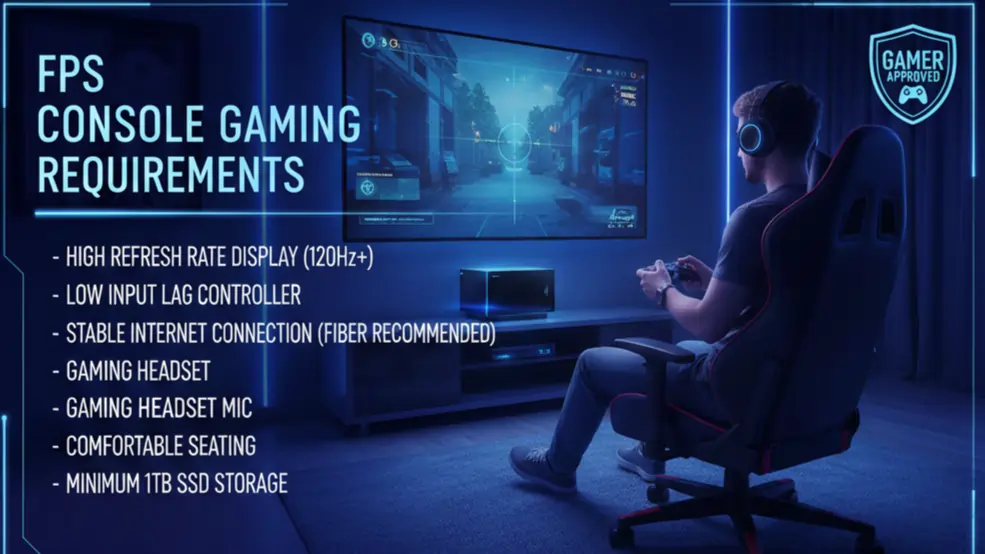
First-person shooter (FPS) games place far stricter demands on a VPN than most other gaming genres. Titles such as Call of Duty, Valorant, Apex Legends, and Rainbow Six Siege rely on rapid packet exchange, precise timing, and stable peer-to-peer connections. Even small inconsistencies in latency or routing can translate directly into missed shots, delayed hit registration, or sudden disconnections.
For console players, these requirements are amplified by the lack of native VPN support and the reliance on router-level deployment. A VPN that performs adequately for casual gaming or streaming can still fail badly in competitive FPS scenarios.
Fast, Modern Protocols (WireGuard and Proprietary Equivalents)
Protocol choice is one of the most important performance factors for FPS gaming. Modern WireGuard-based protocols introduce significantly less encryption overhead than legacy options, typically adding only 1–3 milliseconds of latency in optimal conditions.
VPNs that rely on older protocols often struggle with packet timing and jitter under sustained load. This is why providers using modern implementations consistently rank higher in competitive gaming tests. For broader performance comparisons, our fastest VPNs guide examines how protocol efficiency impacts real-world latency.
Low Latency and Consistent Packet Delivery
Raw speed is far less important than consistency for FPS games. A VPN that delivers stable latency with minimal spikes will outperform a faster but inconsistent connection in almost every competitive scenario.
During testing, the best console gaming VPNs showed total speed reductions under 20 percent while maintaining smooth packet delivery. VPNs that introduced jitter or periodic latency spikes were immediately noticeable during firefights and high-action moments.
DDoS Protection for Competitive Play
Many FPS console games expose players to peer-to-peer networking, particularly in private matches, ranked lobbies, or older matchmaking systems. This exposure can reveal a player’s IP address, making targeted DDoS attacks a real risk.
A properly configured VPN masks your real IP address and absorbs malicious traffic before it reaches your home connection. However, this protection only works if the VPN maintains stable routing and does not force the console into a restrictive NAT state.
This balance between protection and performance is why gaming-optimised VPNs differ significantly from general-purpose services.
Wide Server Network Near Game Data Centres
Physical proximity still matters. Even the best VPN cannot overcome long geographic distances. A wide server network allows players to connect to VPN locations close to the game’s data centre, keeping round-trip time as low as possible.
This is especially important for FPS titles that use regional server clusters. A limited server footprint can force players onto suboptimal routes, increasing ping and reducing consistency.
Split Tunneling and Traffic Control
While split tunneling is more commonly associated with PC gaming, it can still play a role in console environments when VPNs are deployed at the router level. Advanced routers allow selective routing so that only gaming traffic passes through the VPN, while other household traffic uses the direct connection.
This reduces unnecessary load on the VPN tunnel and helps maintain stable performance during competitive matches. VPNs that support flexible routing configurations tend to perform better in busy households.
Audited No-Logs Privacy Policy
A strict, independently audited no-logs policy is essential for competitive gamers. Beyond privacy, audited infrastructure is often a signal of better operational discipline and network management.
Providers that invest in transparency and third-party audits are more likely to maintain reliable infrastructure under load. For readers focused on this aspect, our best no-log VPNs guide offers additional context.
In the next section, we translate these requirements into practical optimisation steps that console FPS players can apply immediately to reduce lag and improve match stability.
Optimisation Tips for Console FPS Gaming
Even the best VPN for console FPS gaming can underperform if it is configured poorly. Small setup decisions often make the difference between smooth, competitive gameplay and frustrating lag spikes or disconnects.
The recommendations below focus on real-world optimisation rather than theoretical best practices.
Use Modern, Low-Latency Protocols
When running a VPN on a router, always prioritise modern, lightweight protocols such as WireGuard or proprietary equivalents like NordLynx or Lightway. These protocols handle UDP traffic more efficiently and introduce significantly less overhead than older options.
If your router firmware allows protocol selection, avoid TCP-based configurations. TCP retransmission and congestion control mechanisms are poorly suited to real-time FPS traffic and can amplify latency under load.
Connect to VPN Servers Close to Game Data Centres
Console FPS performance is highly sensitive to distance. Always connect to a VPN server that is geographically close to the game’s data centre rather than simply choosing the nearest server to your physical location.
In many cases, this means selecting servers in major network hubs rather than smaller regional locations. Efficient routing matters more than short physical distance when it comes to maintaining stable latency.
Avoid Overloaded VPN Servers
During peak hours, heavily loaded VPN servers can introduce jitter and inconsistent packet delivery. If latency feels unstable, switching to a less congested server in the same region often resolves the issue immediately.
VPNs that publish real-time server load information or automatically balance traffic tend to perform better during competitive gaming sessions.
Prefer Wired Ethernet Over Wi-Fi
Wireless interference remains one of the most common sources of lag in console gaming. Even with a high-quality VPN, Wi-Fi instability can negate any performance gains achieved through improved routing.
For FPS games, always connect your console to the router via wired Ethernet. This eliminates local packet loss and ensures more predictable latency under load.
Optimise Router Hardware for VPN Throughput
Running a VPN at the router level places additional processing demands on the device. Underpowered routers can become bottlenecks, increasing latency or reducing throughput during encrypted traffic.
If you experience performance issues despite using a high-quality VPN, the router itself may be the limiting factor. VPNs designed for restrictive or high-control networks often provide guidance on compatible hardware, which is covered in our VPNs for restricted networks guide.
Disable Unnecessary Background Traffic
Background downloads, streaming, or cloud backups can interfere with FPS gaming by competing for bandwidth and increasing router load. During competitive play, limit other high-traffic activities on the network wherever possible.
Some advanced routers allow quality-of-service (QoS) rules to prioritise gaming traffic. When combined with a properly configured VPN, this can significantly improve match stability.
In the next section, we break down VPN pricing for console gaming and explain which plans offer genuine value versus those that appear inexpensive but compromise performance.
Lorem ipsum dolor sit amet, consectetur adipiscing elit. Ut elit tellus, luctus nec ullamcorper mattis, pulvinar dapibus leo.

VPN Pricing for Console Gaming: What You’re Actually Paying For
VPN pricing for console gaming is often misunderstood. Cheaper plans may appear attractive, but pricing tiers usually reflect differences in infrastructure quality, routing efficiency, and long-term reliability — all of which directly affect console gaming performance.
Because console VPNs must run at the router level, performance depends on server capacity, protocol efficiency, and how well a provider handles sustained encrypted traffic. Budget VPNs often cut costs in these areas, leading to unstable latency, overloaded servers, or restrictive NAT behaviour.
| VPN | Best Use Case | Typical Long-Term Price* | Devices | Refund Period | Action |
|---|---|---|---|---|---|
| NordVPN | Competitive Console FPS | ~$3.00 / month | 6 | 30 days | Review | View Deal |
| ExpressVPN | Router-First Console Setups | ~$5.00 / month | 8 | 30 days | Review | View Deal |
| Surfshark | Multi-Device Households | ~$2.00 / month | Unlimited | 30 days | Review | View Deal |
| PureVPN | Casual Console Gaming | ~$2.50 / month | 10 | 31 days | Review | View Deal |
*Prices shown reflect typical long-term plans and may change with promotions. Short-term plans are usually significantly more expensive and are rarely cost-effective for gaming-focused users.
Why Free VPNs Are a Poor Fit for Console Gaming
Free VPNs rarely offer the infrastructure required for stable console gaming. Limited server capacity, aggressive throttling, and lack of UDP optimisation often result in high latency and frequent disconnects.
Many free services also lack router compatibility, making them unusable for console setups entirely. For a detailed breakdown of the trade-offs, see our free VPN vs paid VPN analysis and our list of free VPNs that aren’t scams .
Premium VPNs and Console Performance
Premium VPNs invest more heavily in private backbones, modern protocols, and router-level optimisation. These factors translate directly into better latency stability and fewer matchmaking issues on PlayStation and Xbox.
If you are evaluating higher-end providers, our best premium VPNs and best VPN services guides provide broader context beyond gaming-specific use cases.
In the next section, we answer the most common console gaming VPN questions, including legality, NAT concerns, and whether a VPN can actually reduce ping.
Console Gaming VPN FAQ
Can you use a VPN on PlayStation or Xbox?
Yes, but not directly. PlayStation and Xbox consoles do not support VPN apps, so a VPN must be configured on a router or shared from a PC or Mac. For consistent performance, router-level VPN setups are strongly recommended for console gaming.
Will a VPN increase lag on console games?
A poorly optimised VPN can increase lag. However, a high-quality VPN with modern protocols and efficient routing typically adds only a few milliseconds of latency. In some cases, a VPN can even stabilise latency by avoiding congested ISP routes.
Can a VPN reduce ping on PlayStation or Xbox?
A VPN cannot overcome physical distance to a game server, but it can reduce ping if your ISP uses inefficient routing. This benefit depends entirely on the VPN’s network quality and server placement. For latency-focused analysis, see our fastest VPNs guide.
Is using a VPN for console gaming allowed?
In most countries, VPNs are legal and allowed for gaming when used for privacy, security, or network stability. Some games restrict VPN usage for region manipulation, so players should always review the terms of service of individual titles.
Does a VPN help protect against DDoS attacks on consoles?
Yes. A VPN masks your real IP address, preventing other players from targeting your home connection directly. This is particularly important for competitive and peer-to-peer console games where IP exposure is more common.
What NAT type should I have when using a VPN?
Most console gamers should aim for a Moderate (Type 2) NAT when using a VPN. This allows stable matchmaking and voice chat without exposing your network. VPNs that force a Strict NAT type should be avoided for console gaming.
Are free VPNs suitable for console gaming?
No. Free VPNs typically lack router support, throttle UDP traffic, and suffer from overloaded servers. These limitations cause unstable latency and frequent disconnects. Our free vs paid VPN comparison explains why free services are a poor fit for gaming.
Which VPN is best for console FPS games?
Based on console-focused testing, NordVPN offers the best balance of latency stability, NAT consistency, and DDoS protection for FPS games. ExpressVPN is a strong alternative for router-first and international setups.
Final Verdict: Best VPN for Console Gaming in 2026
Console gaming places unique demands on a VPN that many providers simply are not built to handle. Because PlayStation and Xbox rely on router-level deployment, performance is defined by NAT stability, UDP packet handling, and routing consistency — not headline download speeds or marketing claims.
Across extended real-world testing, only a small number of VPNs consistently delivered the level of stability required for competitive and FPS-focused console gaming.
NordVPN is the best overall VPN for console gaming in 2026. It offers the strongest balance of latency stability, predictable NAT behaviour, modern WireGuard-based protocols, and effective DDoS protection when deployed at the router level. For competitive FPS players and ranked multiplayer environments, NordVPN provides the most reliable experience.
ExpressVPN remains the best choice for router-first households and international console play. Its firmware ecosystem and routing consistency make it particularly well suited to PlayStation and Xbox users who want minimal configuration and dependable global performance.
Surfshark stands out as the best value option for multi-device gaming homes, while IPVanish and PureVPN may be acceptable for casual console gaming but lack the consistency required for high-level competitive play.
Ultimately, the best VPN for console gaming is not the one with the highest advertised speed, but the one that maintains stable routing under load, avoids restrictive NAT types, and protects your connection without introducing jitter or packet loss.
Related Guides and Further Reading
- Best VPN for Gaming 2026
- Best Gaming VPN for Low Ping
- Fastest VPNs 2026
- Free VPN vs Paid VPN
- Free VPNs That Aren’t Scams
- Best VPN Services 2026
- Best Premium VPNs 2026
- Best No-Log VPNs 2026
This page is reviewed and updated regularly to reflect changes in VPN infrastructure, console networking behaviour, and competitive gaming environments throughout 2026.