
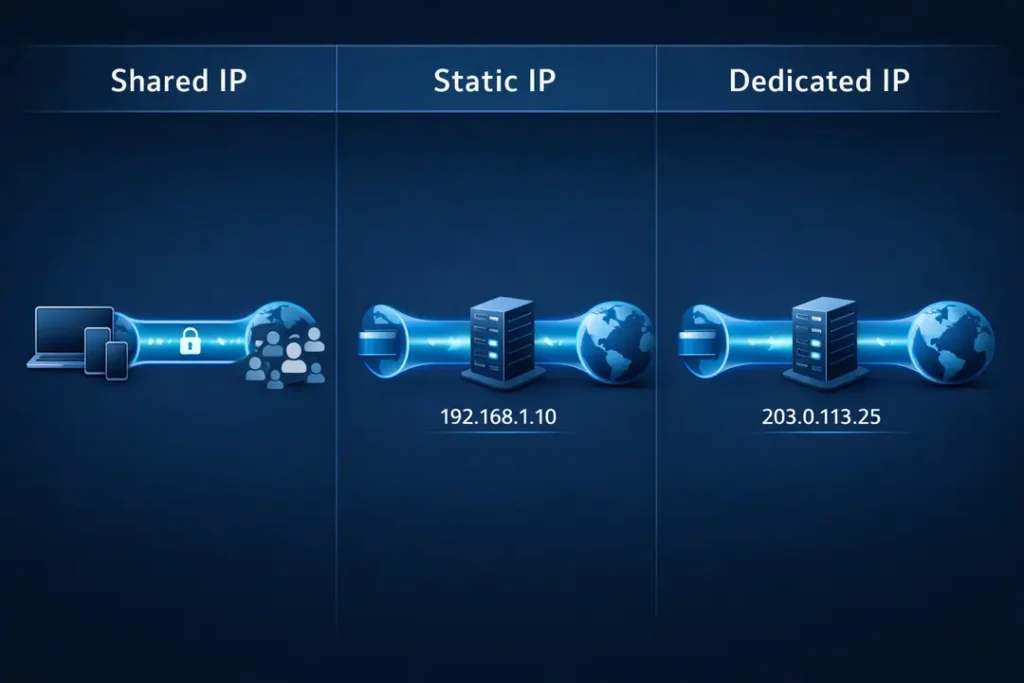

When you use a VPN, you normally share an IP address with many other users. This improves anonymity because your online activity blends in with a larger group. However, shared IPs can also trigger CAPTCHA challenges, banking security checks, and temporary access blocks.
A dedicated IP address assigns one unique IP to you alone. A static IP means your address does not change over time. These options are useful for remote work systems, business platforms, IP whitelisting, and secure logins that require a consistent location.
Dedicated IPs are not automatically better. They usually cost extra and reduce the privacy benefit that comes from sharing an IP with other users. For many people, a standard shared VPN IP is still the better choice.
This guide explains the real differences between shared, static, and dedicated IP addresses — and compares the best VPN providers that offer reliable dedicated IP options in 2026.

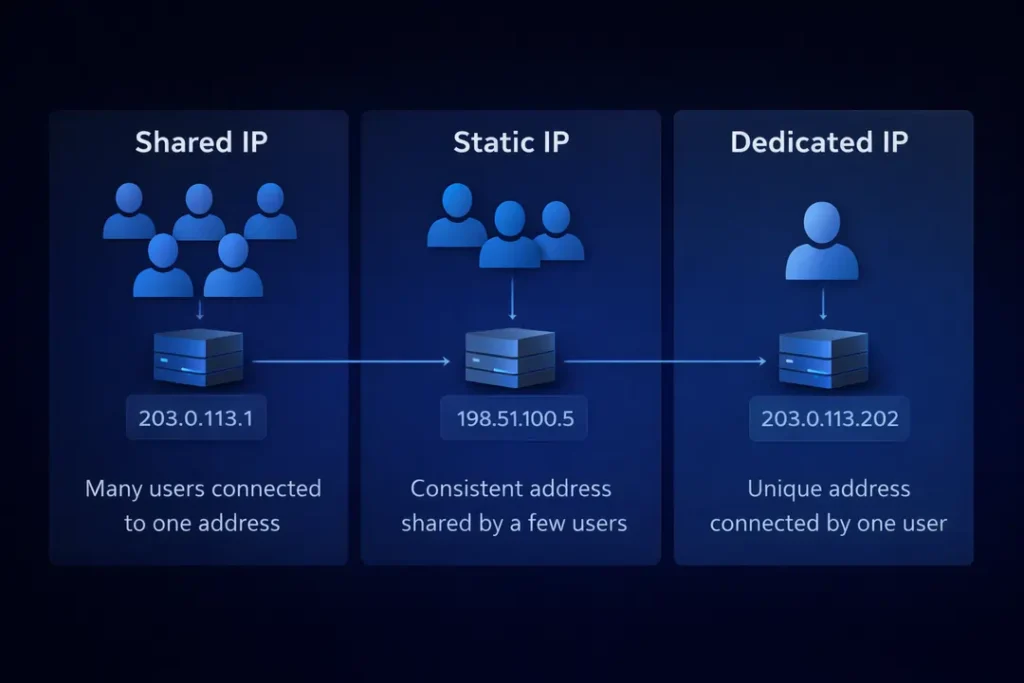
Static vs Dedicated vs Shared IP: What’s the Difference?
These terms are often used interchangeably, but they describe different things. Understanding the difference helps you choose the right setup for your needs.
| Feature | Shared IP | Static IP | Dedicated IP |
|---|---|---|---|
| IP address changes | Yes | No | No |
| Used by multiple people | Yes | Usually yes | No |
| Anonymity level | High | Medium | Lower |
| Best for remote access | No | Yes | Yes |
| Reduces CAPTCHA checks | Sometimes | Often | Very often |
Shared IP
This is the standard option for most VPN users. Many people connect through the same IP address at the same time. Your activity blends in with others, which improves privacy. However, if someone misuses that IP, websites may trigger extra security checks.
Static IP
A static IP does not change over time, but it may still be shared with other users. It offers more consistency than rotating shared IPs. This can reduce login alerts, but it does not provide the exclusivity of a dedicated IP.
Dedicated IP
A dedicated IP is assigned only to you. No one else uses it. This reduces CAPTCHA challenges and login warnings because your IP history remains consistent. The trade-off is lower anonymity, since your traffic is no longer blended with other VPN users.
Who Actually Needs a Dedicated IP?
Not everyone needs a dedicated IP address. For most people, a regular shared VPN IP works perfectly well and provides stronger anonymity.
A dedicated IP makes sense when stability and consistency matter more than blending in with other users.
1. Remote Workers
If you connect to company servers, remote desktops, or private databases, your workplace may use IP whitelisting. This means only approved IP addresses can access the system. A dedicated IP works well here because your address does not change.
2. Online Banking and Financial Accounts
Banks and financial platforms often flag logins from constantly changing IP addresses. A dedicated IP reduces repeated security alerts and extra verification steps.
3. Hosting or Smart Home Access
If you manage a home server, security cameras, or remote storage, a stable IP makes remote access easier and more reliable. It avoids connection problems caused by rotating IP addresses.
4. Reducing CAPTCHA Frustration
Shared VPN IPs are used by many people. If one person abuses that IP, websites may increase CAPTCHA checks for everyone using it. A dedicated IP lowers the chance of this happening because you are the only user.
If you mainly stream, browse, or use public Wi-Fi for general protection, a shared IP is usually the better option. You can compare overall provider performance in our Best VPN Services 2026 guide.
Is a Dedicated IP Less Private?
Yes — in some ways.
A shared VPN IP improves anonymity because your online activity is mixed with many other users. This makes it harder to link traffic patterns to one person.
A dedicated IP works differently. Because only you use that IP address, your activity is not blended with others. Over time, websites can associate that IP with your account or behavior.
This does not mean a dedicated IP is unsafe. Your traffic is still encrypted, and your real home IP remains hidden. However, you lose the “crowd-blending” advantage that shared VPN IPs provide.
When Privacy Matters Most
If your main goal is maximum anonymity, investigative research, or bypassing heavy tracking systems, a shared IP is usually better.
If your goal is stable access, fewer login alerts, and consistent remote connections, a dedicated IP may be the better choice.
The right option depends on whether you value anonymity or stability more.
Do Dedicated IPs Affect Speed?
In most cases, a dedicated IP does not automatically make your VPN faster.
Speed depends more on server quality, distance, congestion, and the VPN protocol being used. If the provider has strong infrastructure, both shared and dedicated IP connections can perform well.
When a Dedicated IP May Feel Faster
A dedicated IP can sometimes feel more stable because fewer users are sharing the same address. This may reduce slowdowns caused by overcrowded IP pools.
You may also experience fewer website security checks or login delays, which can make browsing feel smoother.
When It Makes No Difference
If a VPN server is far away or overloaded, having a dedicated IP will not fix the problem. Server location and routing efficiency matter more than IP type.
If speed is your main priority, it is more important to choose a provider with strong infrastructure. You can compare real-world performance in our Fastest VPNs 2026 testing results.
You can also learn why VPN connections slow down in our guide: Why VPNs Are Slow (And How to Fix It).
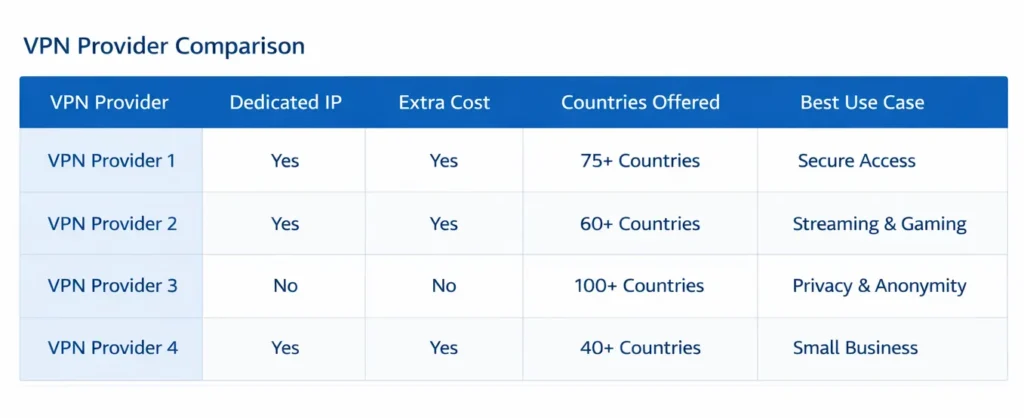
Best VPNs with Dedicated IP in 2026
Below is a quick comparison of the VPN providers that currently offer dedicated IP options. All four support strong encryption and modern VPN protocols, but they differ in pricing, availability, and overall performance.
| VPN | Dedicated IP Available | Extra Cost | Best For |
|---|---|---|---|
| NordVPN | Yes | Extra monthly add-on | Overall performance and security |
| Surfshark | Yes | Low-cost add-on | Budget users and families |
| ExpressVPN | Yes | Premium add-on | Travel and reliability |
| PureVPN | Yes | Affordable add-on | Flexible pricing options |
Each provider below is explained in more detail, including how their dedicated IP options work and who they are best suited for.

1. NordVPN – Best Overall Dedicated IP Option
NordVPN offers dedicated IP addresses as an optional add-on. It combines strong performance, modern security architecture, and wide country availability, making it the most balanced choice for most users.
Why NordVPN Stands Out
- Dedicated IPs available in multiple countries
- Strong privacy-focused jurisdiction
- RAM-only server infrastructure
- Modern WireGuard-based protocol (NordLynx)
- Consistently strong performance in speed testing
NordVPN’s dedicated IP option is best suited for remote workers, business users, and individuals who want stable logins without sacrificing overall VPN performance.
Performance & Stability
In our broader testing, NordVPN consistently ranks among the fastest providers. Dedicated IP connections benefit from the same infrastructure as shared servers. For full performance benchmarks, see our Fastest VPNs 2026 comparison.
Privacy Considerations
Even with a dedicated IP, NordVPN maintains strong encryption standards and a verified no-logs policy. However, as explained earlier, dedicated IPs reduce crowd-blending anonymity compared to shared IP pools.
You can read a full breakdown of NordVPN’s infrastructure and testing results in our NordVPN Review 2026.
Best for: Users who want the strongest balance of speed, security, and dedicated IP reliability.

2. Surfshark – Best Budget Dedicated IP Option
Surfshark offers one of the most affordable dedicated IP add-ons among major VPN providers. It is well suited for users who want a stable IP address without paying premium pricing.
Why Surfshark Is a Strong Value Choice
- Low-cost dedicated IP add-on
- Unlimited simultaneous device connections
- Modern WireGuard support
- Strong encryption and no-logs policy
Surfshark is particularly useful for households with many devices. Because it allows unlimited connections, you can use your dedicated IP across multiple devices at the same time.
Performance & Stability
Surfshark delivers solid speeds for streaming, browsing, and general use. While it may not always match the very top performers in peak speed tests, it provides consistent everyday performance. For broader comparisons, see our Fastest VPNs 2026 guide.
Privacy Considerations
Like all dedicated IP setups, Surfshark’s dedicated IP reduces anonymity compared to shared IP pools. However, your real home IP remains hidden, and all traffic stays encrypted.
You can read more about Surfshark’s infrastructure and real-world testing in our Surfshark Review.
Best for: Budget-conscious users and families who want a stable IP without high monthly costs.

3. ExpressVPN – Best for Travel and Reliability
ExpressVPN offers dedicated IP addresses as a premium add-on. It is known for its stability, simple apps, and consistent performance across changing networks.
Why ExpressVPN Is a Reliable Option
- Dedicated IP available in multiple countries
- Strong encryption and privacy standards
- Proprietary Lightway protocol for stable connections
- Simple and beginner-friendly interface
ExpressVPN is a strong choice for users who travel frequently or switch between Wi-Fi and mobile networks. Its connection stability helps maintain access without repeated interruptions.
Performance & Stability
While ExpressVPN is not always the fastest in raw speed benchmarks, it is highly consistent. Stable connections often matter more than peak download numbers. For full speed comparisons, see our Fastest VPNs 2026 testing results.
Privacy Considerations
ExpressVPN operates RAM-only servers and follows a verified no-logs policy. However, as with any dedicated IP, your traffic is no longer blended with other users.
You can find a detailed breakdown of features and testing data in our ExpressVPN Review 2026.
Best for: Users who prioritize stability, ease of use, and reliable connections while traveling.

4. PureVPN – Most Affordable Long-Term Dedicated IP
PureVPN offers dedicated IP addresses at a competitive monthly add-on cost. It is a practical option for users who want a stable IP without paying premium pricing.
Why PureVPN Is Worth Considering
- Affordable dedicated IP add-on
- Wide range of global server locations
- Supports modern VPN protocols
- Simple apps for major platforms
PureVPN is suitable for users who need a consistent IP for remote access, business logins, or reducing CAPTCHA checks, but who are focused on keeping overall subscription costs low.
Performance & Stability
PureVPN delivers solid everyday performance for browsing, remote work, and general online use. While it may not always lead in peak speed benchmarks, its performance is reliable for most standard activities.
You can compare broader performance testing in our Fastest VPNs 2026 guide.
Privacy Considerations
PureVPN maintains a no-logs policy and strong encryption standards. As with all dedicated IP options, anonymity is lower than when using shared IP pools.
For a full feature breakdown and testing data, see our PureVPN Review 2026.
Best for: Users who want an affordable dedicated IP option with broad international coverage.

How to Choose the Right Dedicated IP VPN
Choosing the right VPN with a dedicated IP depends on your priorities. Not every provider is the best fit for every user.
1. Consider Why You Need a Dedicated IP
If your main goal is remote work access or IP whitelisting, stability matters most. If you mainly want fewer CAPTCHA checks, most major providers will perform similarly.
2. Look at Overall Infrastructure
A dedicated IP will not fix slow servers. Choose a provider with strong infrastructure, modern VPN protocols, and consistent performance. You can compare tested results in our Best VPN Services 2026 guide.
3. Check the Add-On Cost
Dedicated IPs are usually sold as an extra monthly add-on. Compare the total subscription cost, not just the base plan price.
4. Balance Privacy and Stability
If anonymity is your top concern, a shared IP may still be better. If stable access and consistent logins matter more, a dedicated IP is often the right choice.
The best decision comes down to your specific use case — not marketing claims.
Frequently Asked Questions About Dedicated IP VPNs
What is the best VPN with a dedicated IP?
NordVPN offers the most balanced option for most users. It combines strong performance, wide availability, and modern security features. However, the best choice depends on your budget and use case.
Is a dedicated IP safer than a shared IP?
Both options use strong encryption. A dedicated IP is not more secure in terms of encryption, but it is less anonymous because you do not share the IP with other users.
Does a dedicated IP improve VPN speed?
Not automatically. Speed depends more on server quality, congestion, and distance. A dedicated IP may feel more stable, but it does not guarantee faster performance.
Are dedicated IPs worth the extra cost?
They are worth it if you need stable access for remote work, business systems, banking, or IP whitelisting. For general browsing and streaming, most users do not need one.
Can I change my dedicated IP address?
In most cases, yes. You usually need to contact the VPN provider’s support team to request a new dedicated IP.
Final Recommendation: Is a Dedicated IP Right for You?
A dedicated IP is not better by default — it is better for specific needs.
If you want maximum anonymity, a shared VPN IP is usually the smarter choice. It blends your activity with other users and improves privacy.
If you need stable access for remote work, business systems, secure logins, or fewer CAPTCHA checks, a dedicated IP can make daily use smoother and more reliable.
Among the providers compared here, NordVPN offers the strongest overall balance of speed, security, and dedicated IP availability. Surfshark is a strong budget option, ExpressVPN focuses on reliability, and PureVPN offers competitive pricing.
If you are still unsure which VPN setup is best for you, start with our complete comparison guide: Best VPN Services 2026.
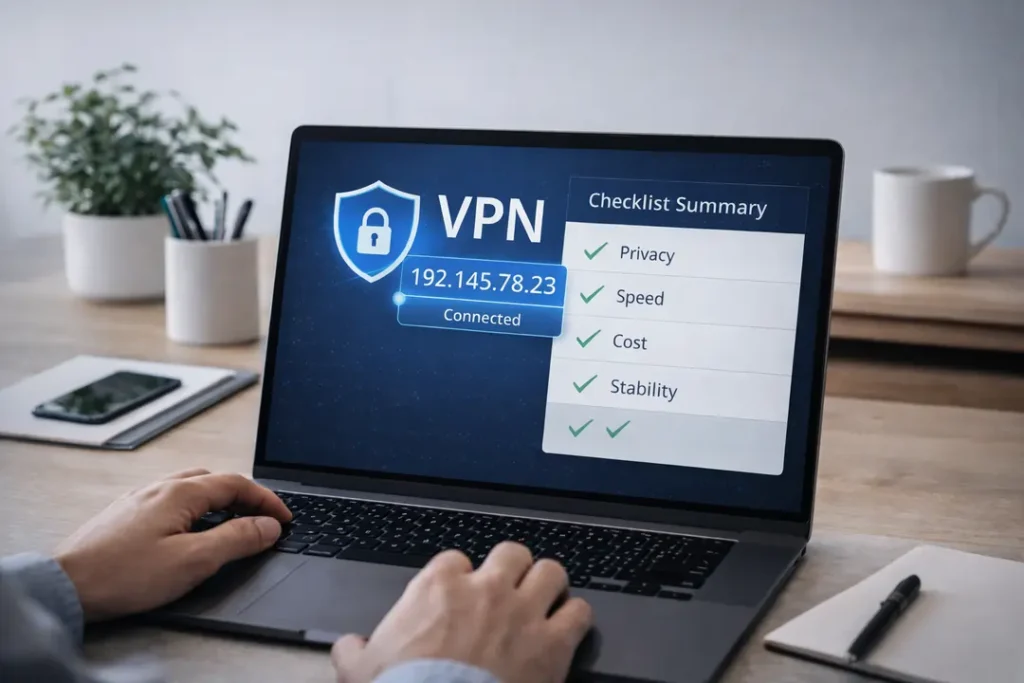
The right choice depends on your priorities — privacy, stability, cost, or overall performance.